
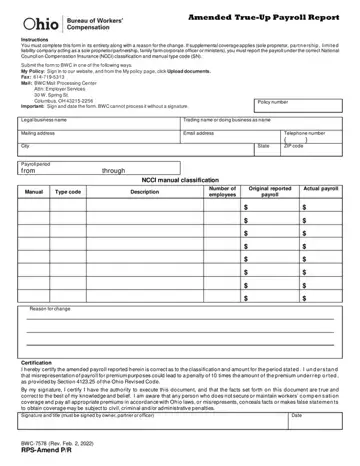
Form BWC-7578 at a glance
What it is: BWC-7578 is the Amended True-Up Payroll Report.
Who signs: Signature and title (must be signed by owner, partner or officer)
A filled-in Form BWC-7578 example: a roofing company amends its payroll
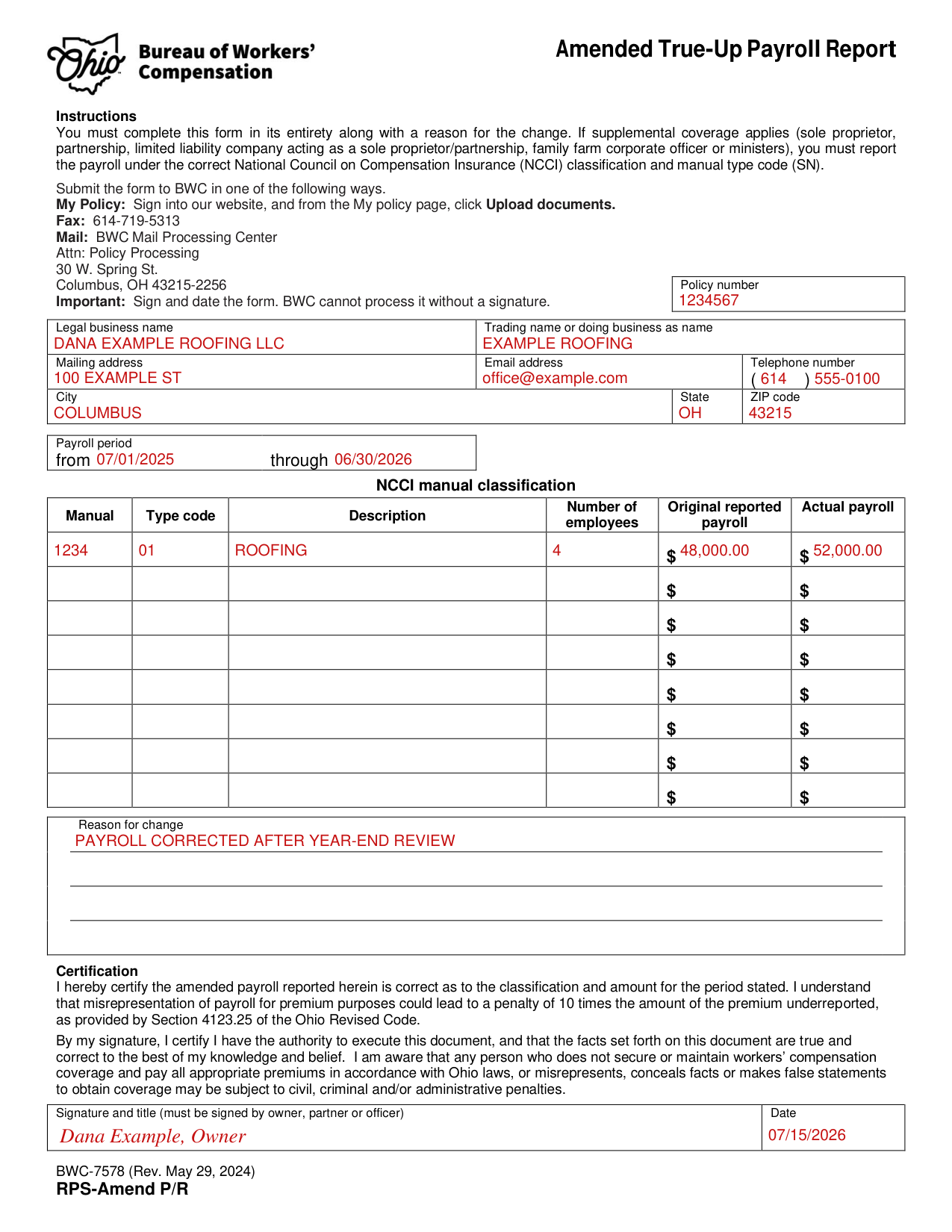
How to fill out Form BWC-7578, box by box
Policy number and Legal business name
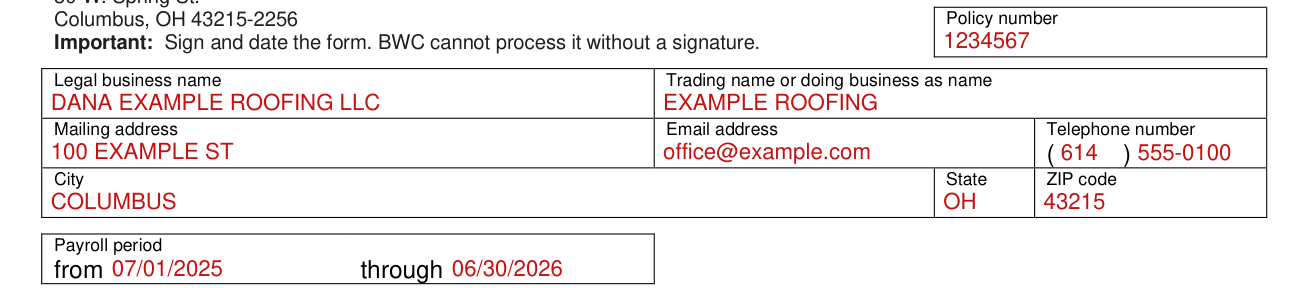
Fill in the Policy number, Legal business name, Trading name or doing business as name, Mailing address, Email address, Telephone number, City, State and ZIP code.
Payroll period

Fill in the Payroll period from and through.
NCCI manual classification
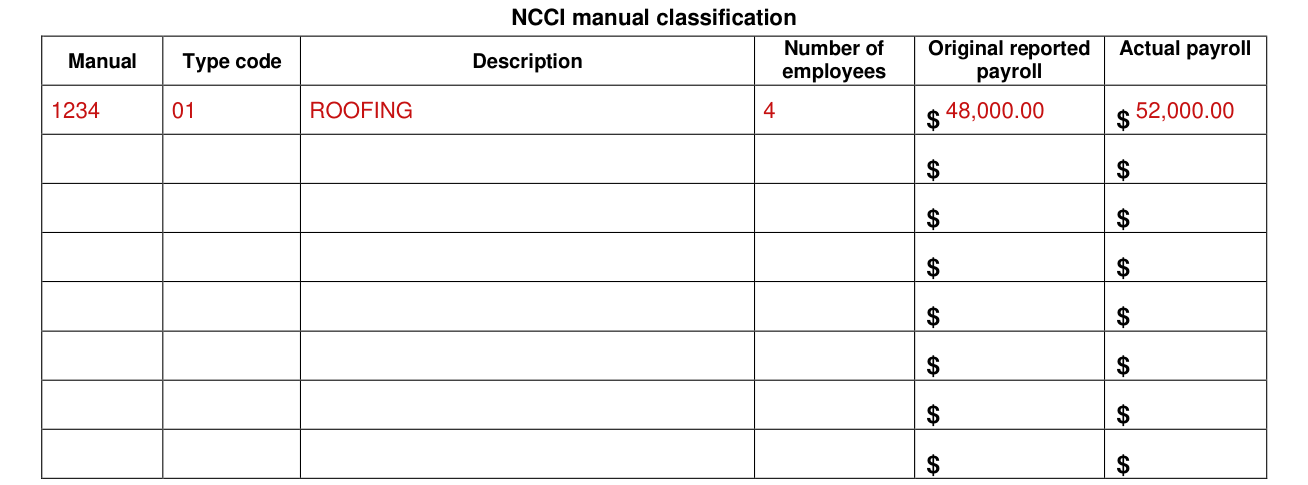
Under NCCI manual classification, fill in Manual, Type code, Description, Number of employees, Original reported payroll and Actual payroll.
If supplemental coverage applies (sole proprietor, partnership, limited liability company acting as a sole proprietor/partnership, family farm corporate officer or ministers), you must report the payroll under the correct National Council on Compensation Insurance (NCCI) classification and manual type code (SN).
Reason for change

Fill in the Reason for change.
Signature and date
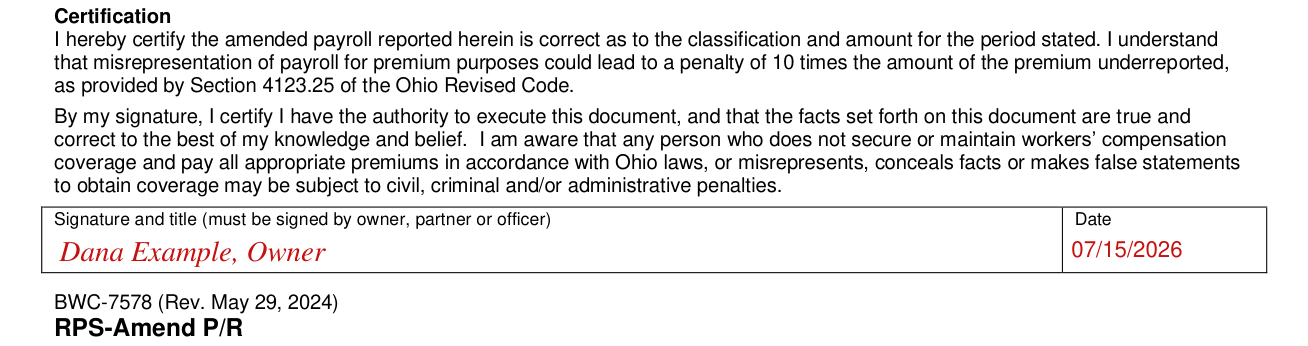
Sign and date the form. BWC cannot process it without a signature.
I hereby certify the amended payroll reported herein is correct as to the classification and amount for the period stated.
I understand that misrepresentation of payroll for premium purposes could lead to a penalty of 10 times the amount of the premium underreported, as provided by Section 4123.25 of the Ohio Revised Code.
By my signature, I certify I have the authority to execute this document, and that the facts set forth on this document are true and correct to the best of my knowledge and belief. I am aware that any person who does not secure or maintain workers' compensation coverage and pay all appropriate premiums in accordance with Ohio laws, or misrepresents, conceals facts or makes false statements to obtain coverage may be subject to civil, criminal and/or administrative penalties.
More rules for Form BWC-7578
You must complete this form in its entirety along with a reason for the change.
Common questions about Form BWC-7578
Where do I file it?
Submit the form to BWC in one of the following ways. My Policy: Sign into the BWC website, and from the My policy page, click Upload documents. Fax: 614-719-5313 Mail: BWC Mail Processing Center Attn: Policy Processing 30 W. Spring St. Columbus, OH 43215-2256
Sources
[1] Form BWC-7578 (Rev. May 29, 2024), Amended True-Up Payroll Report, Ohio Bureau of Workers' Compensation (the Official source link on this page).
