
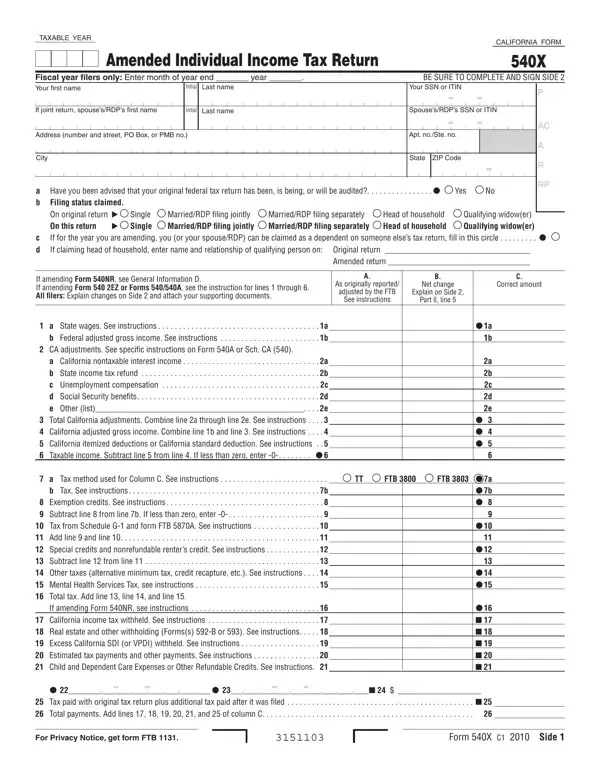
California Form 540X is the official amended individual income tax return issued by the Franchise Tax Board (FTB). Taxpayers use this return to correct errors or add new information to a previously submitted California income tax return, whether that was a Form 540, Form 540 2EZ, or Form 540NR. Filing an amended return lets you claim additional deductions, update income figures, adjust tax credits, or fix errors in your original filing.
Many common situations lead California taxpayers to submit an amended tax return. These include:
The amended return is organized into three parts. Part I shows your original income tax figures alongside your corrected amounts, making it easy to track every change to your income, deductions, and tax liability. Part II is where you share a detailed explanation of each correction and attach any supporting tax documents. Part III contains the signature line and supplemental schedules required by the FTB. Review every section carefully before you file to maintain compliance with California tax law.
California taxpayers generally have four years from the original due date of their income tax return to file and claim a refund. Mail the completed amended taxes to the Franchise Tax Board at the address in the form instructions. For official guidelines and current information, visit ftb.ca.gov. You may also need related California income tax forms available on FormsPal, including California Form 540 C1, the California Form 540 Schedule P, and the California 540-V payment voucher.
| Question | Answer |
|---|---|
| Form Name | California Form 540X |
| Form Length | 2 pages |
| Fillable? | No |
| Fillable fields | 0 |
| Avg. time to fill out | 30 sec |
| Other names | 10_540x california form 540x 2010 |
California Form 540X isn’t the one you’re looking for?