
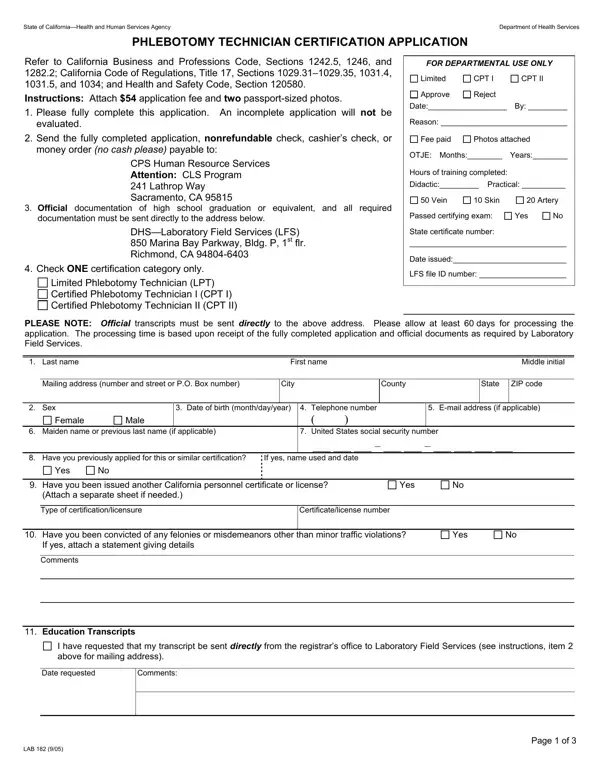
California Form LAB 182 is the official Phlebotomy Technician Certification application administered by the California Department of Public Health (CDPH). Any individual pursuing a career in phlebotomy in California must submit this form to obtain state certification. The LAB 182 is governed by the California Business and Professions Code and the California Code of Regulations, making it a required legal document for compliance and professional licensing in the state's healthcare sector.
The form covers three distinct certification levels, each requiring specific training and supervised clinical experience:
To complete your phlebotomy certification application, include the following items with your submission: a $54 non-refundable application fee, two recent passport-sized photographs, and proof of high school graduation or an equivalent certificate. You must also document your complete educational history, the name and location of any phlebotomy training programs attended, and records of on-the-job experience including employer names, addresses, dates, and hours worked.
Mail the completed form with all supporting documents to the CDPH address listed on the LAB 182. Incomplete submissions will not be reviewed or processed. Carefully review all sections before mailing to avoid delays in certification. Related forms available on FormsPal include the CCHT Recertification Application and the Uniform Certification Application.
| Question | Answer |
|---|---|
| Form Name | California Form LAB 182 |
| Form Length | 1 pages |
| Fillable? | Yes |
| Fillable fields | 10 |
| Avg. time to fill out | 2 min 15 sec |
| Other names | application fcctifresnocitycollegeedu form |
California Form LAB 182 isn’t the one you’re looking for?