
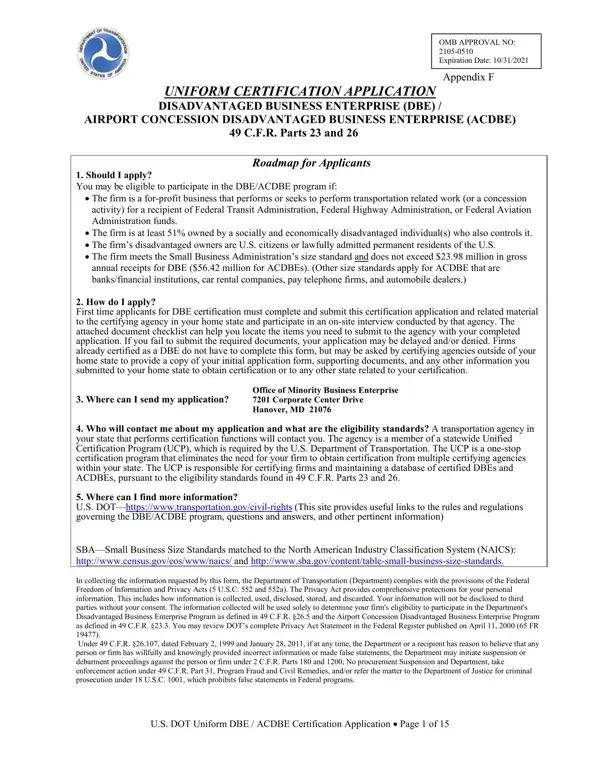
In the realm of expanding diversity and equalizing opportunities within the U.S. business landscape, the Uniform Certification Application form plays a pivotal role. This comprehensive document, designed under the auspices of the Disadvantaged Business Enterprise (DBE) and Airport Concession Disadvantaged Business Enterprise (ACDBE) programs, outlined in 49 C.F.R. Parts 23 and 26, serves as a vital tool for businesses aiming to participate in these initiatives. It outlines a clear path for firms that are at least 51% owned and controlled by socially and economically disadvantaged individuals, including women and minorities, who are U.S. citizens or lawfully admitted permanent residents. By offering a roadmap to certification, the application process scrutinizes a firm’s eligibility based on specific criteria, such as the size standards delineated by the Small Business Administration and gross annual receipts thresholds. First-time applicants are walked through a meticulous process, involving submission of required documents and participating in an on-site interview by their home state's certifying agency. Moreover, the form underscores the importance of the Unified Certification Program (UCP), a one-stop certification effort that mitigates the need for multiple certifications within a state, thereby simplifying the certification landscape. Information collected through this application is protected under Federal Freedom of Information and Privacy Acts, ensuring applicants' data privacy and security, while also setting in place strict penalties for false statements. With sections ranging from general business information to detailed questions on ownership structure, control, and financial health, the application offers a thorough examination of an applying firm's qualifications for DBE or ACDBE certification, thereby playing an instrumental role in fostering inclusivity and fairness in business opportunities related to transportation.
| Question | Answer |
|---|---|
| Form Name | Uniform Certification Application Form |
| Form Length | 15 pages |
| Fillable? | No |
| Fillable fields | 0 |
| Avg. time to fill out | 3 min 45 sec |
| Other names | dot form dbe, dot certification application, dot certification application dbe, dot application dbe download |
Uniform Certification Application Form isn’t the one you’re looking for?