Please rate Charter Contract Buyout Form

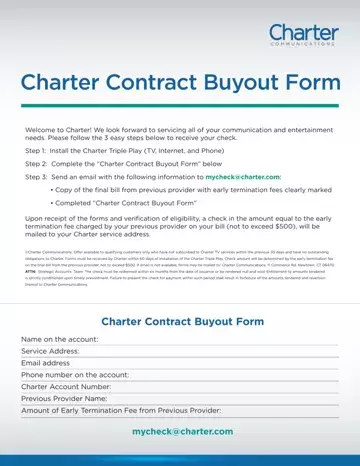
The Charter Contract Buyout Form reimburses new Spectrum customers for early termination fees when they switch to Charter Triple Play service (TV, Internet, and Phone). Eligible customers can receive up to $500 by submitting the completed form within 60 days of Triple Play installation. This form is also known as the spectrum buyout form, spectrum contract buyout form, or the spectrum com contract buyout.
To qualify for Charter's buyout offer, you must meet all of the following:
Charter issues a reimbursement check for the full early termination fee, up to $500. You must redeem the check within six months. If you are also ending a prior service contract, a buyout agreement form may apply to your situation. To formally cancel service with a previous provider, submitting an early termination letter is often required as well.
The process has three parts. First, install Charter Triple Play at your home. Second, complete this buyout form with your name, address, and account information. Third, mail the form with your previous provider's final bill to the address printed on the form. Charter reviews your eligibility before sending the check. If you need to end a prior service agreement first, a cancellation notice form can document that process.
| Question | Answer |
|---|---|
| Form Name | Charter Contract Buyout Form |
| Form Length | 1 pages |
| Fillable? | No |
| Fillable fields | 0 |
| Avg. time to fill out | 15 sec |
| Other names | mycheck spectrum, spectrumcom, spectrum buyout form, buyout contract |
| Maximum reimbursement | Up to $500 |
| Submission deadline | Within 60 days of Triple Play installation |
| Check redemption period | Within 6 months of issuance |
| Required document | Previous provider's final bill showing the early termination fee |
Charter Contract Buyout Form isn’t the one you’re looking for?
Please rate Charter Contract Buyout Form
