Please rate Cs 909 Form

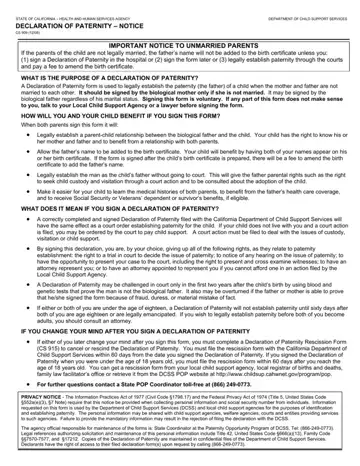
For unmarried parents in California, establishing paternity is a critical step in safeguarding the rights and benefits of a child, and the CS 909 form, the state's official Declaration of Paternity, plays a pivotal role in this process. By signing this document, both parents legally affirm the father's identity without the need for court intervention. This action facilitates the inclusion of the father's name on the birth certificate and establishes a legal parent-child relationship, giving the child access to medical histories, health care coverage, and future benefits such as Social Security or veterans' benefits.
California law treats a signed declaration as legally binding. Once the form is completed, the father gains specific rights including child custody and visitation while assuming responsibility for child support should a court action be filed. Because the rescission window closes 60 days after signing, parents are advised to consult a family law attorney before completing it. Privacy safeguards are built into the form, and the confidentiality of all information provided is protected.
Parents who need related documents may also complete the Acknowledgment of Paternity form or review the Affidavit Denying Paternity when circumstances change under California family law.
| Question | Answer |
|---|---|
| Form Name | Cs 909 Form |
| Form Length | 4 pages |
| Fillable? | No |
| Fillable fields | 0 |
| Avg. time to fill out | 1 min |
| Other names | cs 909, 909 form, cs 909 form, cs 909 paternity |
Cs 909 Form isn’t the one you’re looking for?
Please rate Cs 909 Form
