
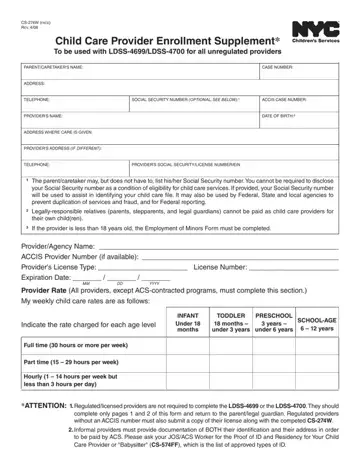
Form CS-274W at a glance
What it is: Form CS-274W (E) 10/16/2023 is the Request for Enrollment of Child with Provider.
Who signs: Enter the Provider's Name (print clearly) and the Official title (if applicable). Sign on the Signature line and enter the Date. Enter the Parent/Guardian's Name, then sign on the Parent/Guardian's Signature line and enter the Date.
A filled-in Form CS-274W example: an informal provider enrolls one child
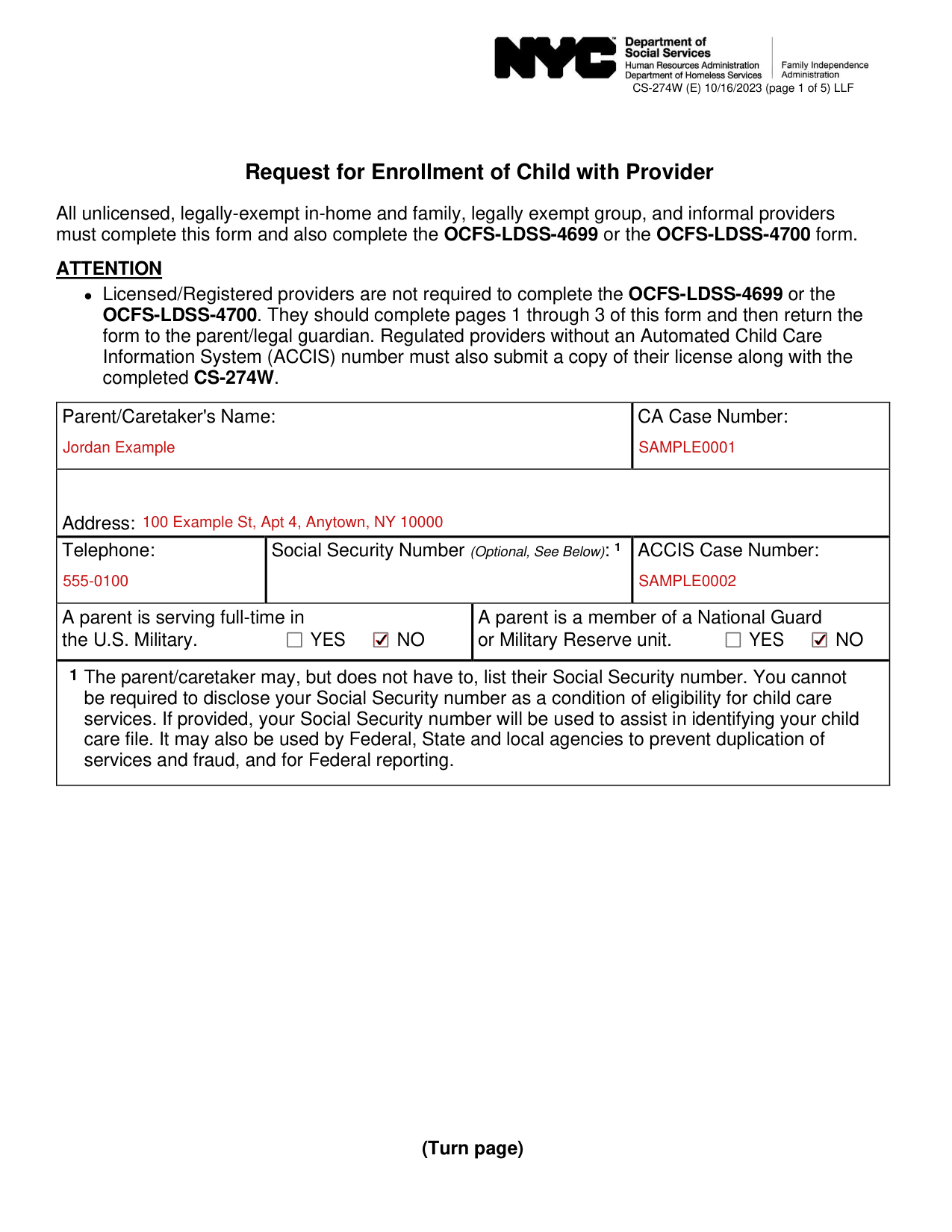
How to fill out Form CS-274W, box by box
The parent or caretaker
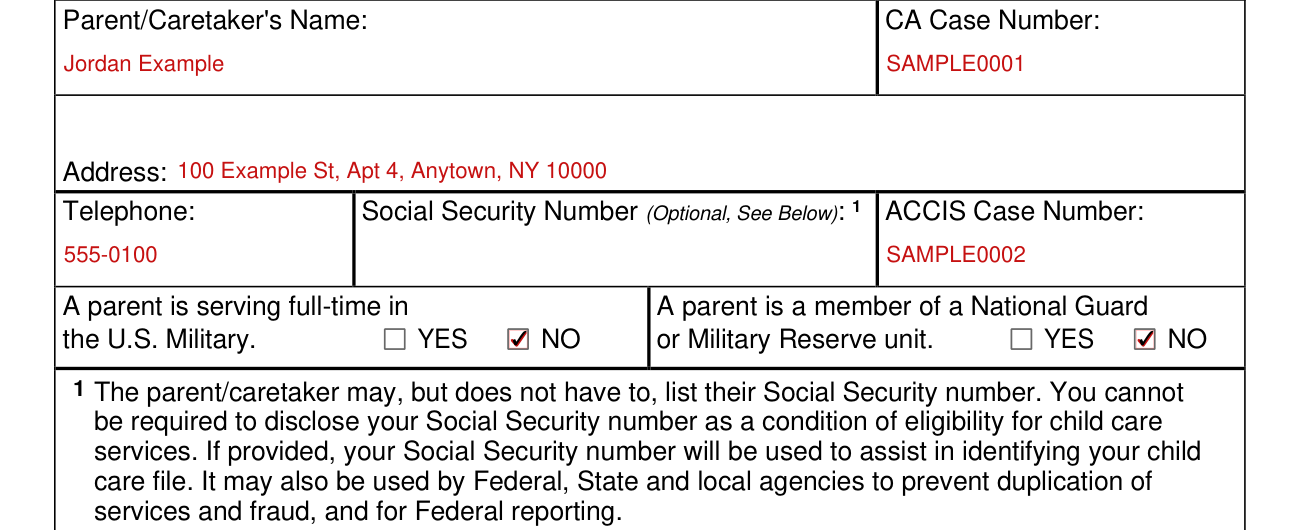
Enter the Parent/Caretaker's Name, CA Case Number, Address, Telephone, Social Security Number (Optional, See Below on page 1) and ACCIS Case Number.
Check YES or NO: A parent is serving full-time in the U.S. Military.
Check YES or NO: A parent is a member of a National Guard or Military Reserve unit.
The parent/caretaker may, but does not have to, list their Social Security number. You cannot be required to disclose your Social Security number as a condition of eligibility for child care services. If provided, your Social Security number will be used to assist in identifying your child care file. It may also be used by Federal, State and local agencies to prevent duplication of services and fraud, and for Federal reporting.
The provider
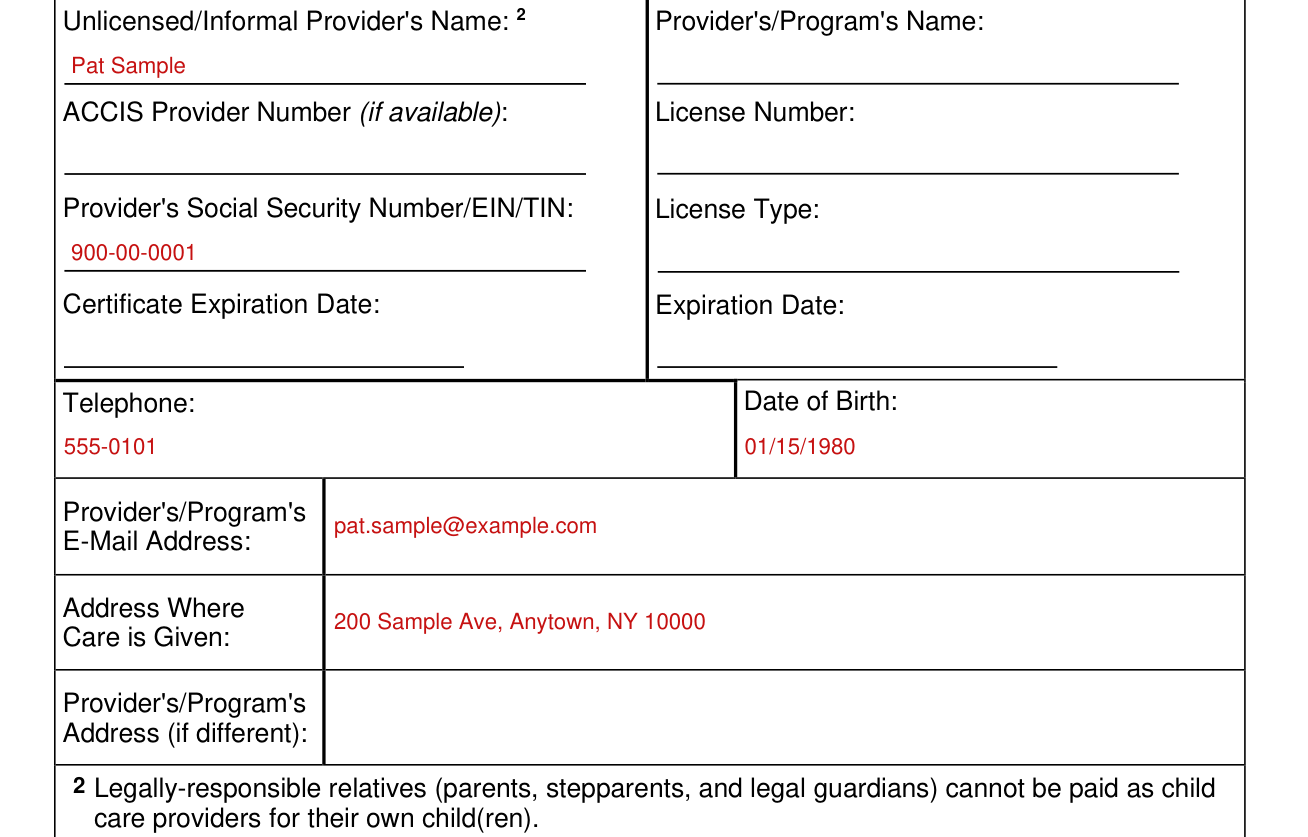
Enter the Unlicensed/Informal Provider's Name, ACCIS Provider Number (if available), Provider's Social Security Number/EIN/TIN and Certificate Expiration Date.
Enter the Provider's/Program's Name, License Number, License Type and Expiration Date.
Enter the Telephone, Date of Birth, Provider's/Program's E-Mail Address, Address Where Care is Given and Provider's/Program's Address (if different).
Legally-responsible relatives (parents, stepparents, and legal guardians) cannot be paid as child care providers for their own child(ren).
Provider Rate
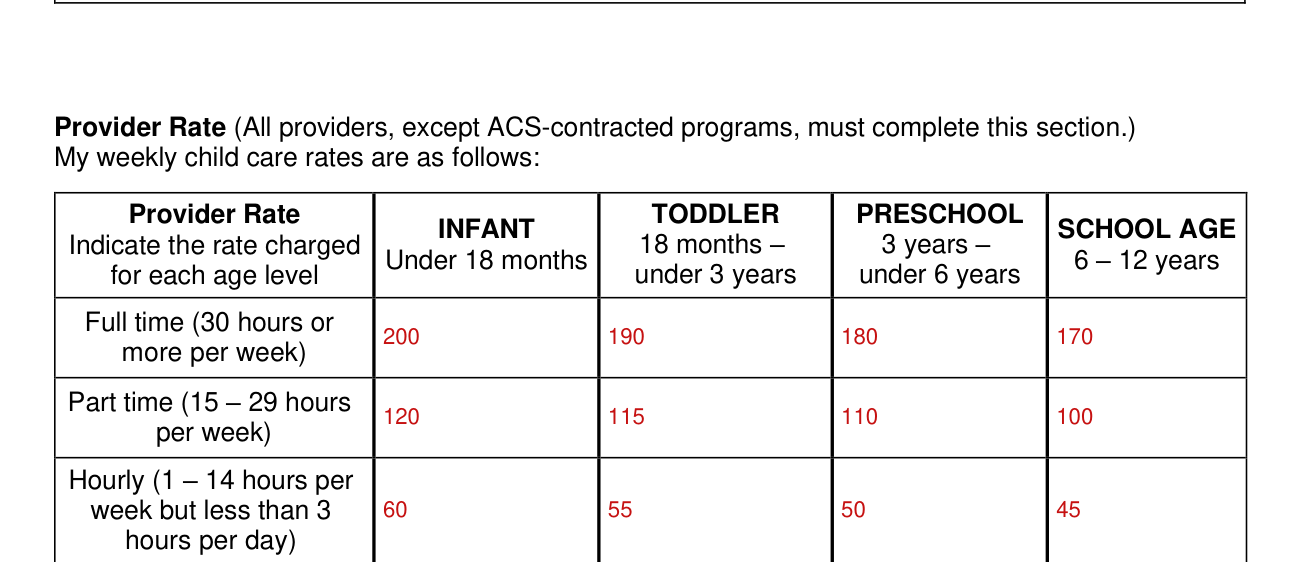
Provider Rate: all providers, except ACS-contracted programs, must complete this section. My weekly child care rates are as follows.
Indicate the rate charged for each age level.
The age levels are INFANT Under 18 months, TODDLER 18 months to under 3 years, PRESCHOOL 3 years to under 6 years and SCHOOL AGE 6 to 12 years.
Full time is 30 hours or more per week. Part time is 15 to 29 hours per week. Hourly is 1 to 14 hours per week but less than 3 hours per day.
Special Needs Provider Rate
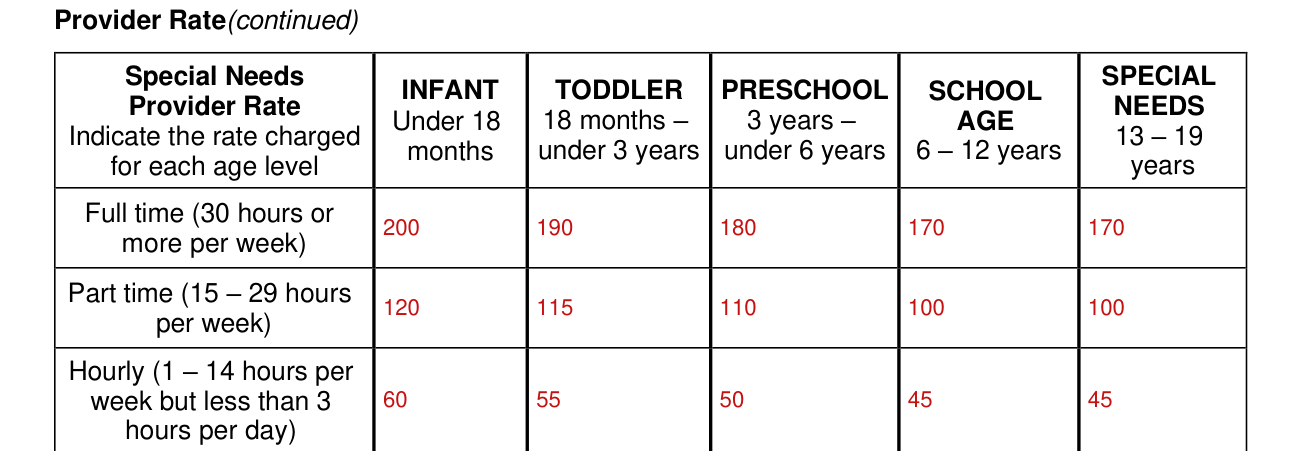
Provider Rate (continued), Special Needs: indicate the rate charged for each age level, INFANT Under 18 months, TODDLER 18 months to under 3 years, PRESCHOOL 3 years to under 6 years, SCHOOL AGE 6 to 12 years and SPECIAL NEEDS 13 to 19 years.
Special Needs Provider Rate: the lines for Full time, Part time and Hourly are the same as on page 2.
Weekly schedule for each child
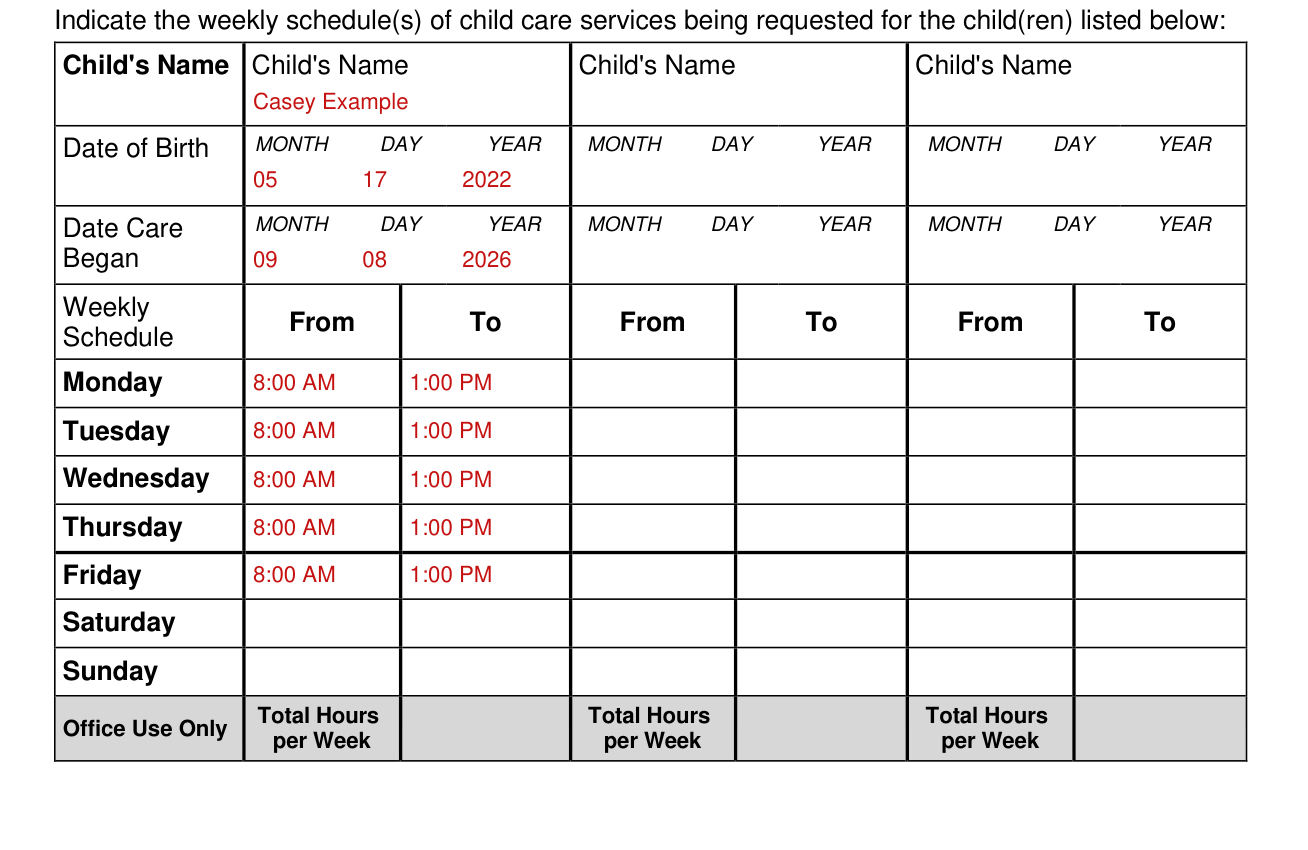
Indicate the weekly schedule(s) of child care services being requested for the child(ren).
For each child, enter the Child's Name, Date of Birth (MONTH DAY YEAR) and Date Care Began (MONTH DAY YEAR).
Under Weekly Schedule, enter From and To for Monday, Tuesday, Wednesday, Thursday, Friday, Saturday and Sunday.
Total Hours per Week is under Office Use Only.
Licensed/Registered providers
Licensed/Registered providers should complete pages 1 through 3 of this form and then return the form to the parent/legal guardian.
Provider acknowledgment (page 4)

Check the box for this acknowledgment: I acknowledge that receiving payment from the City of New York for child care services provided does not make me an employee of the City of New York. I am an employee of the parent/legal guardian of the child for whom I provide care.
Provider Certification (page 4)
I am enrolling this child in a child care program.
I understand that I will be paid only after the child's attendance data is received by ACS and for so long as the parent/guardian's Cash Assistance case remains active and the parent is engaged in an FIA-approved activity or employed.
If the parent/guardian fails to meet these criteria, I will be sent a letter from ACS informing me that ACS will no longer pay for child care.
Common mistake: I agree that the amount I am charging this parent is not more than the amount I charge for other children of the same age.
Common mistake: I understand that I cannot be paid if I do not list all my rates.
I will allow the parent/guardian of the child(ren) named on this form unlimited access to their child (ren) and the premises and will remain available whenever the children are in my care.
By signing you certify that the statements are accurate and true to the best of your knowledge.
I understand that providing false information may lead to the suspension or termination of payments and the recovery of any payments to which I was not entitled.
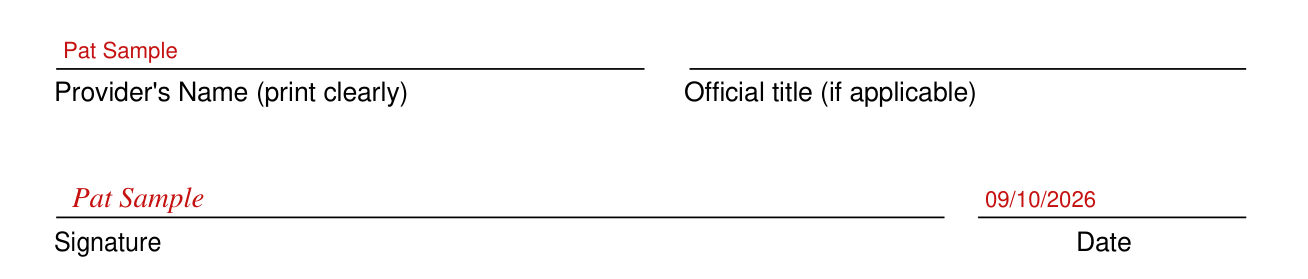
Enter the Provider's Name (print clearly) and the Official title (if applicable).
Sign on the Signature line and enter the Date.
Parent/Guardian Certification
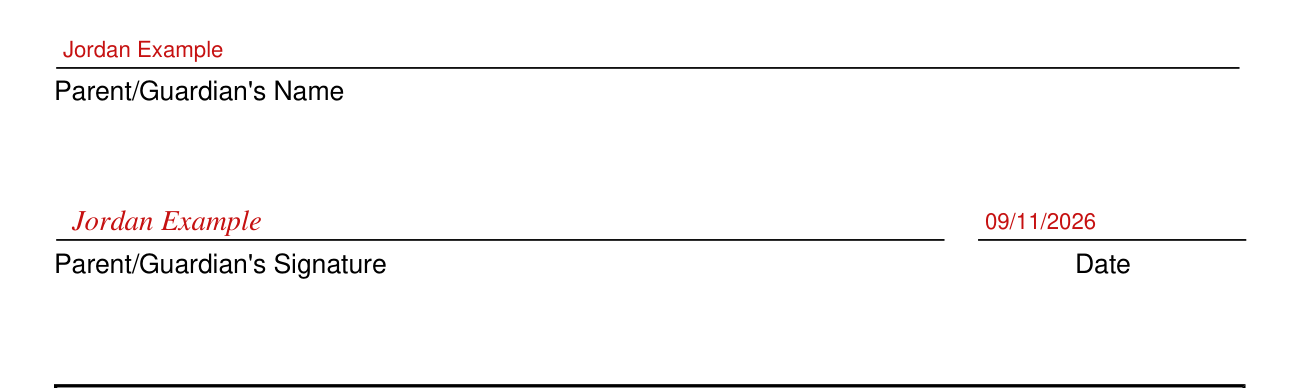
Parent/Guardian Certification: by signing you certify that you have reviewed the request for child care information and that it is correct.
I understand I must report any changes immediately to HRA.
Enter the Parent/Guardian's Name, then sign on the Parent/Guardian's Signature line and enter the Date.
The agency's part
For Agency Use Only: Is child care authorized for this applicant/participant? YES NO Agency-approved start date for child care.
Which providers complete what
Unlicensed, legally-exempt and informal providers
All unlicensed, legally-exempt in-home and family, legally exempt group, and informal providers must complete this form and also complete the OCFS-LDSS-4699 or the OCFS-LDSS-4700 form.
Licensed/Registered providers
Licensed/Registered providers are not required to complete the OCFS-LDSS-4699 or the OCFS-LDSS-4700.
Regulated providers without an ACCIS number
Common mistake: Regulated providers without an Automated Child Care Information System (ACCIS) number must also submit a copy of their license along with the completed CS-274W.
Sources
[1] Form CS-274W (E) 10/16/2023, Request for Enrollment of Child with Provider, NYC Human Resources Administration (the Official source link on this page).
