
Before You Begin
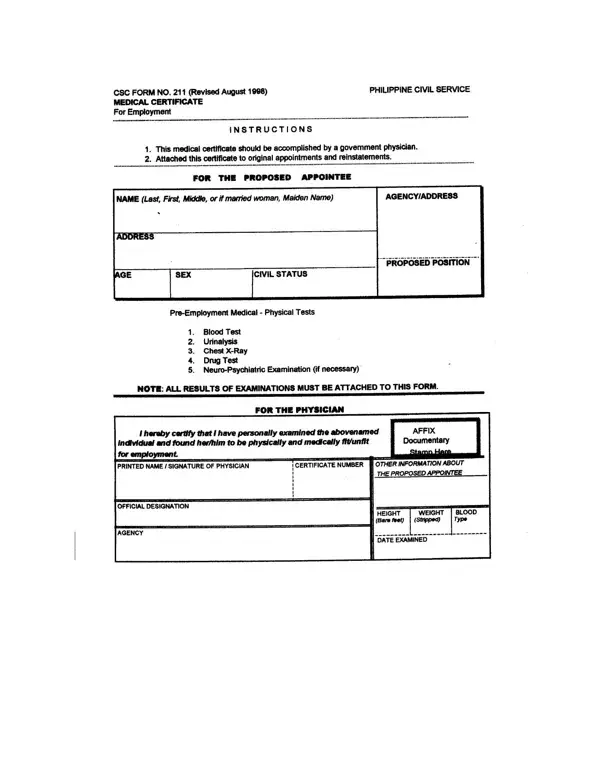
To complete the CS 211 medical certificate, have the following ready: the applicant's full name and position applied for, the government agency or regional office, and a licensed physician available to sign the completed document. No software download is needed. FormsPal's online PDF editor works in any browser on desktop or mobile devices.
When you wish to fill out the medical certificate 211 revised 2017, you won't need to download and install any sort of software - just make use of our online PDF editor. FormsPal is committed to providing you the best possible experience with our tool by regularly presenting new capabilities and upgrades. Our editor has become a lot more helpful thanks to the most recent updates! At this point, editing PDF files is simpler and faster than ever before. This is what you'll want to do to get started:
Step 1: Simply click on the "Get Form Button" above on this page to start up our editor. There you will find all that is necessary to work with your document.
Step 2: With the help of our online PDF editor, you can do more than merely fill in blank fields. Edit away and make your docs appear high-quality with custom textual content put in, or tweak the file's original input to excellence - all supported by an ability to incorporate just about any photos and sign the file off.
When it comes to blank fields of this precise document, here's what you should consider:
1. The medical certificate 211 revised 2017 will require certain details to be inserted. Ensure the following blanks are filled out:
2. Once your current task is complete, take the next step and fill out all of these fields with their corresponding information. Make sure to double check that everything has been entered correctly before continuing!
Be very careful while filling out this field and next field, as this is where many people make errors.
Step 3: Confirm that your information is correct and just click "Done" to conclude the task. Sign up with us today and easily complete the medical certificate 211 revised 2017, set for download. All modifications made are kept, making it possible to customize the PDF at a later stage when required. Here at FormsPal, we aim to ensure that all your information is stored securely.
Related Civil Service Documents
Philippine government employees often need additional documents alongside this medical certificate. You may also need to fill out the CSC Form No. 41 (Personal Data Sheet), the CSC-1, or a medical certificate for PWD applicants. For general fitness certification, see also the Certificate of Medical Fitness.
Common Questions
Who needs to submit this medical certificate? All Philippine government employees, new appointees, and civil service applicants must submit it as part of the pre-employment requirements. Regional offices and agencies across the Philippines require it as a standard document in the hiring process.
Can I complete it online? Yes. Use FormsPal's free PDF editor to fill in all fields directly in your browser without downloading any software. The tool supports adding text, checkmarks, and signatures.
What information is needed? The examining physician will need the applicant's personal details, full medical history, physical examination results, and laboratory data to complete the health assessment sections of the document. Follow the on-page guidelines and ensure every section is completed before printing.
