
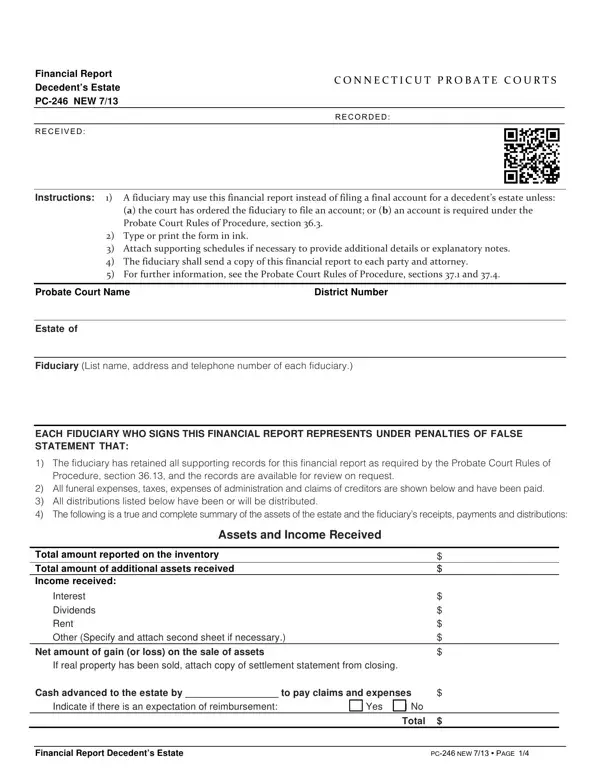
Connecticut Probate Court Form PC 246 is the official financial report used by fiduciaries to summarize the full financial activity of a decedent's estate. When a comprehensive final account is not required by court order or by the Connecticut Probate Court Rules of Procedure, the fiduciary may submit this financial report as an alternative filing. This approach is available unless the court specifically orders a standard account or unless specific requirements under the Rules apply.
The financial report documents every major category of estate activity over the course of the administration period. Fiduciaries must itemize all assets received into the estate and all income generated, including interest, dividends, rent, and other receipts. Any net gains or losses from the sale of real property or other assets must also be reported. The form requires detailed accounting of all cash advanced to the estate and all amounts received from any source during administration.
On the payments side, the report covers all disbursements made from the estate. These typically include funeral expenses, administration expenses, fiduciary compensation, attorney fees, and all applicable taxes. Tax payments must be broken down by type, including state income tax, federal estate tax, property tax, and any other tax obligations. Distributions made to named beneficiaries are listed separately, with the name of each distributee, the specific assets distributed, and the fair market value at the time of distribution.
Who needs to file PC 246? This form is used by executors, administrators, and trustees who are responsible for settling a Connecticut probate estate when a traditional final account is not required. After completing the financial report, the fiduciary may also request formal approval of the proposed distributions and seek a release from further personal liability. All relevant parties, including beneficiaries and any known creditors, must receive copies of the completed probate financial report. For other Connecticut estate proceedings, you may also need the standard Connecticut Probate Form or a financial affidavit depending on the specific requirements of your case. The Connecticut Probate Court retains the right to order a full account at any time, even after the financial report is submitted.
| Question | Answer |
|---|---|
| Form Name | Ct Form Pc 246 |
| Form Length | 4 pages |
| Fillable? | No |
| Fillable fields | 0 |
| Avg. time to fill out | 1 min |
| Other names | ct probate pc 246 form, pc 246, pc 246 ct probate, ct probate pc 246 |
Ct Form Pc 246 isn’t the one you’re looking for?