
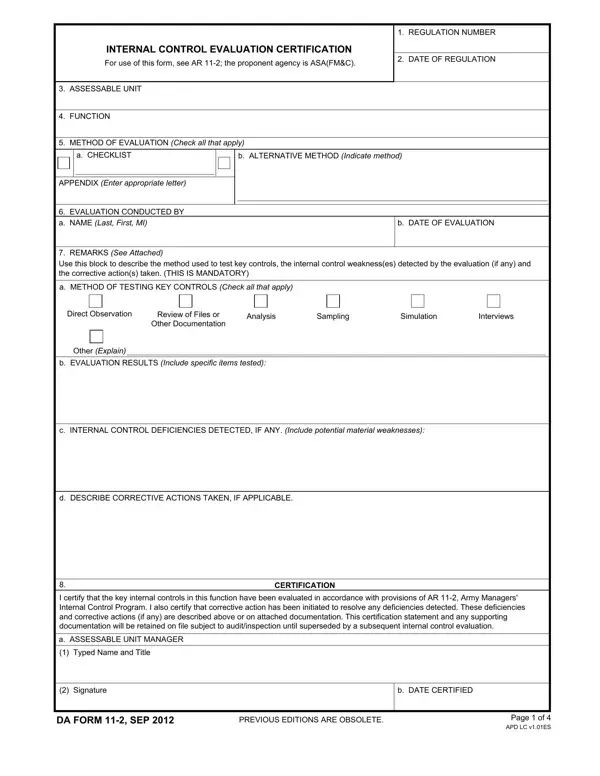
The DA Form 11-2 is the Internal Control Evaluation Certification used throughout the United States Army. It is required under Army Regulation 11-2 and operates under the authority of the Assistant Secretary of the Army for Financial Management and Comptroller (ASA(FM&C)). Assessable unit managers complete this form each evaluation cycle to certify that internal controls within their unit have been reviewed and meet the standards established by the Army Managers' Internal Control Program.
The form covers a broad range of processes within any assessable unit. Each entry identifies the applicable regulation number, the evaluation period, and the specific functions under review. Evaluators document their assessment methodology for each area. Accepted methods include direct observation of operations, reviews of physical and electronic files, quantitative and qualitative analyses, random sampling of transactions, simulation exercises, structured interviews with personnel, and other documented evaluation approaches. Each method must be clearly identified in the evaluation results section so reviewers can assess the thoroughness of the certification.
When the evaluation uncovers weaknesses, the DA Form 11-2 requires a full written record of each identified deficiency. The form captures the nature of the weakness, its potential impact on the unit's financial management or operational effectiveness, and the specific corrective steps planned or already completed. This documentation creates a traceable record for future audits and supports the Army's emphasis on continuous improvement and accountability. Evaluators must also note the name and position of the action officer responsible for each corrective measure and the projected completion date.
The final section of the form requires the assessable unit manager's typed name, job title, handwritten signature, and the date of certification. This signature confirms that the evaluation was conducted in accordance with AR 11-2 requirements and that all identified control deficiencies are being addressed through documented corrective actions. Completed forms are retained per the retention schedules established in AR 11-2 and remain available for inspection during subsequent program reviews or audits.
| Question | Answer |
|---|---|
| Form Name | Da 11 2 Fillable Form |
| Form Length | 4 pages |
| Fillable? | No |
| Fillable fields | 0 |
| Avg. time to fill out | 1 min |
| Other names | form, FMC, ASA, 00ES |
Da 11 2 Fillable Form isn’t the one you’re looking for?