
Use FormsPal's free PDF editor to complete the form in your browser. No software download is needed. Follow the steps below to fill it out correctly and efficiently.
Steps to Fill Out DA Form 1155
Step 1. Click the orange "Get Form" button above to open the document in the FormsPal editor.
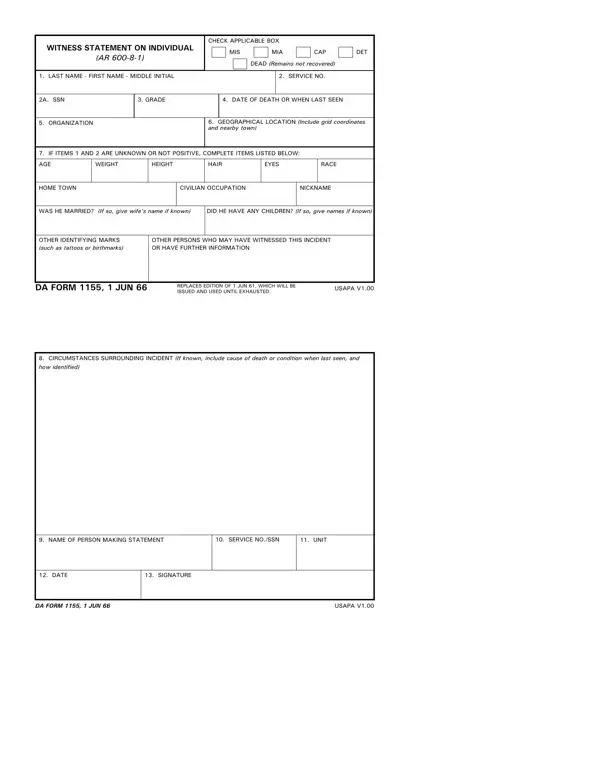
Step 2. Enter the subject's personal information in the top section: full name, rank, service number, and Social Security Number.
Step 3. Record the incident details: date, time, location (grid coordinates or nearest landmark), and the appropriate classification code (MIA, CAP, DET, or DEC).
Step 4. Complete the witness information block with your name, rank, unit, and the submission date.
Step 5. Write a clear, factual narrative in the statement section. Describe what you witnessed and include only confirmed facts. Avoid speculation or hearsay.
Step 6. Review all entries for accuracy, then download the completed PDF. Submit the signed form to your unit's administrative officer or the appropriate military records office.
Common Questions About DA Form 1155
What is DA Form 1155 used for? It is the U.S. Army's official witness statement for recording circumstances surrounding a servicemember who is missing in action, captured, detained, or deceased. The completed form enters the official personnel record.
Who completes DA Form 1155? A witness or reporting person with direct knowledge of the incident fills out the form. It is then forwarded to the unit commander for review and forwarded up the chain of command.
Is DA Form 1155 the same as DD Form 1155? No. DA Form 1155 is an Army witness statement. DD Form 1155 is a Department of Defense order for supplies or services and serves a different administrative purpose.
For other witness or statement documents, see the MG11 Witness Statement Form or the Police Witness Statement Template.
