
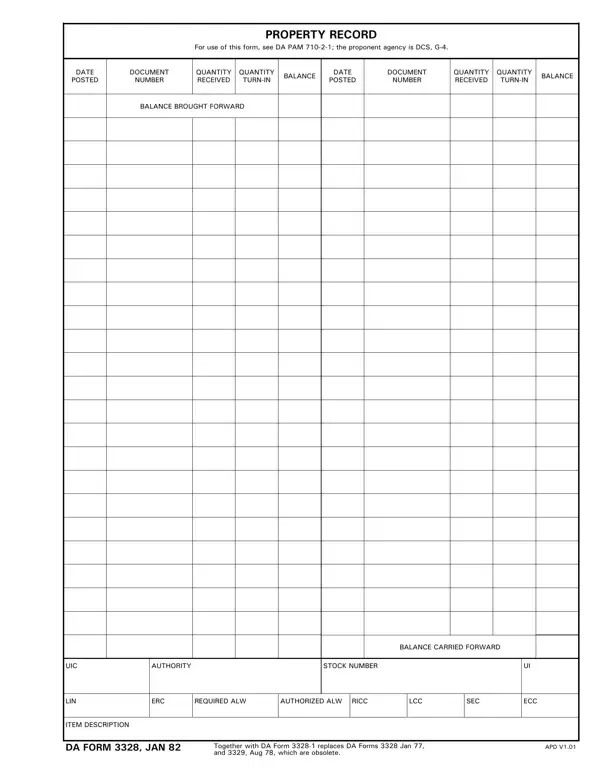

DA Form 3328 at a glance
What it is: DA Form 3328 is the Property Record.
For use of this form, see AR 710-4.
A filled-in DA Form 3328 example: a clerk posts a receipt
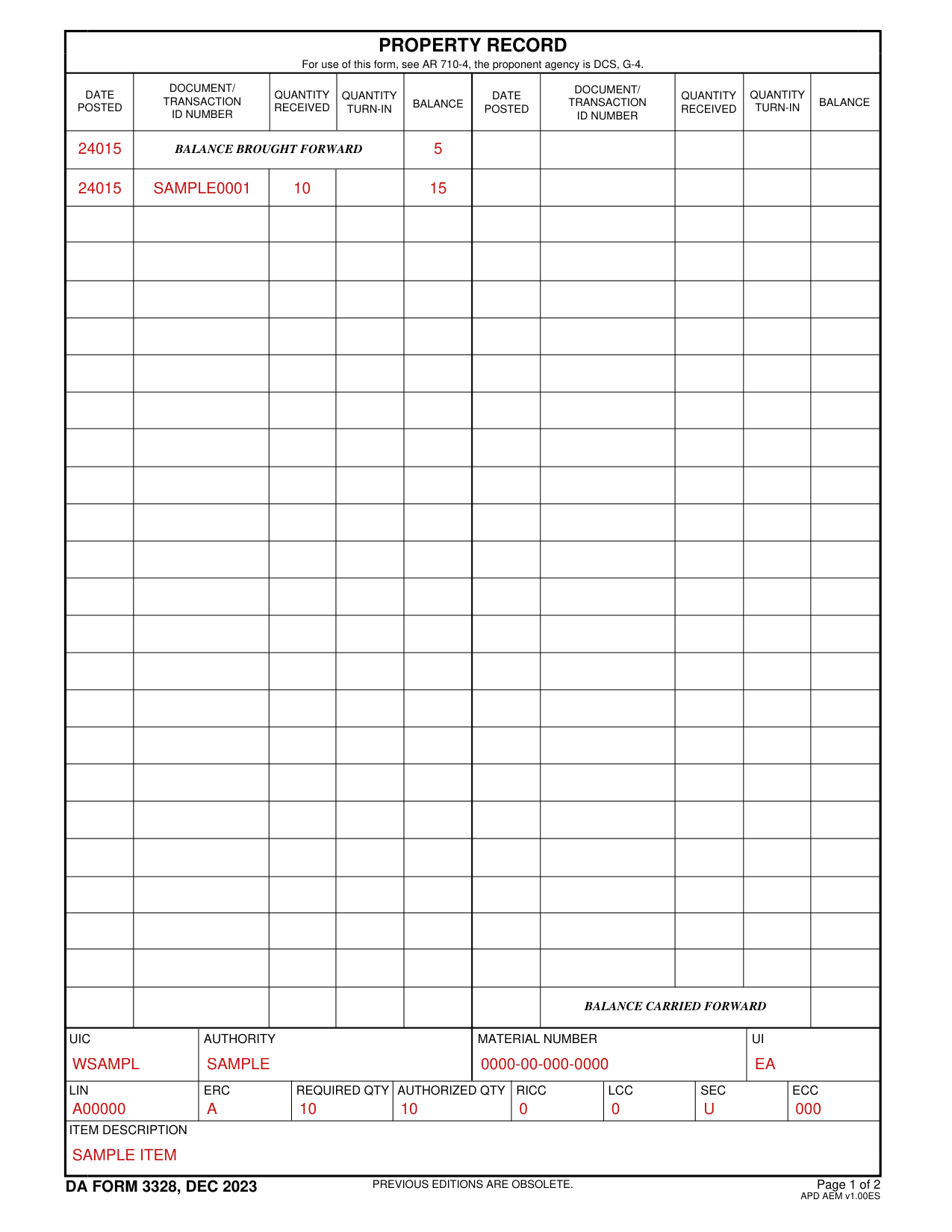
How to fill out DA Form 3328, box by box
Date posted, document number and quantities

Date posted Enter the Julian date for when the page is prepared.
Document or Transaction Identification number Enter document number, if applicable.
Quantity received Enter quantity received.
Balance Enter balance.[2]
Quantity turn-in

Quantity turn-in Enter turn-in quantity.[2]
UIC, authority, material number and UI

UIC Enter the UIC.
Authority: enter the authorization type identified in paragraph 4-1 and table C-1.
NSN or stock number Enter the NSN or material number of the item.
UI Enter the UI.[2]
LIN, ERC, allowances and codes

LIN Enter the LIN.
ERC Enter the ERC.
Required ALW Enter the required allowances.
Authorized ALW Enter the authorized allowances.
RICC Enter the RICC.
LCC Enter the logistics control code.
SEC Enter the CIIC.
ECC Enter the equipment category code.[2]
Item description

Item description Enter item description.[2]
More rules for DA Form 3328
Location column: enter each HR file number to which the item has been issued or has the item due in.[2]
b. Quantity Authorized column. Enter the total quantity authorized for each HR or location.[2]
c. Quantity on Hand column. Enter the total quantity issued on each HR or location.[2]
d. Document Number column. Enter the document numbers for any due-in items by location.[2]
e. Quantity Due In column. Enter the quantity due in, by location.[2]
Remarks Enter remarks, if applicable.[2]
Sources
[1] DA Form 3328 (DEC 2023), Property Record (the Official source link on this page).
[2] armypubs.army.mil, authority_doc. Accessed November 1, 2026.