
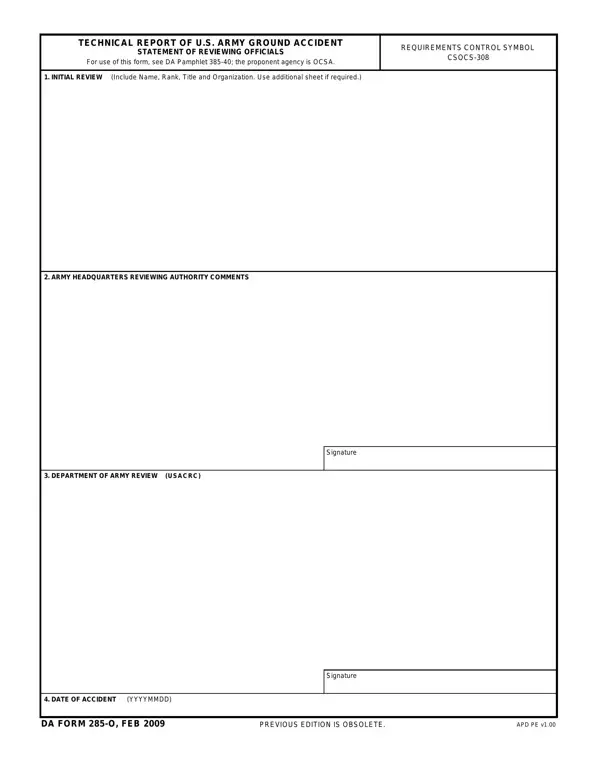
The DA Form 285-O is the official U.S. Army document for technical review of ground accident reports. You can open this PDF directly on the FormsPal website, type into every field using the free online editor, and then save or download the finished document in minutes.
What Does the DA Form 285-O Cover?
This form documents the formal chain-of-command review of a U.S. Army ground accident. Reviewing officials at three command levels each add their analysis, findings, and corrective action recommendations. The Army requires this form under DA Pamphlet 385-40, and the U.S. Army Combat Readiness Center (USACRC) provides the final technical review. Key sections include:
- Reporting official review - the unit commander's initial analysis, including a description of contributing factors and initial safety recommendations
- Army Headquarters review - higher-level command observations, applicable safety policy references, and directed corrective measures
- USACRC review - the Army-level technical analysis, classification of the accident type, lessons learned, and required preventive actions
- Accident date block - the exact date and time of the ground accident incident, used for official recordkeeping and statistical analysis
How to Complete the DA Form 285-O Step by Step
Follow these steps to fill in every section of this Army accident report PDF using the online form editor on this website:
- Open the form editor - Click the Fill Out button above to load the PDF in the FormsPal editor. No software installation is required and the tool works in any browser.
- Enter the accident date and unit information - Record the exact date, time, and unit designation associated with the ground accident. Use the official Army unit format for these fields.
- Complete the reporting official's section - The unit commander types in an account of the accident, identifies contributing factors, and notes initial corrective steps taken at the unit level.
- Add Army Headquarters comments - The next reviewing authority enters observations about safety policy compliance, applicable regulations, and any directed follow-up actions across the command.
- Record USACRC findings and determination - The Army Combat Readiness Center completes the final review block, which includes the technical accident classification, systemic contributing factors, and mandatory preventive measures to be implemented Army-wide.
- Save or download the completed PDF - Once all reviewing officials have added their entries, download the finalized accident report to your device. You can also print it directly from the browser without saving a copy first.
Tips for Accurate Completion
Army accident review forms require precise language and complete entries in every block. Keep these points in mind when filling out the DA Form 285-O:
- Use the full military date-time format (day, month, year, and four-digit time) in the accident date field to avoid administrative rejections.
- Each reviewing authority must enter their own comments in the appropriate block. Entries from a lower authority cannot be placed in a higher authority's review section.
- Corrective actions must be specific and measurable. Vague statements such as "improve safety awareness" are not acceptable under USACRC review standards.
- If an accident involved a combination of human, materiel, and environmental factors, all contributing causes must be documented. Omitting any category can result in an incomplete review that must be resubmitted.
- Retain a copy of the completed form in the unit files for the retention period required by Army records management policy.
Related Accident and Army Report Forms
If you work with Army accident documentation or general safety reporting, the following forms on FormsPal are commonly used alongside the DA Form 285-O:
- DA Form 285-W-R - the worksheet companion used by the reporting unit to gather and organize preliminary accident data before the formal technical review begins
- DA Form 6285 - another Army form related to reporting and documentation workflows
- Vehicle Accident or Damage Report - covers vehicle-specific incidents that may not fall under Army ground accident reporting protocol
- Incident Accident Report Form - a general-purpose accident and incident report template used across a wide range of organizations
- Construction Accident Report - for documenting accidents at construction sites, with fields specific to contractor and site safety regulations
Frequently Asked Questions
What is the DA Form 285-O used for?
The DA Form 285-O documents the official technical review of a U.S. Army ground accident. Each reviewing authority in the chain of command adds their analysis, making the completed document a full multi-level record of the incident, identified causes, and required corrective actions.
Where can I download the DA Form 285-O?
You can download the PDF directly from this page by clicking the download button at the top. You may also open the document in the FormsPal online editor to fill in all fields before saving a final copy to your device.
Is there a Word version of the DA Form 285-O?
The Army publishes this accident review document as a PDF only. No official Word version exists. The PDF editor on this website allows you to type directly into every field online without needing to convert the file to a Word document first.
Who is responsible for completing each section of the DA Form 285-O?
The form is completed in sequence by officials at three levels. The reporting unit commander fills in the first review block. Army Headquarters safety personnel complete the second block. The U.S. Army Combat Readiness Center (USACRC) provides the final technical determination in the third block.
How does the DA Form 285-O differ from the DA Form 285-W-R?
The DA Form 285-W-R is the preliminary worksheet completed by the reporting unit to organize initial accident data. The DA Form 285-O is the formal technical review document completed by higher reviewing authorities after receiving that worksheet data. Both documents are part of the same Army accident review process.
Can I fill out the DA Form 285-O online without creating an account?
Yes. The PDF editor on this page does not require registration or an account. Open the form, complete the fields, and download the finished document directly. No personal information is collected during the editing process.
