
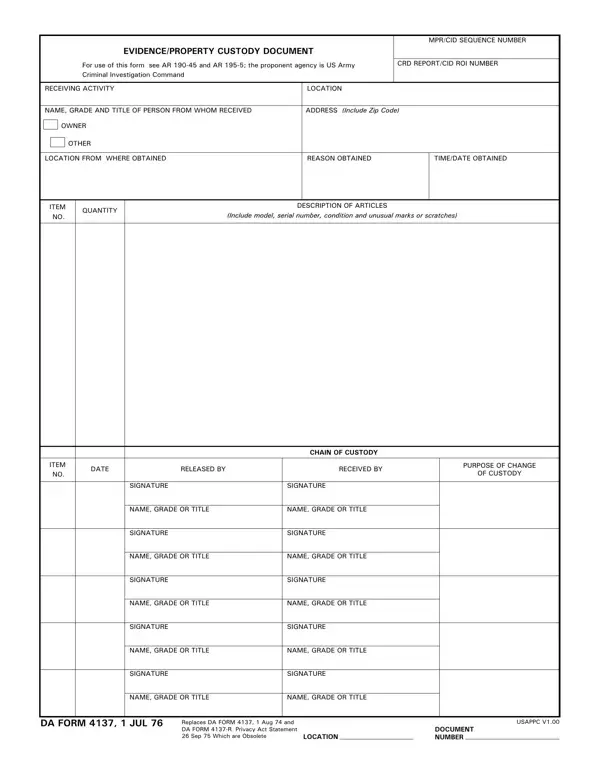

DA Form 4137 at a glance
What it is: This is the EVIDENCE/PROPERTY CUSTODY DOCUMENT; for use of this form see AR 195-5; the proponent agency is CID.
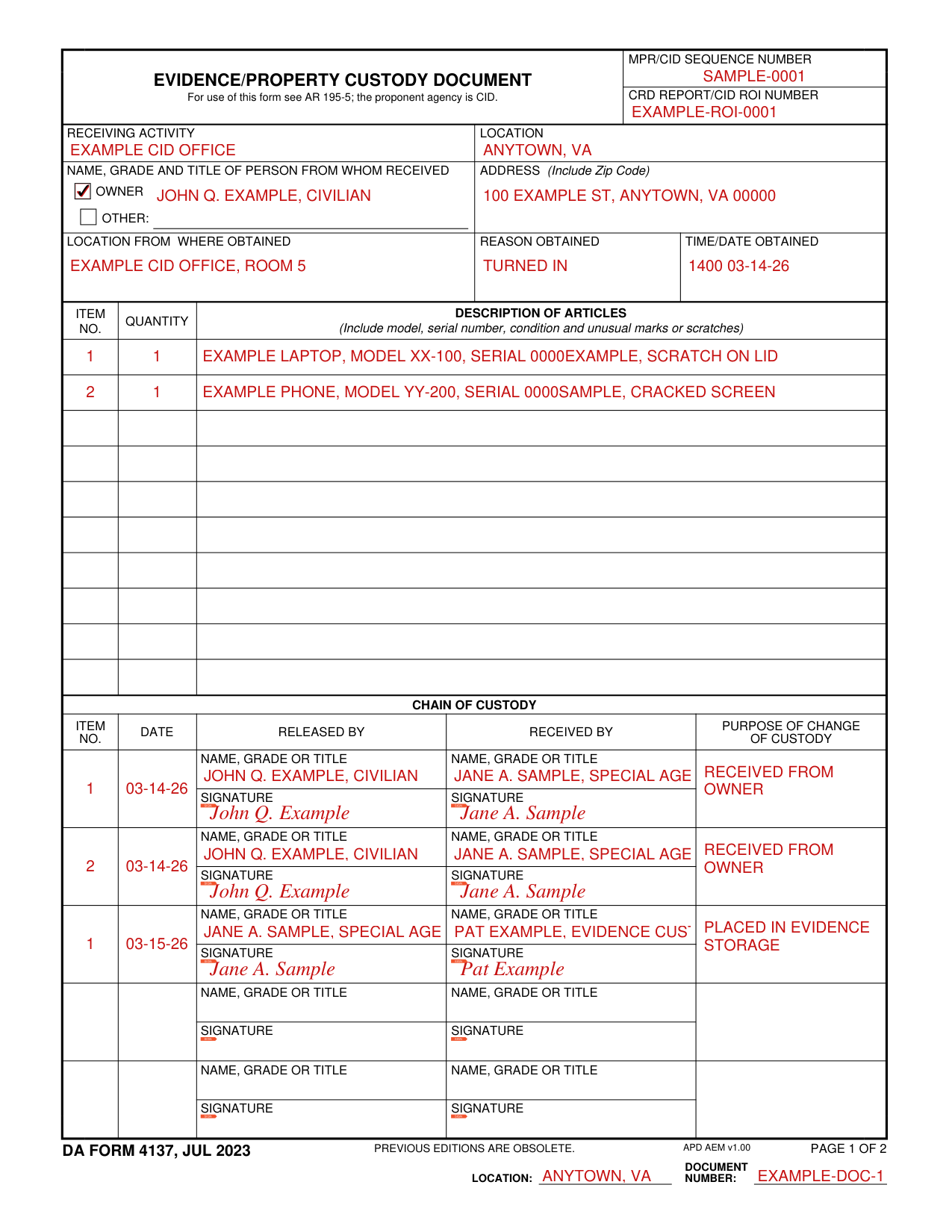
A filled-in DA Form 4137 example: an agent takes in two articles from their owner
How to fill out DA Form 4137, box by box
Tap a group of boxes to open it, and a picture to see it full size.
Numbers and receiving activity

At the top, fill in the MPR/CID SEQUENCE NUMBER and the CRD REPORT/CID ROI NUMBER.
Fill in the RECEIVING ACTIVITY and the LOCATION.
Who it was received from and where it was obtained

Fill in the NAME, GRADE AND TITLE OF PERSON FROM WHOM RECEIVED and the ADDRESS (Include Zip Code); the form has an OWNER box and an OTHER: box.
Fill in LOCATION FROM WHERE OBTAINED, REASON OBTAINED and TIME/DATE OBTAINED.
The list of articles
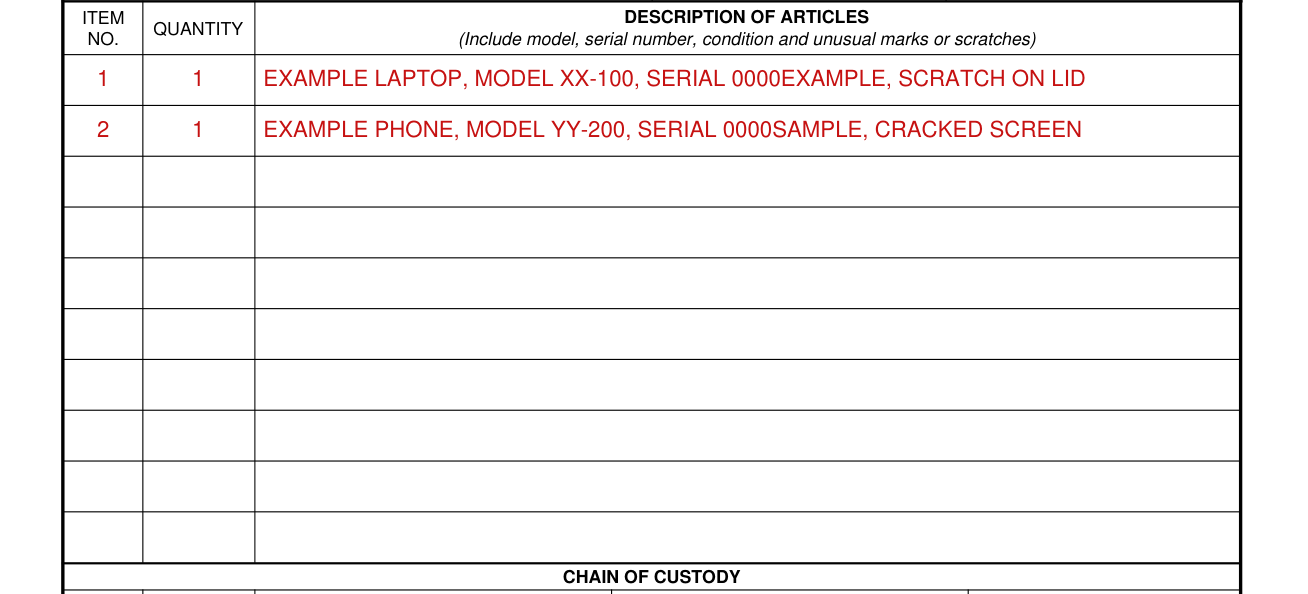
On each line of the list, fill in ITEM NO., QUANTITY and DESCRIPTION OF ARTICLES, and in the description include model, serial number, condition and unusual marks or scratches.
Chain of custody, page 1
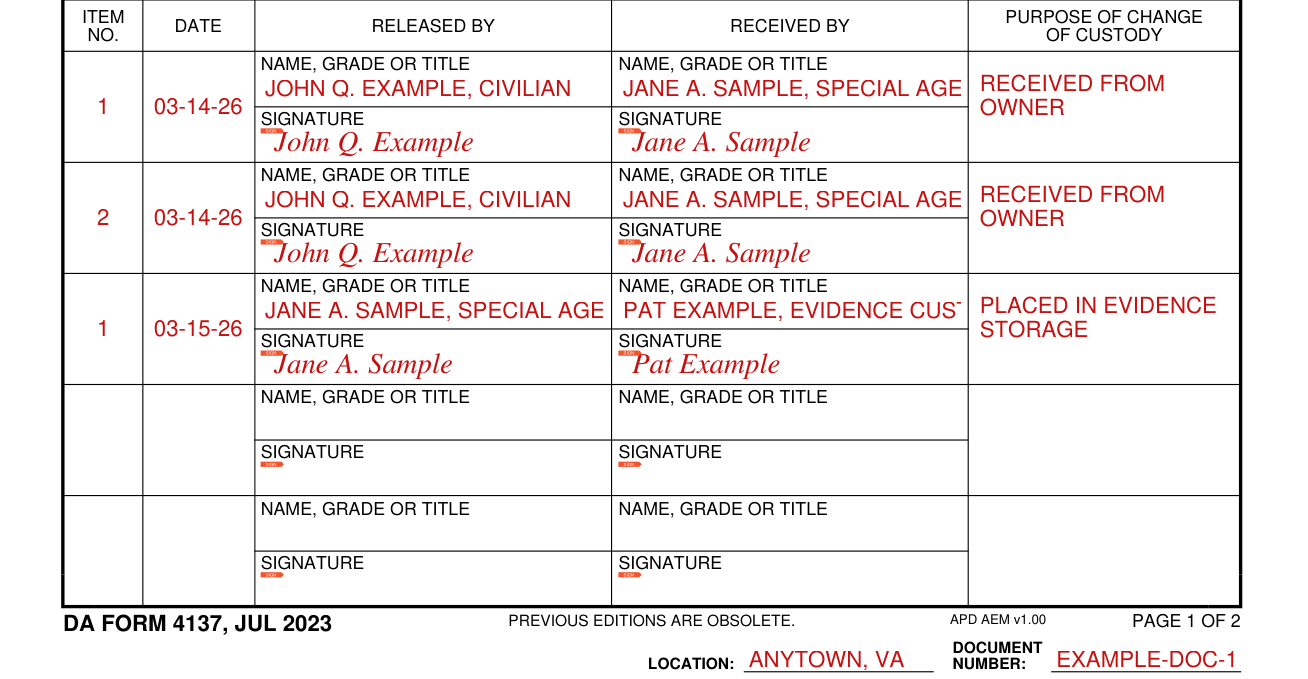
In CHAIN OF CUSTODY, each row has ITEM NO., DATE, RELEASED BY, RECEIVED BY and PURPOSE OF CHANGE OF CUSTODY, and under RELEASED BY and under RECEIVED BY a NAME, GRADE OR TITLE line and a SIGNATURE line.
Document number and location

Fill in DOCUMENT NUMBER and LOCATION.
Chain of custody, continued on page 2
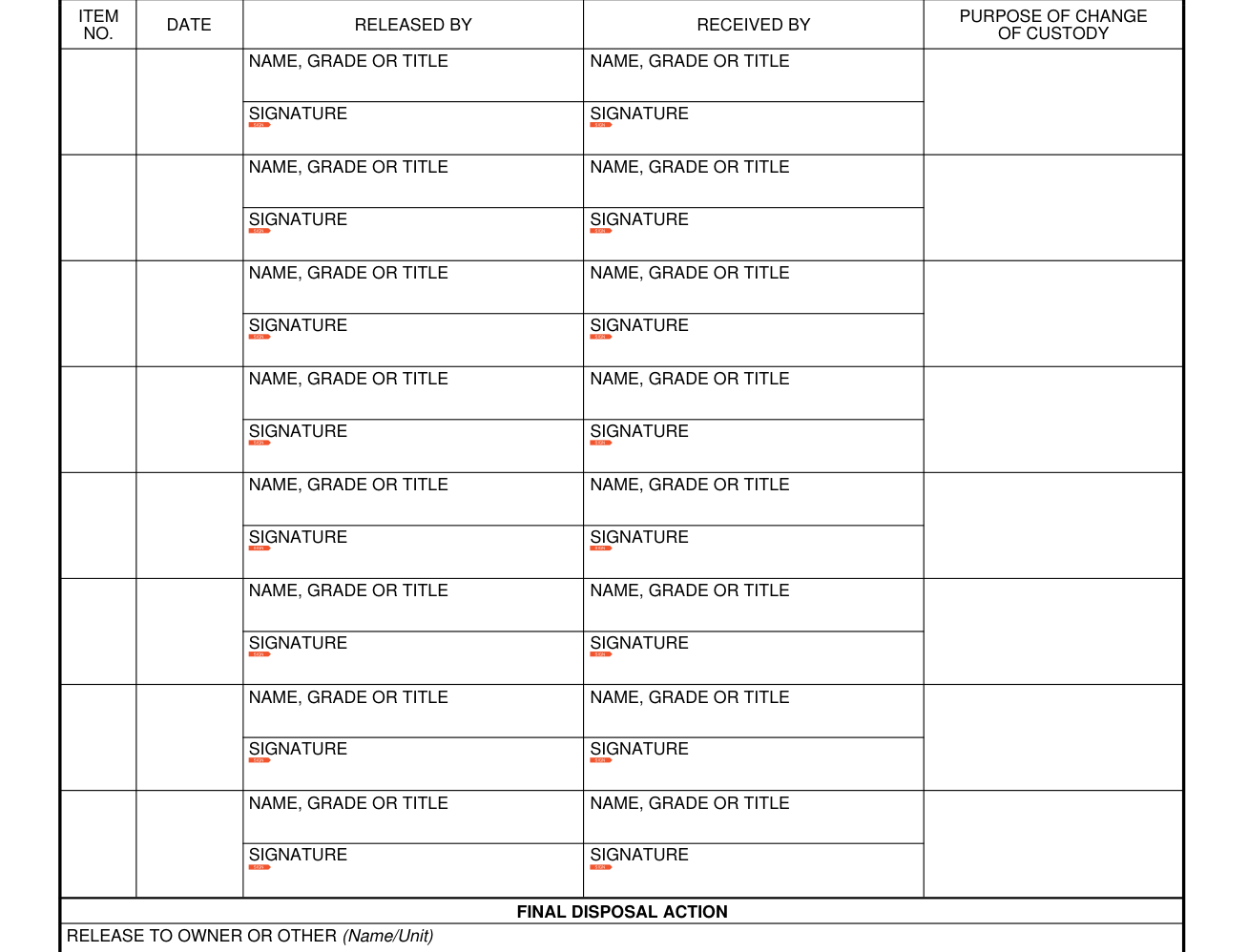
CHAIN OF CUSTODY (Continued) has the same ITEM NO., DATE, RELEASED BY, RECEIVED BY, PURPOSE OF CHANGE OF CUSTODY, NAME, GRADE OR TITLE and SIGNATURE lines.
Final disposal action

Under FINAL DISPOSAL ACTION the form has three lines: RELEASE TO OWNER OR OTHER (Name/Unit), DESTROY and OTHER (Specify).
Final disposal authority
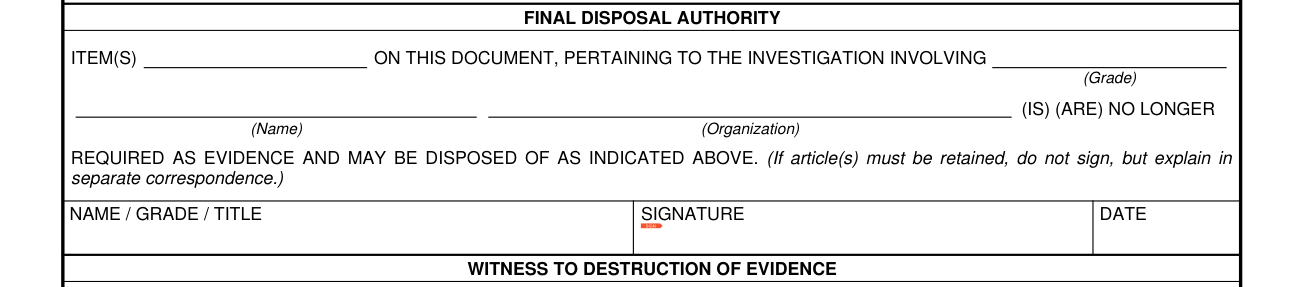
FINAL DISPOSAL AUTHORITY: ITEM(S) ... ON THIS DOCUMENT, PERTAINING TO THE INVESTIGATION INVOLVING (Grade) (Name) (Organization) (IS) (ARE) NO LONGER REQUIRED AS EVIDENCE AND MAY BE DISPOSED OF AS INDICATED ABOVE. (If article(s) must be retained, do not sign, but explain in separate correspondence.) Then fill in NAME / GRADE / TITLE, SIGNATURE and DATE.
Witness to destruction of evidence

WITNESS TO DESTRUCTION OF EVIDENCE: THE ARTICLE(S) LISTED AT ITEM NUMBER(S) ... (WAS) (WERE) DESTROYED BY THE EVIDENCE CUSTODIAN, IN MY PRESENCE, ON THE DATE INDICATED ABOVE. Then the witness is to fill in NAME / ORGANIZATION, SIGNATURE and DATE.
More rules for DA Form 4137
This is DA FORM 4137, JUL 2023; PREVIOUS EDITIONS ARE OBSOLETE.
Sources
[1] DA FORM 4137, JUL 2023, Evidence/Property Custody Document, U.S. Army Publishing Directorate (the Official source link on this page).