
Da Form 5160 PDF Details

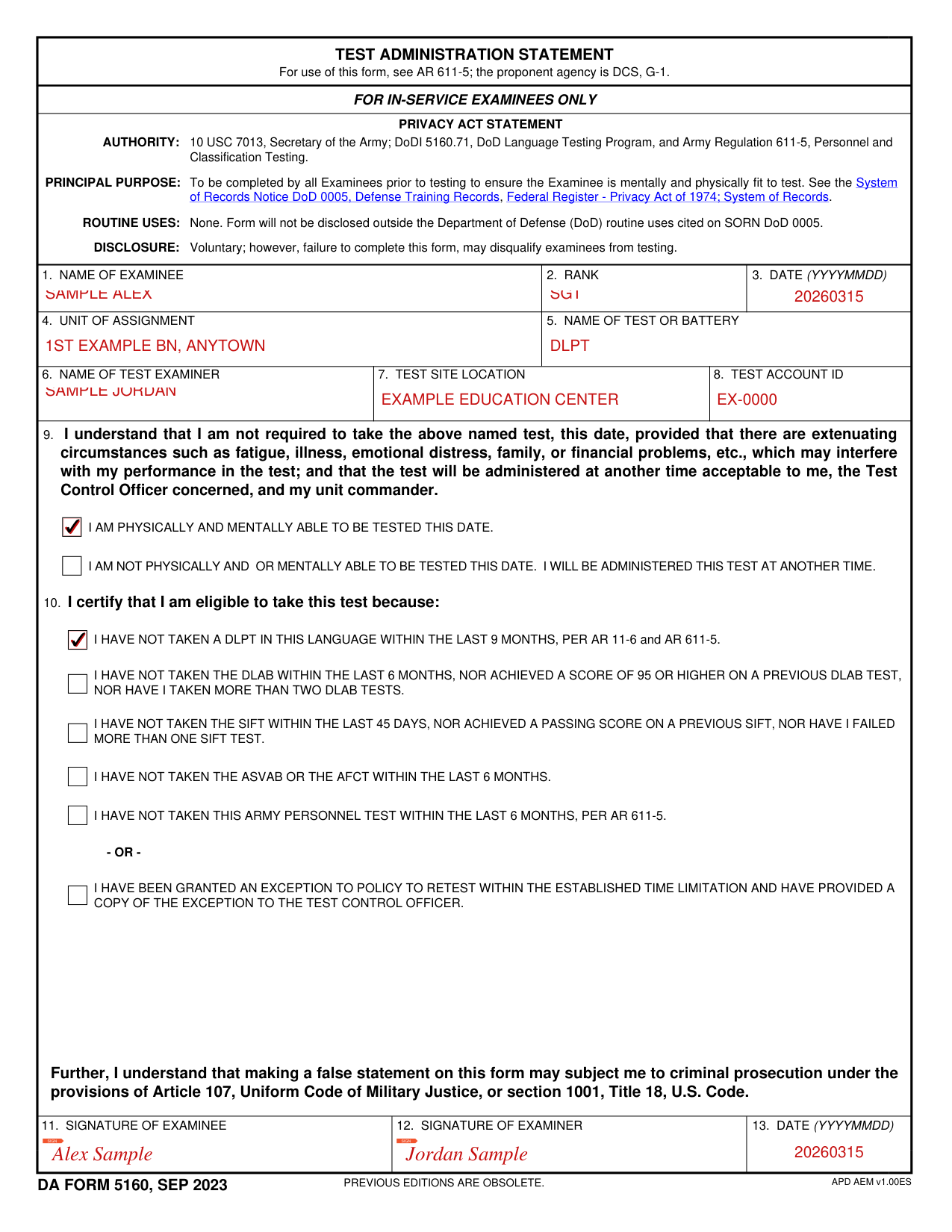
The Test Administration Statement is the Army's official pre-test certification document. It is required for all examinations covered under Army Regulation 611-5. The Deputy Chief of Staff, G-1, developed and maintains the form. Every examinee must complete and sign a current copy before any covered test begins. The document creates an official record that the examinee was briefed, confirmed eligible, and agreed to the testing conditions.

Which Tests Require This Form?

Army service members complete the Test Administration Statement before taking any of the following official examinations:

Each test has its own retesting interval. The form has a separate eligibility field for every test type. Examinees mark the appropriate field to confirm they have not taken that test during the restricted interval.

Who Must Complete This Form?

Any in-service Army examinee scheduled for a covered test must complete the form before the session begins. The examining officer must also sign and date the document after verifying the examinee's information. Both signatures are required. A form with missing signatures is not valid for official testing records.

Service members who have received a command exception to normal retesting intervals also use this form. They document the exception in the designated field before the examining officer signs. Exceptions are granted when documented personal circumstances prevented the examinee from testing at the standard time.

Personal Information Section

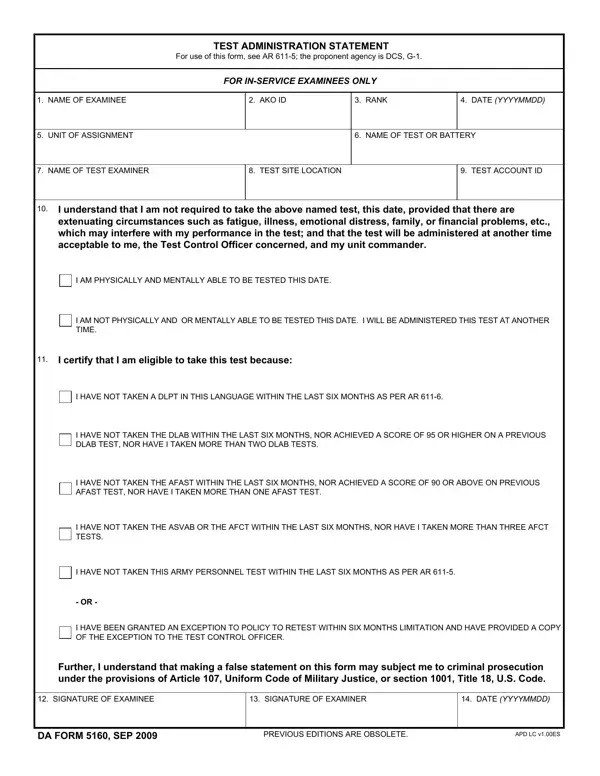
The upper portion of the form collects identifying details about the examinee. Required information includes:

All entries must be accurate. Incorrect identification details can delay test results or require the session to be rescheduled. Personnel should verify their AKO ID before completing the form.

Examination Eligibility Fields

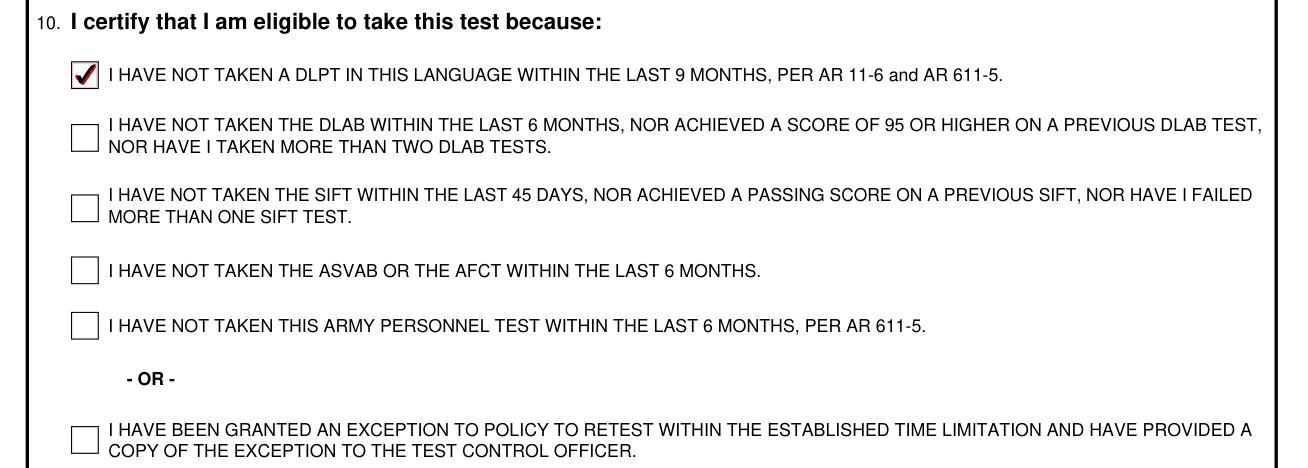
The eligibility section is divided by test type. Separate rows address the DLPT, DLAB, AFAST, ASVAB or AFCT, and other Army tests. For each row, the examinee marks whether the waiting period requirement is met. If an exception has been approved, this is noted in the exception field at the bottom of the eligibility section.

Examining officers review the eligibility section before the test begins. If any condition is not met and no exception is documented, the examination cannot proceed. Officers must verify the completed eligibility section as part of their pre-test checklist.

Acknowledgment Statement

The acknowledgment section at the bottom of the form contains a legally binding statement. It covers two main areas. First, it confirms the examinee's understanding of the testing conditions set by Army policy. Second, it warns that providing false statements on the form is punishable under the Uniform Code of Military Justice and applicable civilian laws.

This section also informs the examinee of the right to request a delay due to extenuating personal circumstances. Service members who need to postpone testing should raise this with their examining officer before signing. Once signed, both parties are bound by the attestations in the document.

Examiner Responsibilities

The test examiner carries independent responsibilities in this process. The examiner must check the examinee's identification and confirm eligibility before distributing test materials. The examiner signs the form in the presence of the examinee to certify that the administration followed correct procedures.

Incomplete forms or forms with unchecked eligibility fields must be resolved before the examination continues. Distributing test materials before the form is complete is a procedural violation. Examiners should treat the form as a required pre-test step, not optional documentation.

Records Management

Once signed by both parties, the Test Administration Statement becomes part of the official testing record. Commands must retain all completed forms in accordance with Army records management policy. The retention period and storage format depend on command procedures and current DA records management guidance. Proper retention supports verification of test eligibility and results if a question arises later.

Army Regulation 611-5 Background

AR 611-5 governs the enlisted personnel testing program across the Army. It defines which tests require a completed administration statement, the required waiting periods for retesting, and the procedures examining officers must follow. The G-1 office oversees compliance at the departmental level. Commands and testing officials operate under the authority established by this regulation.

The form is issued alongside AR 611-5 to standardize the certification process across all Army testing locations. Updates to the regulation may result in changes to form fields or eligibility requirements. Examining officers should always use the current edition of the form.

How to Access and Download the Form

The form is available through Army publications channels and through online PDF services. Service members can download the document in advance, fill it out, and bring a completed copy to their testing appointment. Examining officers typically keep blank copies on hand at testing locations. Online PDF tools make it possible to complete the form digitally and print a signed copy for submission.

Current Form Edition

The Test Administration Statement carries an edition date of September 2009 (shown as SEP 2009 on the form footer). Previous editions are obsolete and should not be used for official administration records. Examining officers are responsible for using the current edition. The form number and edition date appear at the bottom of the document.

QuestionAnswer
Form NameDa Form 5160
Form Length1 pages
Fillable?No
Fillable fields0
Avg. time to fill out15 sec
Other names2009, G-1, AFCT, da form 5160 fillable pdf

How to Edit Da Form 5160 Online for Free

FormsPal's online PDF editor lets you fill out and save the form without downloading any software. Follow these steps to complete each section accurately.

Step 1: Open the Form Editor

Click the "Get Form" button at the top of this page. The editor opens directly in your browser. No installation is required. The form loads immediately so you can begin filling it out.

Step 2: Enter Personal Information

Begin by entering your name, rank, and unit of assignment. Then add your Army Knowledge Online (AKO) ID. Double-check that all information matches your official military records. Errors in these fields can delay your test appointment.

Ways to fill in da 5160 step 1

Step 3: Complete the Eligibility Fields

The eligibility section lists each test type on a separate row. These include the DLPT, DLAB, AFAST, ASVAB, AFCT, and other Army tests. For each test you are scheduled to take, check the box to confirm you meet the waiting period requirement.

If your command approved an exception to the standard retesting interval, enter the exception details in the designated field. Do not leave the exception field blank if one applies. The examining officer must review all eligibility fields before the test begins.

Stage no. 2 for filling in da 5160

Step 4: Review the Acknowledgment and Sign

Read the acknowledgment statement before signing. It confirms your understanding of the testing rules and the legal consequences of false statements under the Uniform Code of Military Justice. Review it carefully before proceeding.

After reading, complete the signature fields. Both the examinee and the examining officer must sign and date the form. Use the YYYYMMDD date format. For example, July 12, 2026 is written as 20260712. Review the signature of examinee field carefully before marking the form as final.

Best ways to complete da 5160 stage 3

Step 5: Save and Download

After entering all required information, click "Done" to save your form. You can download the completed document as a PDF, send it by email, or store it in your FormsPal account for later access. Your information is protected by FormsPal's secure document handling.

Common Questions

Many service members ask how long the form takes to complete. If you have your AKO ID and unit information ready, most people finish in under two minutes. The document is one page and does not require lengthy written responses.

Some users ask whether they can print and sign the form manually after filling it out online. Yes. Download the completed PDF, print it, and have both the examinee and examining officer sign the paper copy. The signed paper document is the official record submitted to the testing program.

Others ask whether one form covers multiple tests on the same date. The eligibility section includes separate fields for each test type, so a single completed form can address multiple examinations if the examinee is scheduled for more than one test on the same day.

Related Army Forms on FormsPal

If you work with military administrative documents, you may also need these related forms available on FormsPal: