
DA Form 5519 R PDF Details

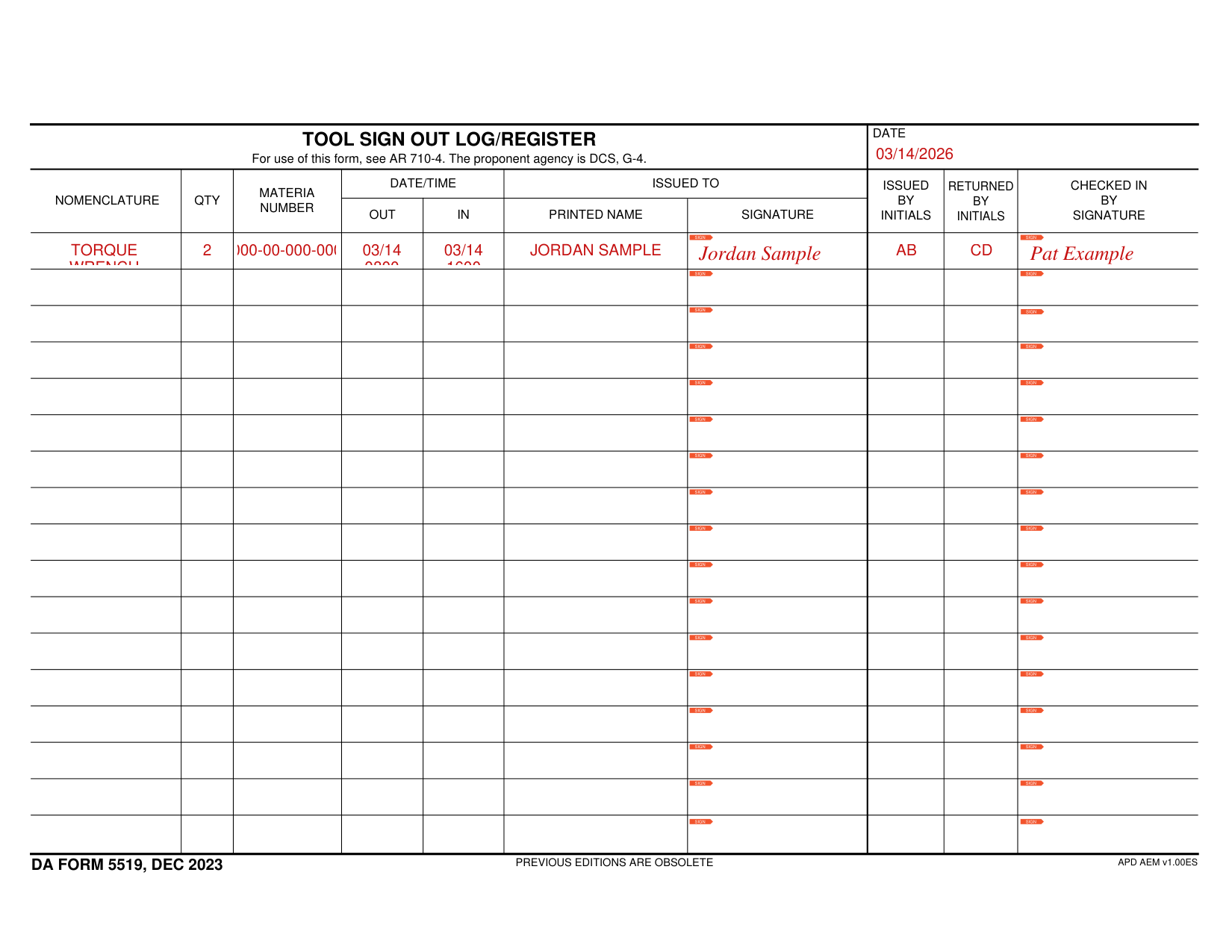
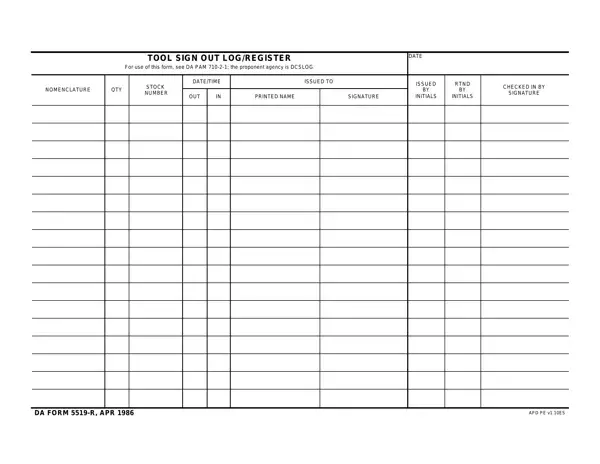
The DA Form 5519 R (Tool Sign Out Log/Register) is a mandatory Army accountability document governed by DA PAM 710-2-1. It provides a formal record of every tool or piece of equipment issued from a tool room, maintenance bay, or supply section. Each DA Form 5519 R transaction is captured in full, creating an audit trail for inspections, property book reconciliations, and loss investigations.

Purpose and Authority

The DA Form 5519 R was developed by the Department of the Army to enforce strict accountability over sensitive tools and equipment. Every issuance must be recorded on this log, which serves as the official document for Army property audits and loss investigations. The form is authorized under DA PAM 710-2-1, which governs property accountability procedures across all Army components.

Key Fields on the DA Form 5519 R

Each row on the DA Form 5519 R records one tool transaction and includes the following fields:

When to Use DA Form 5519 R

The DA Form 5519 R is required whenever tools or equipment are issued from a central storage location such as a motor pool tool room, maintenance bay, or unit supply room. It applies to both short-term loan transactions (tools returned the same day) and longer-term equipment issuances. Units must maintain a completed DA Form 5519 R log for each tool room or equipment custodian point to comply with Army property accountability regulations.

QuestionAnswer
Form NameDA Form 5519 R
Also Known AsTool Sign Out Log/Register, DA 5519 R
Form Length1 page
Governing AuthorityDA PAM 710-2-1
Fillable?No
Fillable fields0
Avg. time to fill out15 sec
Other namesda 5519, APD, DCSLOG, 1986

How to Edit Da Form 5519 R Online for Free

The DA Form 5519 R is a one-page log sheet used by Army units to track tool and equipment issuances. Whether you are managing a motor pool tool room or a unit supply section, following the correct completion process ensures your DA Form 5519 R records meet Army property accountability standards.

How to Fill Out DA Form 5519 R Step by Step

Complete each row of the DA Form 5519 R log as follows:

  1. Record the item nomenclature. In the first column, write the official name of the tool or equipment item as listed in the property book or stock number catalog.
  2. Enter the quantity. Record the exact number of units being issued to the recipient.
  3. Log the issue date and time. Write the date and time the item leaves the tool room. Use the 24-hour clock format standard in Army documentation.
  4. Identify the recipient. Record the full name, rank, and unit of the soldier receiving the item. This field establishes personal accountability for the issued equipment.
  5. Obtain the recipient's signature. The soldier receiving the tool must sign the DA Form 5519 R before the item is handed over. This signature confirms they accept responsibility.
  6. Record the return date and time. When the item is returned, log the date and time it was received back into the tool room.
  7. Verify the item condition and obtain the issuer's signature. The tool room custodian inspects the returned item and signs the log to confirm its condition. Note any damage or missing components in the Remarks field.

Completing the Header Section of DA Form 5519 R

Before logging individual transactions, fill in the form header, which captures:

  • Unit name and organization
  • Location or installation
  • Date range covered by the log sheet
  • Page number (for multi-page logs)

The header information is required for the DA Form 5519 R to serve as a valid accountability record during inspections and audits.

Maintaining the DA Form 5519 R Log

Army units must keep completed DA Form 5519 R logs on file for the period specified by their records retention schedule. Each tool room typically maintains a binder of completed forms organized by date. During property inspections or Command Supply Discipline Program (CSDP) reviews, inspectors check that the log is current, signed, and matches the physical count of tools in the room.

Best practices for maintaining the DA Form 5519 R log include recording only one item per row, never leaving the recipient or return signature fields blank, and recording remarks when an item is returned in damaged condition. These habits prevent discrepancies that can result in financial liability.

Frequently Asked Questions About DA Form 5519 R

What is the DA Form 5519 R used for?
The DA Form 5519 R is the Army's official Tool Sign Out Log/Register. It is used to record the issuance and return of tools and equipment from a tool room or supply point. The form ensures that every item can be accounted for at all times and that there is a clear record of who received what and when.

Is DA Form 5519 R the same as a hand receipt?
No. The DA Form 2062 (Hand Receipt) is used for longer-term property assignments, typically between a unit commander and individual soldiers for items that stay in their possession for an extended period. The DA Form 5519 R is used for short-term tool loans, often within a single duty day.

Where can I find the DA Form 5519 R?
The form is available through Army Publications and Forms. You can also fill out and download the DA Form 5519 R online using FormsPal's free PDF editor. Click the Fill Out button at the top of this page to get started.

Who is responsible for maintaining the DA Form 5519 R log?
The tool room custodian or property book officer designated for the tool room is responsible for maintaining the DA Form 5519 R log. The custodian must ensure all entries are complete, legible, and that every issuance has a matching return entry before the end of each duty day.

What happens if a tool is not returned?
If an item signed out on the DA Form 5519 R is not returned, the tool room custodian must initiate a Report of Survey or Statement of Charges process. The signed DA Form 5519 R entry serves as the official documentation that the item was issued and not returned, establishing the individual's financial liability.

Related Army Accountability Forms

If you work with Army property accountability, you may also need the following forms: