
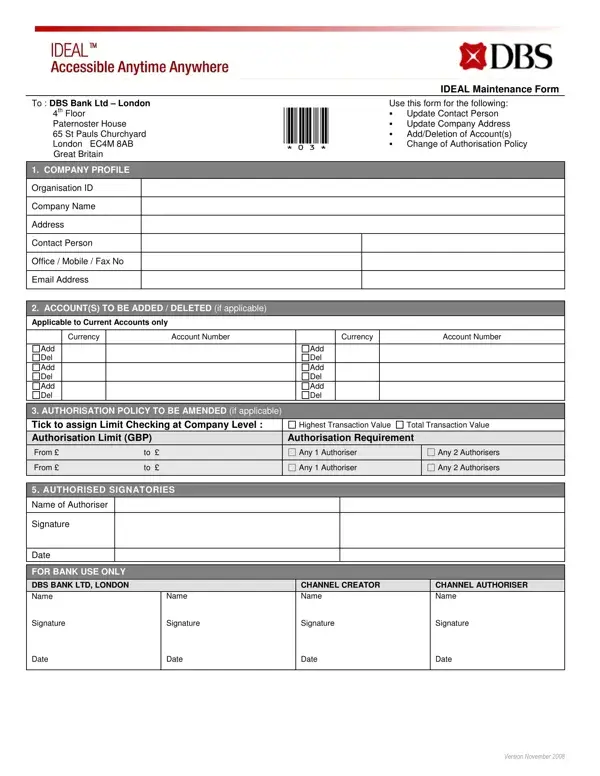
The IDEAL Maintenance Form is used by corporate clients of DBS Bank Ltd – London to update their banking arrangements. It covers four main functions: updating the company profile and contact details, adding or deleting current accounts, amending the authorization policy to define transaction limits and approver requirements, and updating the list of authorized signatories. Each change type maps to a dedicated section of the form, making it straightforward to identify which fields to complete for a specific request. For company profile updates, clients provide the revised company name, registered address, and current contact details. For account changes, they specify each current account to add or delete. For authorization policy amendments, they define transaction value thresholds, the required number of authorizers at each level, and any dual-approval conditions. Each section requires information that matches the company's official registration records. Submitting accurate, complete information helps avoid processing delays from DBS Bank.
| Question | Answer |
|---|---|
| Form Name | Dbs Ideal Form |
| Form Length | 2 pages |
| Fillable? | No |
| Fillable fields | 0 |
| Avg. time to fill out | 30 sec |
| Other names | dbs ideal maintenance form add user, dbs ideal form, dbs ideal add user, dbs ideal forms |
Dbs Ideal Form isn’t the one you’re looking for?