
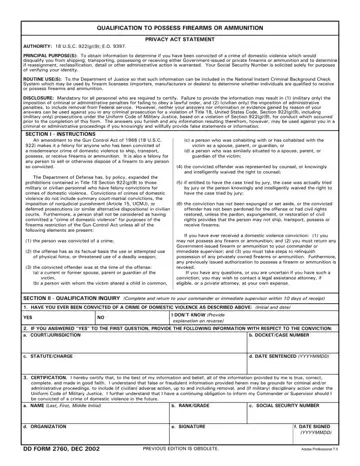
DD Form 2760 at a glance
What it is: DD Form 2760: Qualification to Possess Firearms or Ammunition.
Where and when to file: Return the completed qualification inquiry to your commander or immediate supervisor. Complete the qualification inquiry within 10 days of receipt.
PURPOSE(S): To obtain information to determine if you have been convicted of a crime of domestic violence which would disqualify you from shipping, transporting, possessing or receiving either Government-issued or private firearms or ammunition and to determine if reassignment, reclassification, detail or other administrative action is warranted. Your Social Security Number is solicited solely for purposes of verifying your identity.
DISCLOSURE: Mandatory for all personnel who are required to maintain a firearms certification. Failure to provide the information may result in (1) (military only) the imposition of criminal or administrative penalties for failing to obey a lawful order, and (2) (civilian only) the imposition of administrative penalties, to include removal from Federal service. However, neither your answers nor information or evidence gained by reason of your answers can be used against you in any criminal prosecution for a violation of 18, U.S.C. 922(g)(9), including (military only) prosecutions under the Uniform Code of Military Justice, based on a violation of Section 922(g)(9), for conduct which occurred prior to the completion of this form. However, the answers you furnish and any information resulting therefrom, may be used against you in criminal or administrative proceedings if you knowingly and willfully provide false statements or information.
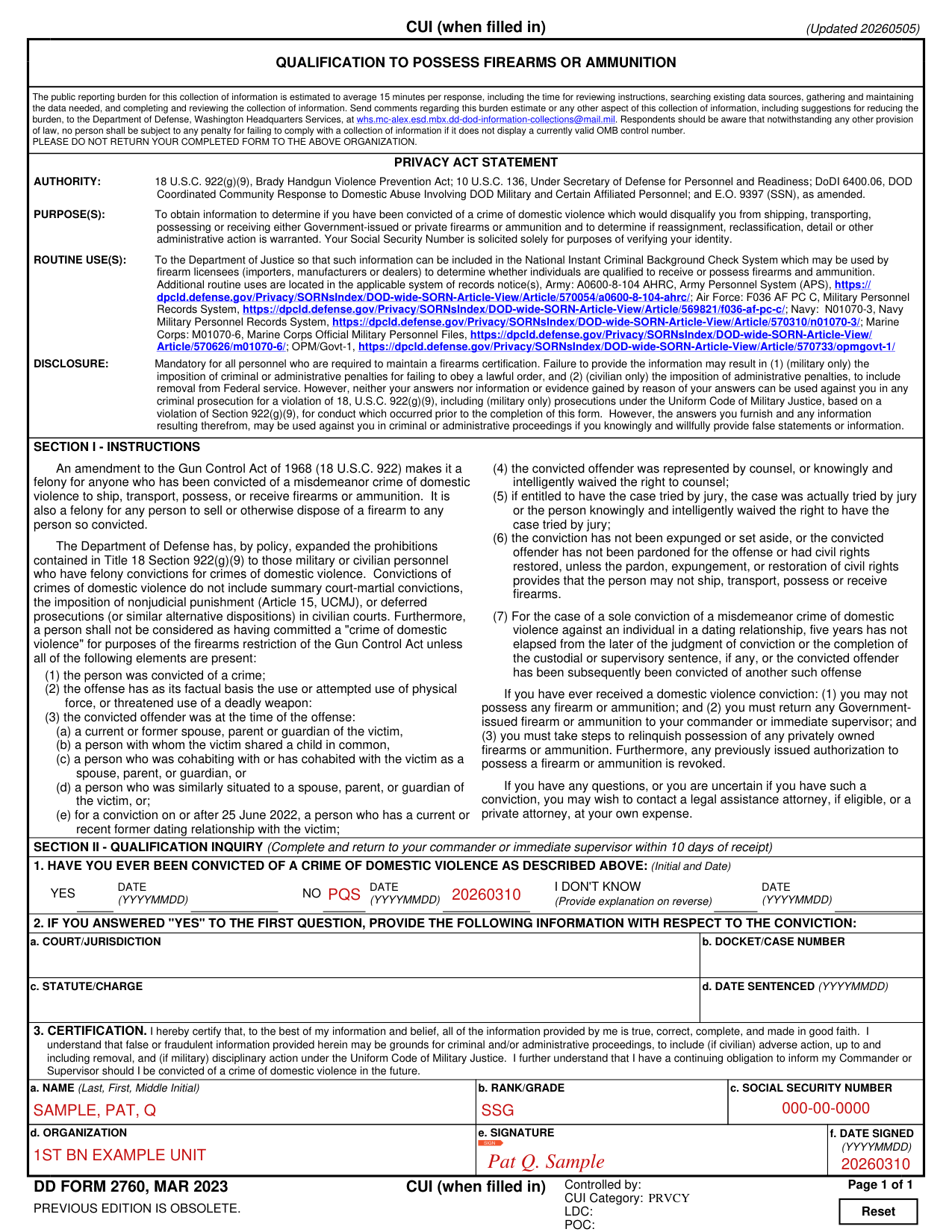
A filled-in DD Form 2760 example: a service member answers NO
How to fill out DD Form 2760, box by box
Have you ever been convicted of a crime of domestic violence

In box 1, Initial and Date YES, NO or I DON'T KNOW, each with DATE (YYYYMMDD), for: HAVE YOU EVER BEEN CONVICTED OF A CRIME OF DOMESTIC VIOLENCE. For I DON'T KNOW, provide an explanation (reverse of the form).
If you have ever received a domestic violence conviction: (1) you may not possess any firearm or ammunition; and (2) you must return any Government-issued firearm or ammunition to your commander or immediate supervisor; and (3) you must take steps to relinquish possession of any privately owned firearms or ammunition. Furthermore, any previously issued authorization to possess a firearm or ammunition is revoked.
If you have any questions, or you are uncertain if you have such a conviction, you may wish to contact a legal assistance attorney, if eligible, or a private attorney, at your own expense.
If you answered YES to the first question, provide the following information

If you answered YES to the first question, provide the court/jurisdiction, the docket/case number, the statute/charge and the date sentenced (YYYYMMDD) with respect to the conviction.
Certification

Enter your name (Last, First, Middle Initial), rank/grade, social security number, organization, signature and date signed (YYYYMMDD).
3. CERTIFICATION. I hereby certify that, to the best of my information and belief, all of the information provided by me is true, correct, complete, and made in good faith. I understand that false or fraudulent information provided herein may be grounds for criminal and/or administrative proceedings, to include (if civilian) adverse action, up to and including removal, and (if military) disciplinary action under the Uniform Code of Military Justice. I further understand that I have a continuing obligation to inform my Commander or Supervisor should I be convicted of a crime of domestic violence in the future.
Common questions about DD Form 2760
What is a DD form 2760?
DD Form 2760: Qualification to Possess Firearms or Ammunition. An amendment to the Gun Control Act of 1968 (18 U.S.C. 922) makes it a felony for anyone who has been convicted of a misdemeanor crime of domestic violence to ship, transport, possess, or receive firearms or ammunition. It is also a felony for any person to sell or otherwise dispose of a firearm to any person so convicted.
Is there a deadline?
Complete the qualification inquiry within 10 days of receipt.
Where do I file it?
Return the completed qualification inquiry to your commander or immediate supervisor.
Sources
[1] DD Form 2760 (MAR 2023), Qualification to Possess Firearms or Ammunition, Washington Headquarters Services (the Official source link on this page).
