
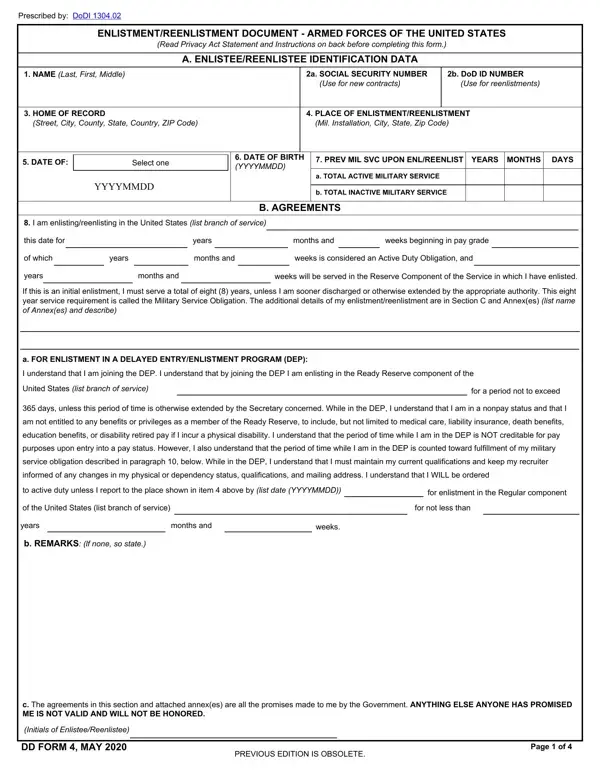

DD Form 4 at a glance
What it is: The form is the Enlistment/Reenlistment Document, Armed Forces of the United States.
A filled-in DD Form 4 example: a first enlistment in the active component, with no DEP
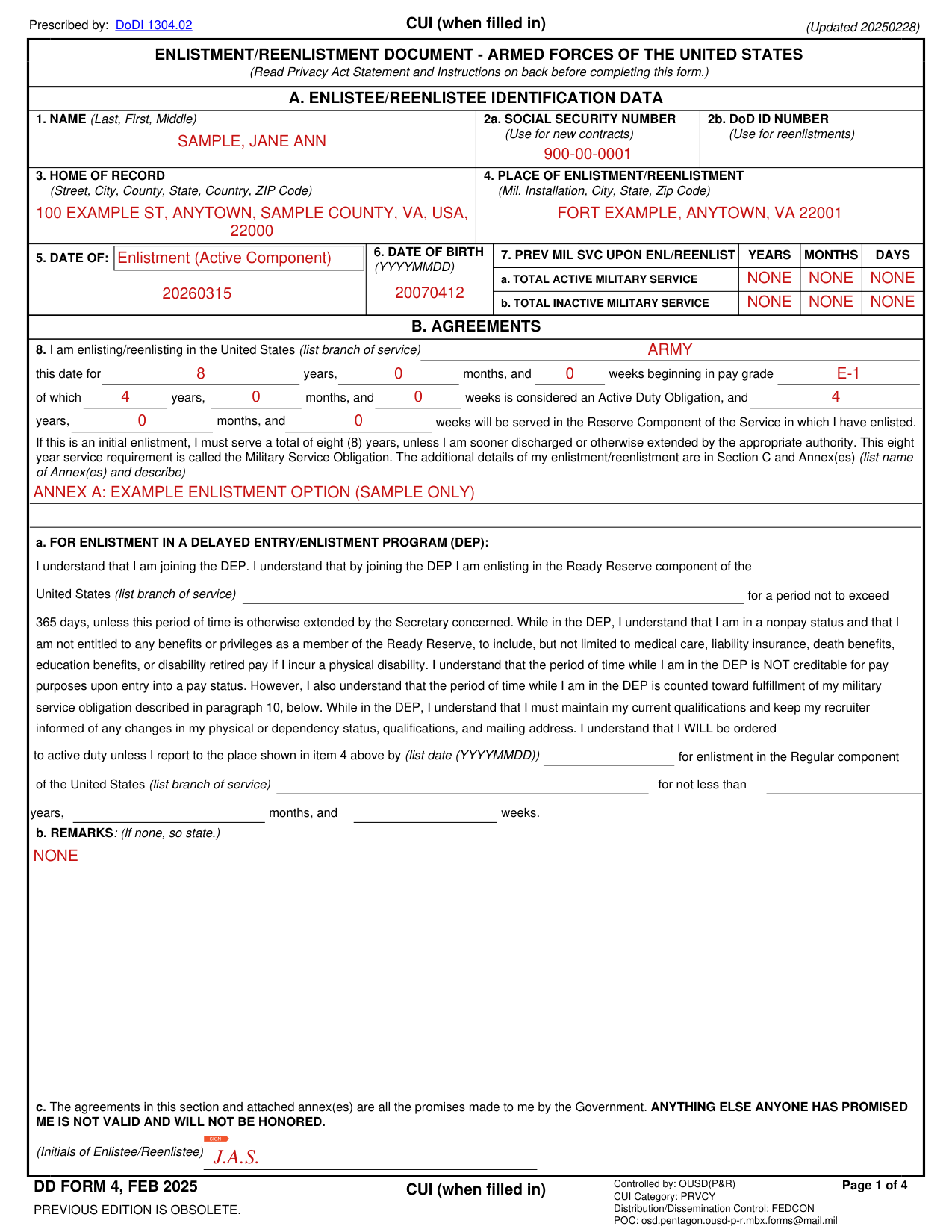
How to fill out DD Form 4, box by box
Tap a group of boxes to open it, and a picture to see it full size.
Section A, Enlistee/Reenlistee identification data
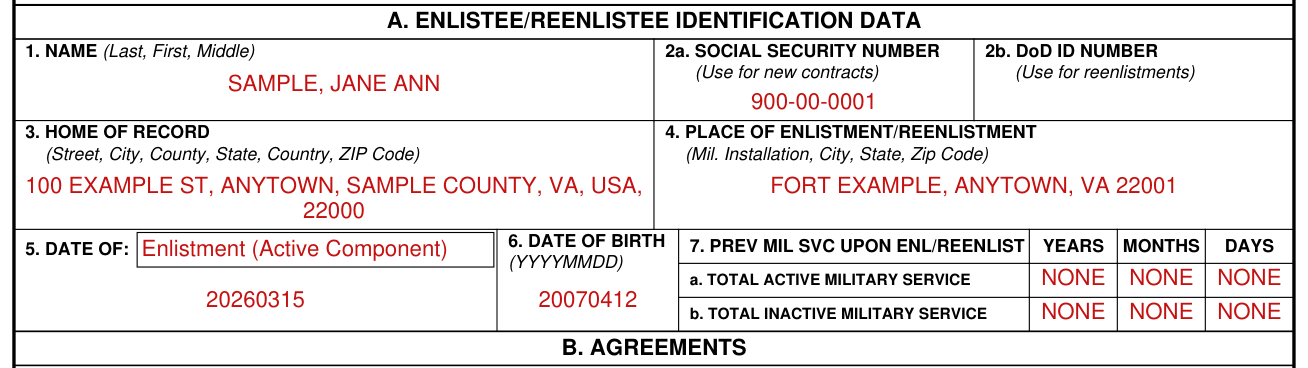
Box 1, Name: write Last, First, Middle.
Box 2a, Social Security Number: use for new contracts.
Box 2b, DoD ID Number: use for reenlistments.
Common mistake: FOR ALL APPLICANTS: SSN collection is only authorized for newly enlisting military service members. SSN collection is not authorized for current military personnel reenlisting in the Armed Forces. The EDIPI / DoD identification number should be used to identify the records of these individuals.
Box 3, Home of Record: Street, City, County, State, Country, ZIP Code.
Box 4, Place of Enlistment/Reenlistment: Mil. Installation, City, State, Zip Code.
Common mistake: Box 5, Date of: fill in the box and write the date. Write all dates as 8 digits (with no spaces or marks) in YYYYMMDD fashion, unless otherwise specified. June 1, 2014 is written 20140601.
Box 6, Date of Birth: write it as YYYYMMDD.
Box 7, Prev Mil Svc Upon Enl/Reenlist: write the Years, Months and Days of a. Total Active Military Service and b. Total Inactive Military Service.
Section B, Agreements: Box 8
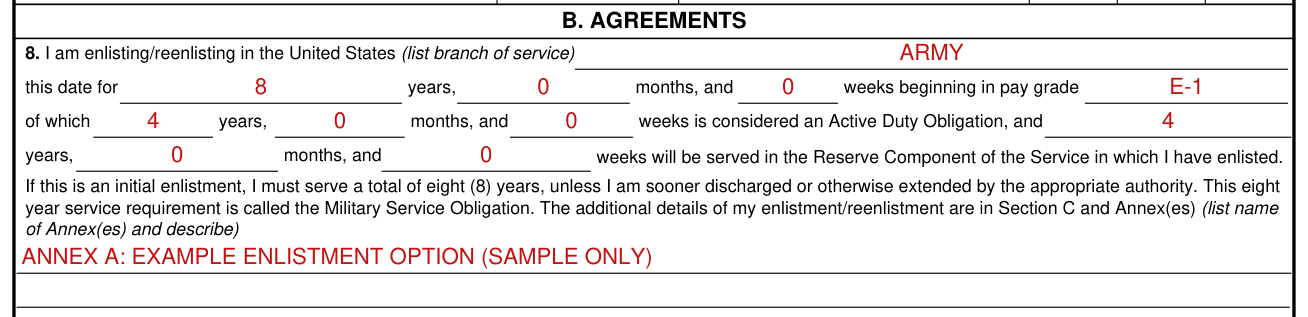
Box 8: list the branch of service you are enlisting/reenlisting in, the years, months, and weeks you are enlisting/reenlisting for, and the pay grade you begin in.
Of the years, months, and weeks you enter, fill in the years, months, and weeks considered an Active Duty Obligation and the years, months, and weeks that will be served in the Reserve Component of the Service in which you have enlisted.
If this is an initial enlistment, you must serve a total of eight (8) years, unless you are sooner discharged or otherwise extended by the appropriate authority.
The additional details of the enlistment/reenlistment are in Section C and Annex(es): list name of Annex(es) and describe.
Section C, Partial Statement of Existing United States Laws: This eight year service requirement is called the Military Service Obligation. Any part of that service not served on active duty must be served in the Reserve Component of the service in which you have enlisted.
Section C, Partial Statement of Existing United States Laws: If this is a reenlistment, you must serve the number of years specified in this agreement, unless you are sooner discharged or otherwise extended by the appropriate authority.
Box 8a, enlistment in a Delayed Entry/Enlistment Program (DEP)
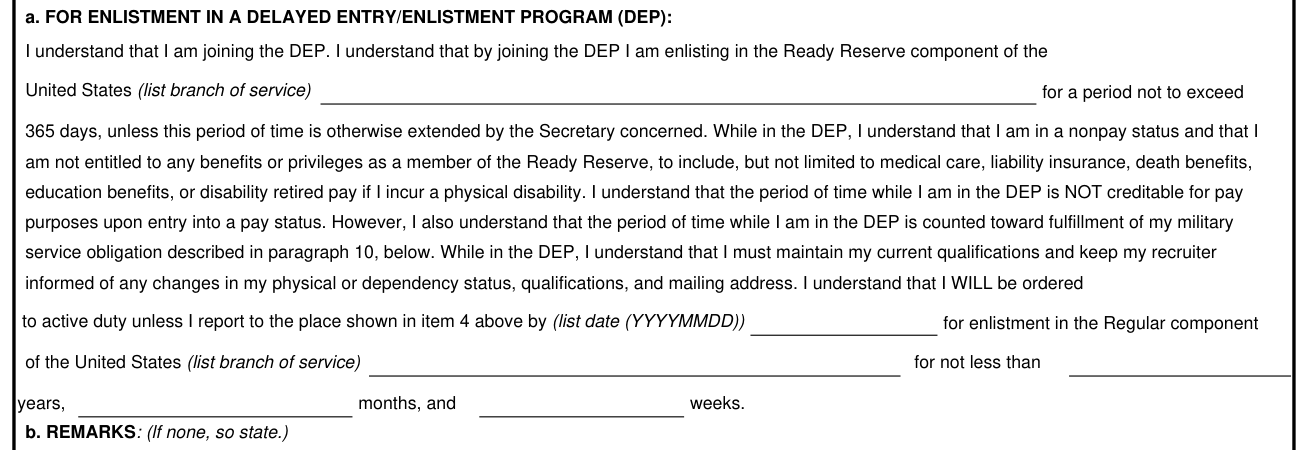
For enlistment in a Delayed Entry/Enlistment Program (DEP), the period in the Ready Reserve component of the United States (list branch of service) is not to exceed 365 days, unless this period of time is otherwise extended by the Secretary concerned.
For enlistment in a Delayed Entry/Enlistment Program (DEP), you WILL be ordered to active duty unless you report to the place shown in Box 4 by the date (YYYYMMDD) you list, for enlistment in the Regular component of the United States (list branch of service) for not less than the years, months, and weeks you list.
Boxes 8b and 8c, remarks and initials
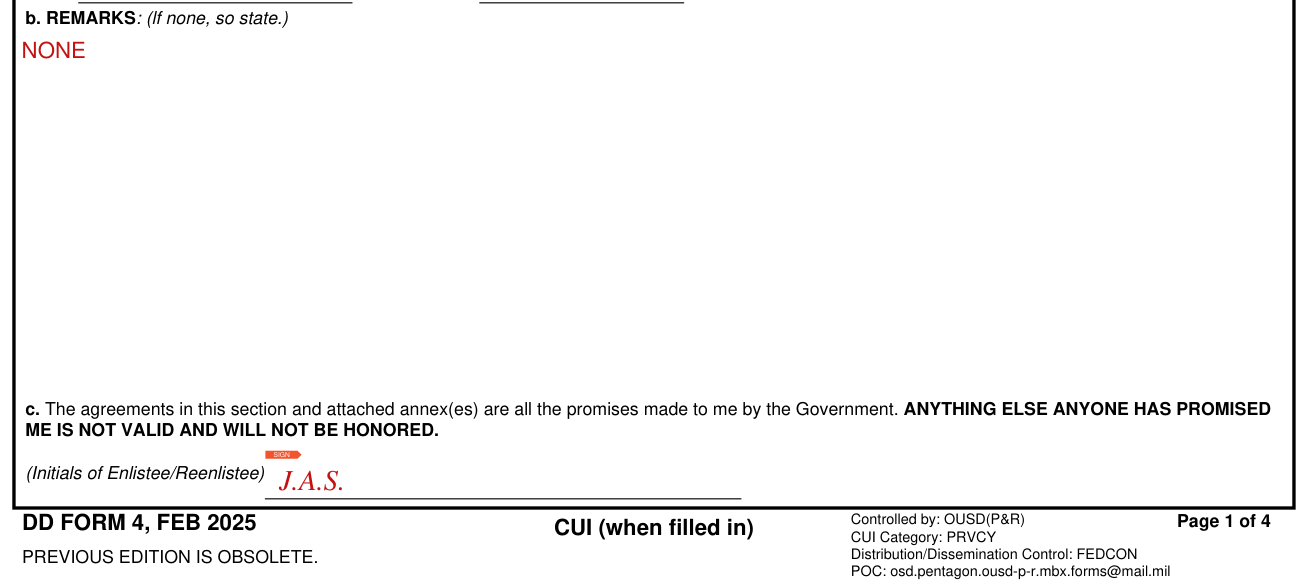
Box 8b, Remarks: if none, so state.
Box 8c, Initials of Enlistee/Reenlistee: The agreements in Section B and attached annex(es) are all the promises made to me by the Government. ANYTHING ELSE ANYONE HAS PROMISED ME IS NOT VALID AND WILL NOT BE HONORED.
Section C, page 2 of 4: initials

Page 2 of 4, Section C, Partial Statement of Existing United States Laws: write the Initials of Enlistee/Reenlistee.
Section D, Certification and Acceptance: Boxes 13 and 14
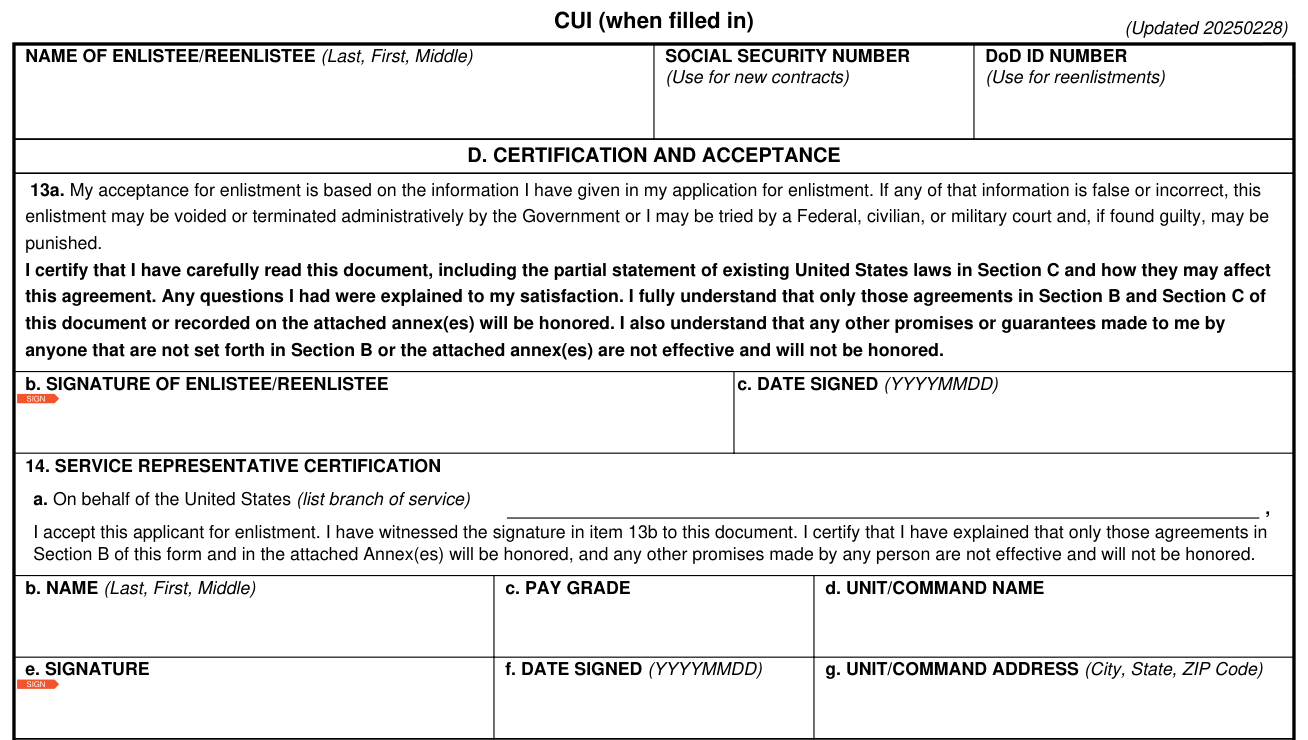
Page 3 of 4 and page 4 of 4: write the Name of Enlistee/Reenlistee (Last, First, Middle), the Social Security Number (Use for new contracts) and the DoD ID Number (Use for reenlistments).
Box 13a: My acceptance for enlistment is based on the information I have given in my application for enlistment. If any of that information is false or incorrect, this enlistment may be voided or terminated administratively by the Government or I may be tried by a Federal, civilian, or military court and, if found guilty, may be punished.
Box 13a, certification: I certify that I have carefully read this document, including the partial statement of existing United States laws in Section C and how they may affect this agreement. Any questions I had were explained to my satisfaction. I fully understand that only those agreements in Section B and Section C of this document or recorded on the attached annex(es) will be honored. I also understand that any other promises or guarantees made to me by anyone that are not set forth in Section B or the attached annex(es) are not effective and will not be honored.
Box 13b, Signature of Enlistee/Reenlistee, and Box 13c, Date Signed (YYYYMMDD).
Box 14, Service Representative Certification, a: On behalf of the United States (list branch of service), I accept this applicant for enlistment. I have witnessed the signature in Box 13b to this document. I certify that I have explained that only those agreements in Section B of this form and in the attached Annex(es) will be honored, and any other promises made by any person are not effective and will not be honored.
Under 14. SERVICE REPRESENTATIVE CERTIFICATION, Boxes 14b to 14g: Name (Last, First, Middle), Pay Grade, Unit/Command Name, Signature, Date Signed (YYYYMMDD) and Unit/Command Address (City, State, ZIP Code).
Section E, Confirmation of Enlistment or Reenlistment: Boxes 15 to 18
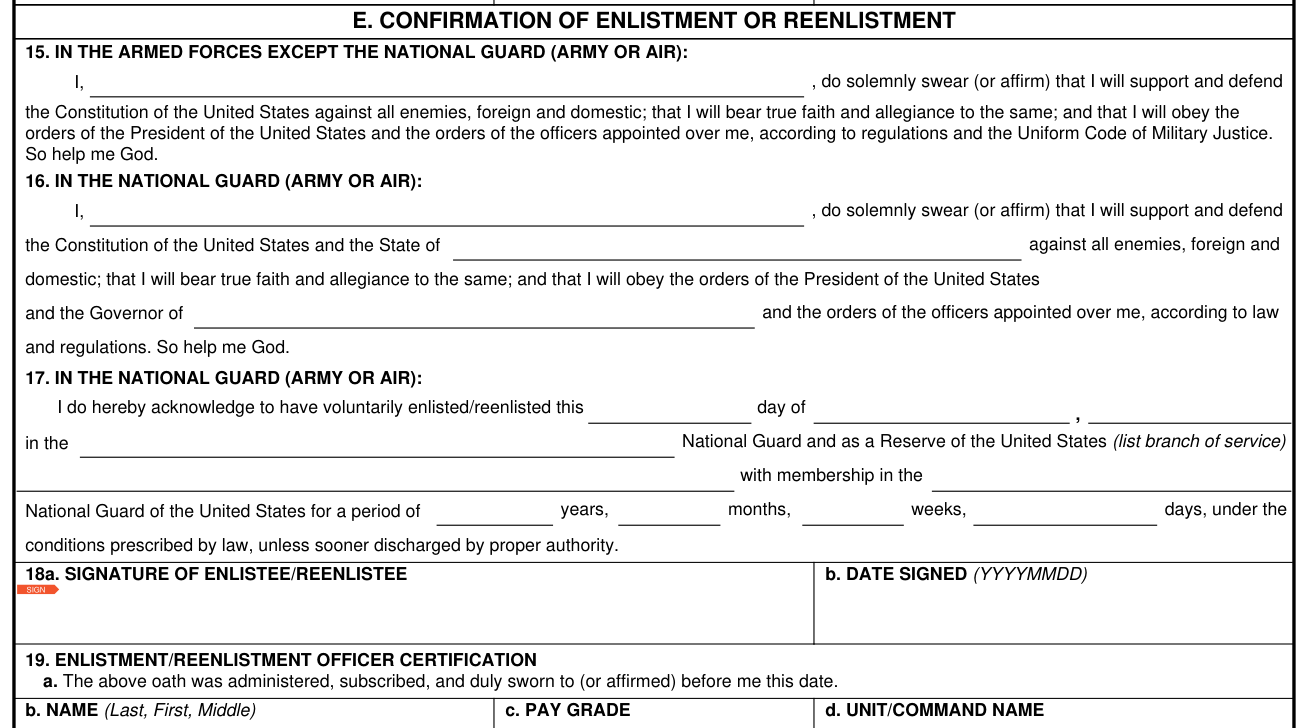
Box 15, In the Armed Forces except the National Guard (Army or Air): write your name in the blank: I, , do solemnly swear (or affirm) that I will support and defend the Constitution of the United States against all enemies, foreign and domestic; that I will bear true faith and allegiance to the same; and that I will obey the orders of the President of the United States and the orders of the officers appointed over me, according to regulations and the Uniform Code of Military Justice. So help me God.
Box 16, In the National Guard (Army or Air): write your name in the blank after I, and fill in the blank after the State of and the blank after the Governor of.
Box 17, In the National Guard (Army or Air): fill in each blank: I do hereby acknowledge to have voluntarily enlisted/reenlisted this day of , in the National Guard and as a Reserve of the United States (list branch of service) with membership in the National Guard of the United States for a period of years, months, weeks, days, under the conditions prescribed by law, unless sooner discharged by proper authority.
Box 18a, Signature of Enlistee/Reenlistee, and Box 18b, Date Signed (YYYYMMDD).
Box 19, Enlistment/Reenlistment Officer Certification
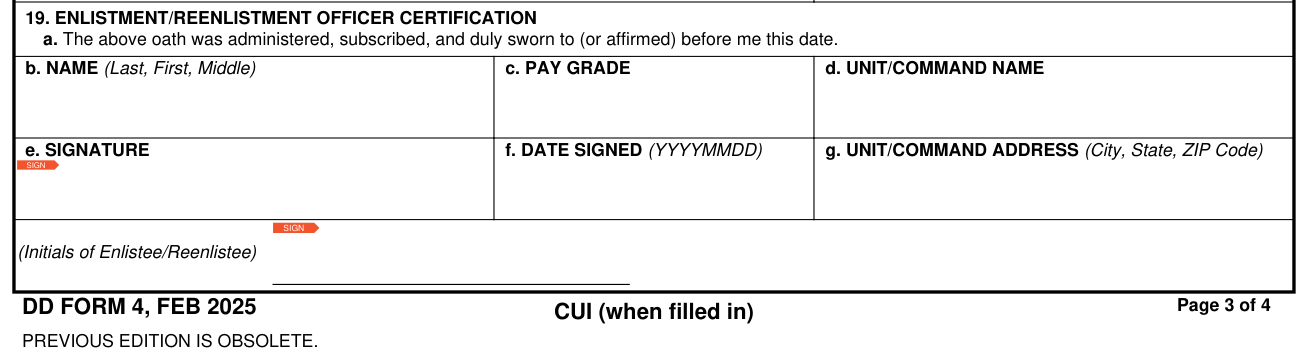
Box 19, Enlistment/Reenlistment Officer Certification, a: The above oath was administered, subscribed, and duly sworn to (or affirmed) before me this date.
Under 19. ENLISTMENT/REENLISTMENT OFFICER CERTIFICATION, Boxes 19b to 19g: the same boxes as 14b to 14g.
Page 3 of 4: write the Initials of Enlistee/Reenlistee.
Section F, Discharge from the Delayed Entry/Enlistment Program: Box 20
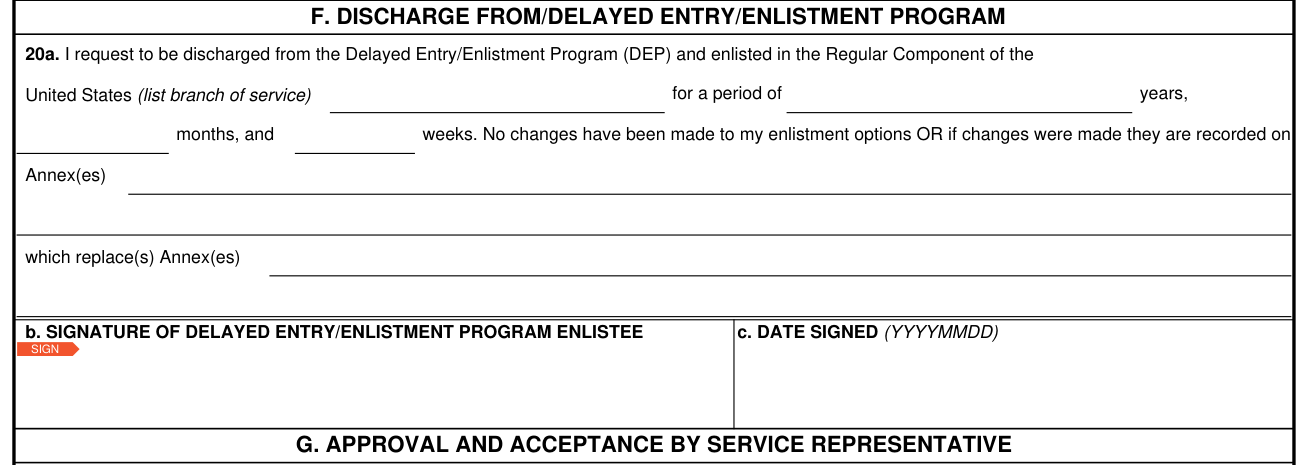
Box 20a, request to be discharged from the Delayed Entry/Enlistment Program (DEP) and enlisted in the Regular Component of the United States: list the branch of service and the years, months, and weeks.
Either no changes have been made to the enlistment options OR, if changes were made, list the Annex(es) on which they are recorded and the Annex(es) which they replace.
Box 20b, Signature of Delayed Entry/Enlistment Program Enlistee, and Box 20c, Date Signed (YYYYMMDD).
Section G and Section H, Boxes 21 to 23
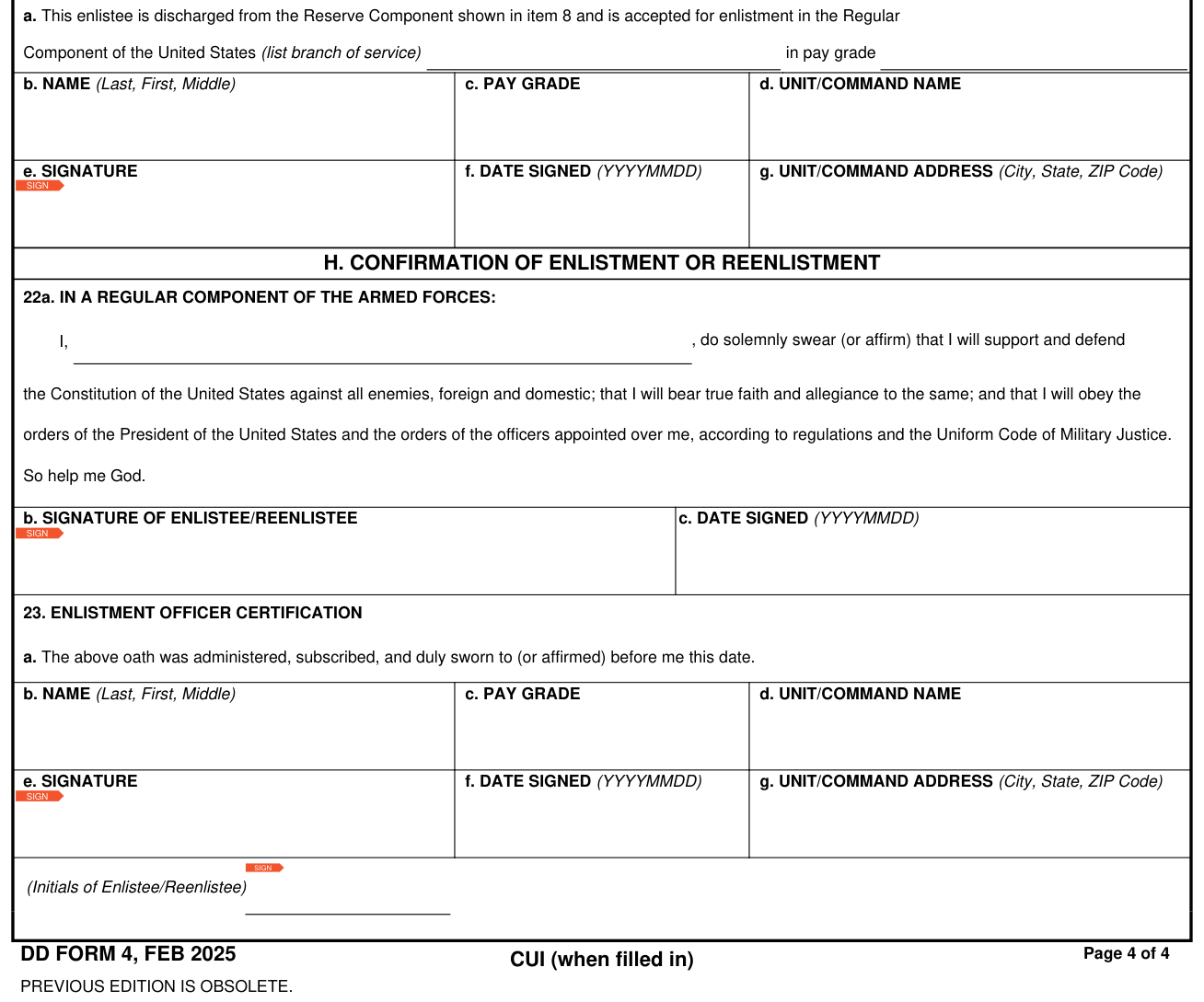
Box 21, Service Representative Certification, a: This enlistee is discharged from the Reserve Component shown in Box 8 and is accepted for enlistment in the Regular Component of the United States (list branch of service) in pay grade.
Under 21. SERVICE REPRESENTATIVE CERTIFICATION, Boxes 21b to 21g: the same boxes as 14b to 14g.
Box 22a, In a Regular Component of the Armed Forces: write your name in the blank: I, , do solemnly swear (or affirm) that I will support and defend the Constitution of the United States against all enemies, foreign and domestic; that I will bear true faith and allegiance to the same; and that I will obey the orders of the President of the United States and the orders of the officers appointed over me, according to regulations and the Uniform Code of Military Justice. So help me God.
Box 22b, Signature of Enlistee/Reenlistee, and Box 22c, Date Signed (YYYYMMDD).
Box 23, Enlistment Officer Certification, a: The above oath was administered, subscribed, and duly sworn to (or affirmed) before me this date.
Under 23. ENLISTMENT OFFICER CERTIFICATION, Boxes 23b to 23g: the same boxes as 14b to 14g.
Page 4 of 4: write the Initials of Enlistee/Reenlistee.
More rules for DD Form 4
Read the Privacy Act Statement and Instructions on the back of the form's first page before completing this form.
Type or print LEGIBLY all answers. If the answer is “None” or “Not Applicable”, so state. “Optional” questions may be left blank.
YOU CAN BE PUNISHED BY FINE, IMPRISONMENT OR BOTH IF YOU ARE FOUND GUILTY OF MAKING KNOWING AND WILLFUL FALSE STATEMENTS ON THIS DOCUMENT.
Section C, Partial Statement of Existing United States Laws: FOR ALL MALE APPLICANTS: Completion of this form constitutes registration with the Selective Service System in accordance with the Military Selective Service Act.
Common questions about DD Form 4
What is a DD Form 4 in the military?
The form is the Enlistment/Reenlistment Document, Armed Forces of the United States. Principal Purpose: To record enlistment or reenlistment into the U.S. Armed Forces.
Who signs it?
Box 13b: Signature of Enlistee/Reenlistee. Box 14e: Signature, in the Service Representative Certification. Box 18a: Signature of Enlistee/Reenlistee. Box 19e: Signature, in the Enlistment/Reenlistment Officer Certification. For an enlistee discharged from the Delayed Entry/Enlistment Program (DEP) and enlisted in the Regular Component (Section F, Section G and Section H): Box 20b: Signature of Delayed Entry/Enlistment Program Enlistee. Box 21e: Signature, in the Service Representative Certification. Box 22b: Signature of Enlistee/Reenlistee. Box 23e: Signature, in the Enlistment Officer Certification.
Is there a deadline?
For enlistment in a Delayed Entry/Enlistment Program (DEP), the period in the Ready Reserve component of the United States (list branch of service) is not to exceed 365 days, unless this period of time is otherwise extended by the Secretary concerned.
Sources
[1] DD Form 4 (FEB 2025), Enlistment/Reenlistment Document, Armed Forces of the United States, Department of Defense (the Official source link on this page).