
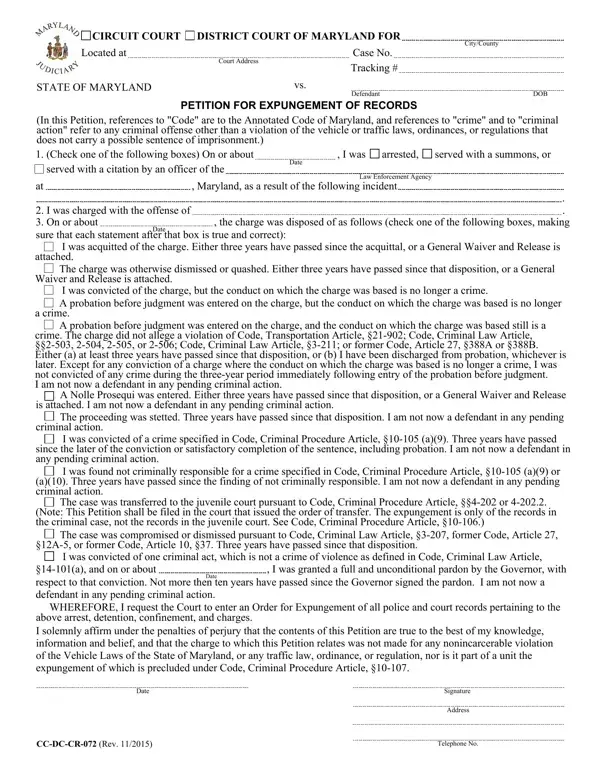
The Form 4 504 1, utilized within both Circuit and District Courts of Maryland, serves as a fundamental gateway for individuals seeking expungement of their criminal records, manifesting a crucial step towards legal and social rehabilitation. Predicated on the elaborate guidelines outlined in the Annotated Code of Maryland, this petition meticulously segregates and addresses various outcomes of criminal proceedings, ranging from acquittals to specific convictions, which have subsequently seen the underlying conduct decriminalized. Notably, it encapsulates a spectrum of scenarios, including dismissals, probation before judgments, and even instances where charges were dropped or resulted in a nolle prosequi declaration, each accompanied by distinct prerequisites such as passage of time or satisfactory completion of probation. Additionally, the form acknowledges circumstances under which convictions for non-violent crimes have been pardoned by the governor, establishing eligibility criteria for such applications. By mandating an affirmation under penalty of perjury, the form underscores the petitioner’s responsibility to provide truthful and accurate information, specifically clarifying the ineligibility of traffic-related and non-incarcerable violations for this expungement process. Through its comprehensive articulation, the Form 4 504 1 embodies not merely a procedural tool but a profound embodiment of Maryland’s legal framework’s capacity for granting individuals a newfound pathway to rectify past judicial encounters and embrace a future unencumbered by the shadows of prior convictions.
| Question | Answer |
|---|---|
| Form Name | Form 4 504 1 |
| Form Length | 1 pages |
| Fillable? | No |
| Fillable fields | 0 |
| Avg. time to fill out | 15 sec |
| Other names | ccdccr072 md expungement application form 4 5041 |