

Delaware Child Labor Permit for Minor at a glance
What it is: The Delaware Department of Labor child labor permit for a minor.
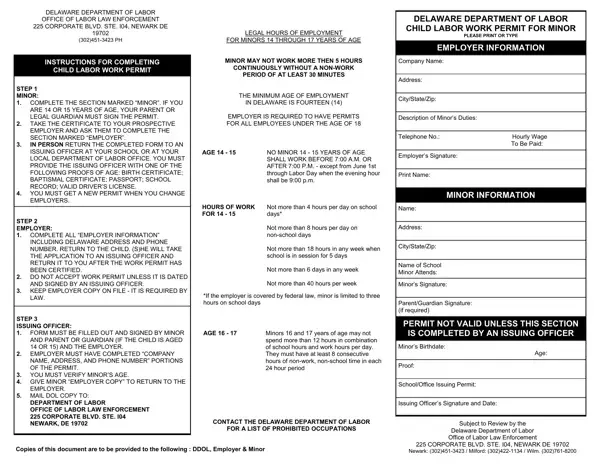
Who signs: The form must be completed and signed by the minor (if minor is age 14 or 15, a Parent or Guardian's signature is also required). The employer fills in Employer's Signature and Print Name. The permit is not valid unless an authorized Issuing Officer for the State of Delaware completes the Issuing Officer section.
An employer is required to have permits for all employees under the age of 18.
The minimum age of employment in Delaware is fourteen (14).
What to bring and attach to Delaware Child Labor Permit for Minor
Return the completed permit and valid proof of age in the form of government issued identification: Birth Certificate, Passport, Baptism Certificate or a State issued driver's license or ID.
A filled-in Delaware Child Labor Permit for Minor example: a 15-year-old's first job
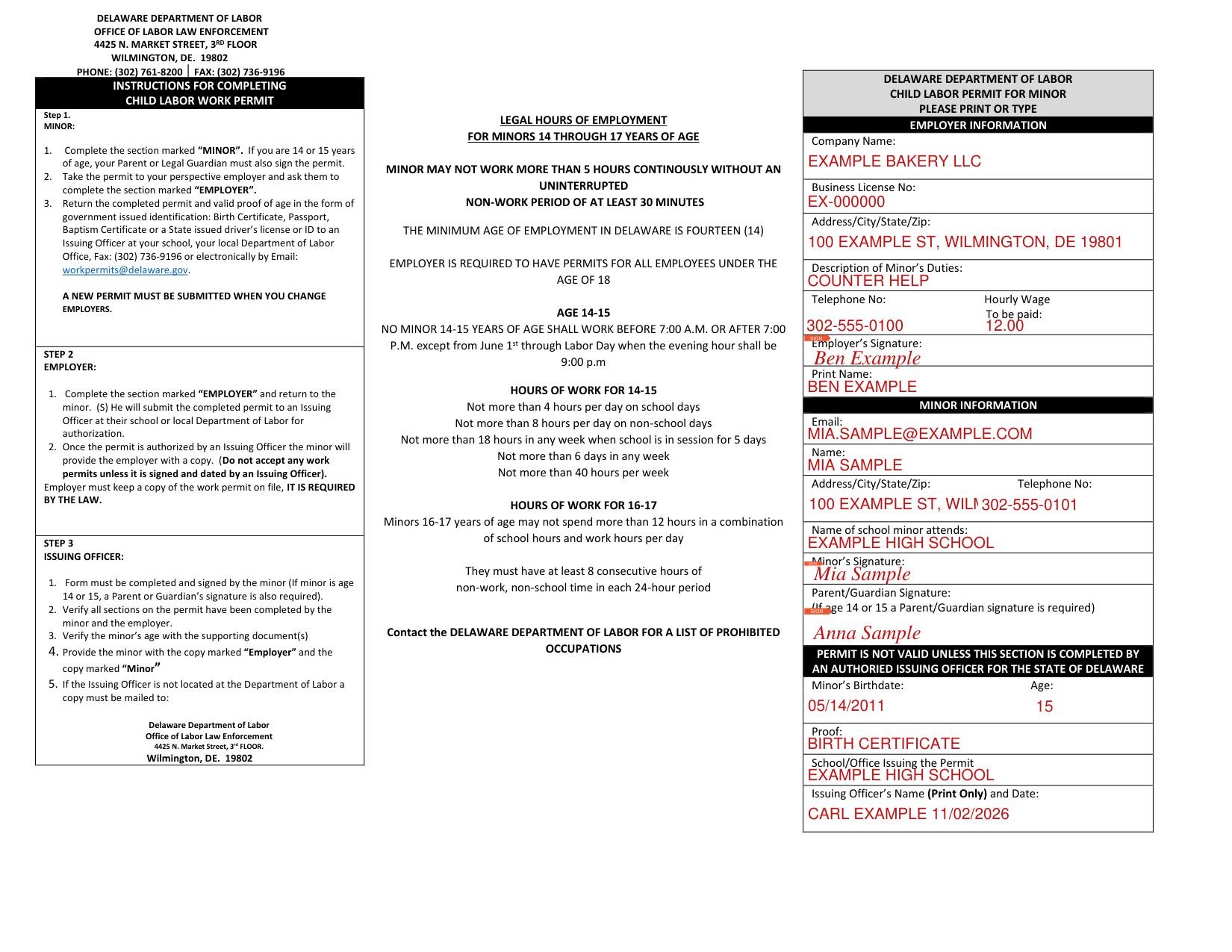
How to fill out Delaware Child Labor Permit for Minor, box by box
Minor information
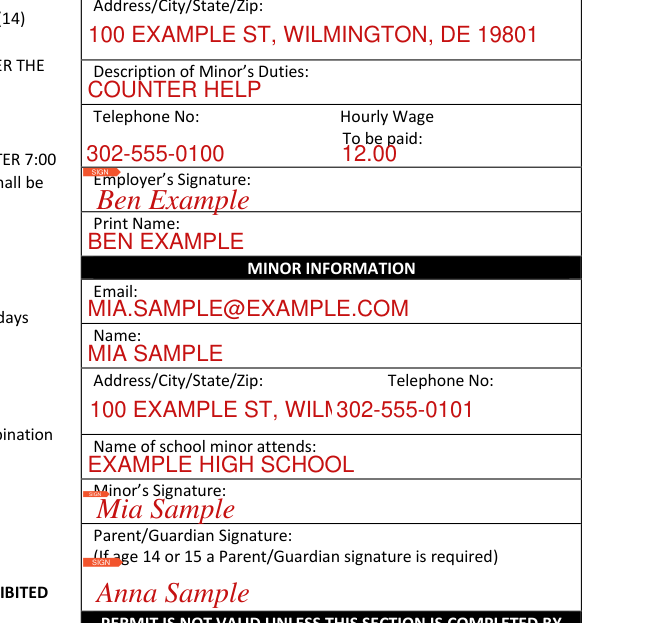
Minor: complete the section marked "MINOR". If you are 14 or 15 years of age, your Parent or Legal Guardian must also sign the permit.
Under MINOR INFORMATION, enter Email, Name, Address/City/State/Zip, Telephone No and Name of school minor attends, then the Minor's Signature and the Parent/Guardian Signature. If age 14 or 15 a Parent/Guardian signature is required.
Employer information
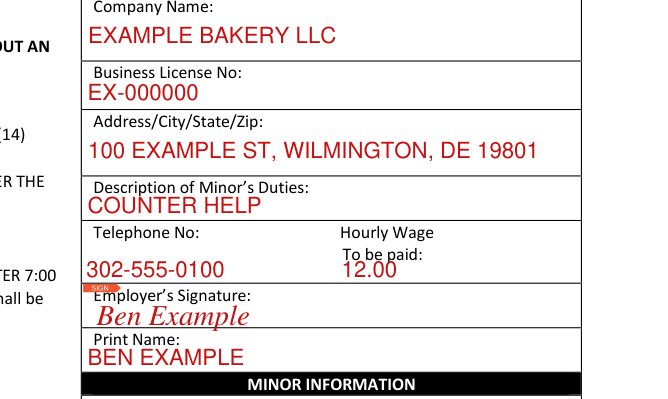
Take the permit to your employer and ask them to complete the section marked "EMPLOYER".
Employer: complete the section marked "EMPLOYER" and return to the minor.
Please print or type. Under EMPLOYER INFORMATION, enter Company Name, Business License No, Address/City/State/Zip, Description of Minor's Duties, Telephone No and Hourly Wage To be paid, then the Employer's Signature and Print Name.
Issuing Officer section
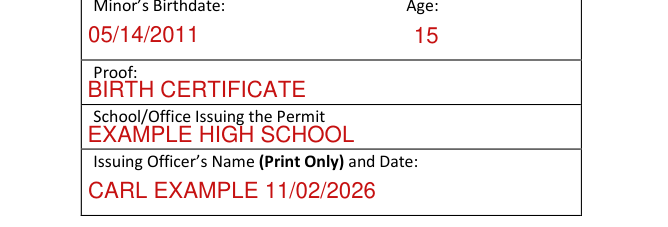
Permit is not valid unless this section is completed by an authorized Issuing Officer for the State of Delaware: Minor's Birthdate, Age, Proof, School/Office Issuing the Permit, and the Issuing Officer's Name (Print Only) and Date.
Verify the minor's age with the supporting document(s).
More rules for Delaware Child Labor Permit for Minor
The minor will submit the completed permit to an Issuing Officer at their school or local Department of Labor for authorization.
If your situation is different
The minor is 14 through 17 years old
Minors 14 through 17 years of age may not work more than 5 hours continuously without an uninterrupted non-work period of at least 30 minutes.
The minor is 14 or 15 years old
Minors 14-15 years of age shall not work before 7:00 a.m. or after 7:00 p.m. except from June 1st through Labor Day when the evening hour shall be 9:00 p.m.
Hours of work for 14-15: not more than 4 hours per day on school days, not more than 8 hours per day on non-school days, not more than 18 hours in any week when school is in session for 5 days, not more than 6 days in any week, not more than 40 hours per week.
The minor is 16 or 17 years old
Hours of work for 16-17: minors 16-17 years of age may not spend more than 12 hours in a combination of school hours and work hours per day and must have at least 8 consecutive hours of non-work, non-school time in each 24-hour period.
You are the employer
Once the permit is authorized by an Issuing Officer the minor will provide the employer with a copy. Do not accept any work permits unless it is signed and dated by an Issuing Officer. Employer must keep a copy of the work permit on file, it is required by the law.
You are the Issuing Officer
Verify all sections on the permit have been completed by the minor and the employer.
Provide the minor with the copy marked "Employer" and the copy marked "Minor". If the Issuing Officer is not located at the Department of Labor a copy must be mailed to: Delaware Department of Labor Office of Labor Law Enforcement, 4425 N. Market Street, 3rd FLOOR. Wilmington, DE. 19802.
Common questions about Delaware Child Labor Permit for Minor
Where do I file it?
Return it to an Issuing Officer at your school, your local Department of Labor Office, Fax: (302) 736-9196 or electronically by Email: workpermits@delaware.gov. A new permit must be submitted when you change employers.
Where to get help with Delaware Child Labor Permit for Minor
Contact the Delaware Department of Labor for a list of prohibited occupations.
Delaware Department of Labor, Office of Labor Law Enforcement, 4425 N. Market Street, 3rd Floor, Wilmington, DE. 19802, phone: (302) 761-8200, fax: (302) 736-9196.
Sources
[1] Child Labor Permit for Minor, Delaware Department of Labor (the Official source link on this page).