
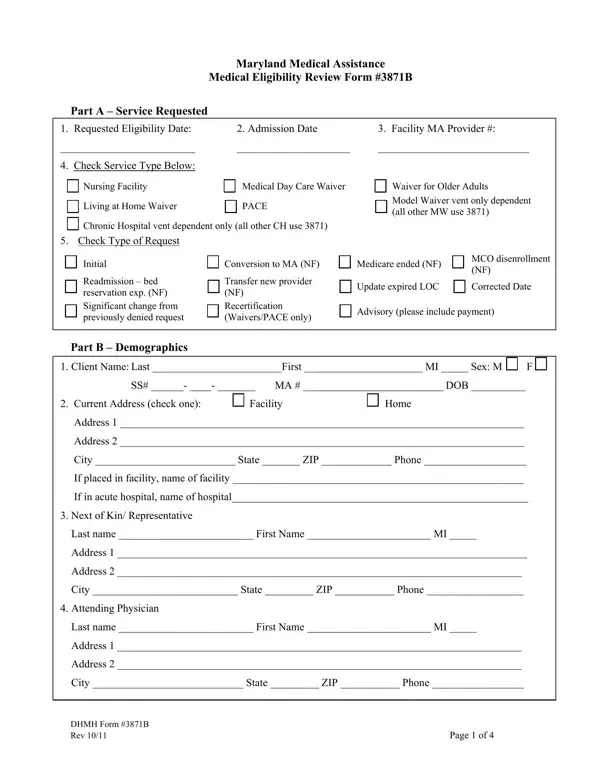
Working with PDF forms online is always quite easy with our PDF editor. You can fill out 3871b blank here effortlessly. To maintain our tool on the forefront of efficiency, we work to integrate user-driven capabilities and improvements regularly. We're always looking for feedback - help us with revolutionizing how you work with PDF docs. For anyone who is seeking to get started, here's what it's going to take:
Step 1: First, access the tool by clicking the "Get Form Button" at the top of this page.
Step 2: After you start the editor, there'll be the document all set to be filled out. Besides filling in various blank fields, you could also perform some other actions with the Document, specifically adding your own words, editing the original text, adding graphics, putting your signature on the document, and much more.
This PDF form will need particular info to be filled in, therefore you need to take the time to enter what is asked:
1. Fill out your 3871b blank with a group of major fields. Gather all the necessary information and ensure absolutely nothing is forgotten!
2. Just after filling out this section, go to the subsequent step and enter all required particulars in all these blanks - Current Address check one, Address, Address, City State ZIP Phone, If placed in facility name of, If in acute hospital name of, Next of Kin Representative, Last name First Name MI, Address, Address, City State ZIP Phone, Attending Physician, Last name First Name MI, Address, and Address.
Lots of people frequently make errors when filling out If placed in facility name of in this area. You should definitely review whatever you enter right here.
3. This next step will be focused on Applicant Name, Part C MRMI Please Complete the, Review Item, Is there a diagnosis or, Answer Y N, Mood disorder Paranoia Other, Has the client received inpatient, Is the client on any medication, a If yes is the mental illness or, Is the client a danger to self or, Part D Diagnoses Primary, ICD Code, and Description - complete all these blank fields.
4. This next section requires some additional information. Ensure you complete all the necessary fields - Review Item, Please indicate the number of days, Tracheotomy Care All or part of, Suctioning Not including routine, IV Therapy Peripheral or central, IMSC Injections At least once a, Pressure Ulcer Care Stage or, Wound Care Surgical wounds or, Tube Feedings or more of total, Complex respiratory services, Parenteral Feeding or TPN, Catheter Care Not routine foley, Ostomy Care New, and of days service is requiredwk - to proceed further in your process!
5. To finish your form, this final area includes some additional fields. Entering Applicant Name, Monitor Machine For example apnea, Formal TeachingTraining Program, Table II Rehabilitation PTOTSpeech, Please indicate the number of days, Review Item, No of days service, is requiredwk, Extensive Training for ADLs, Part F Functional Assessment, Review Item Cognitive Status, and Answer N Y is going to conclude the process and you'll definitely be done in no time!
Step 3: Glance through the information you've typed into the blanks and press the "Done" button. Sign up with us today and instantly get access to 3871b blank, ready for download. All changes made by you are preserved , so that you can edit the document at a later point as needed. We don't share any details that you use when dealing with forms at our site.
