
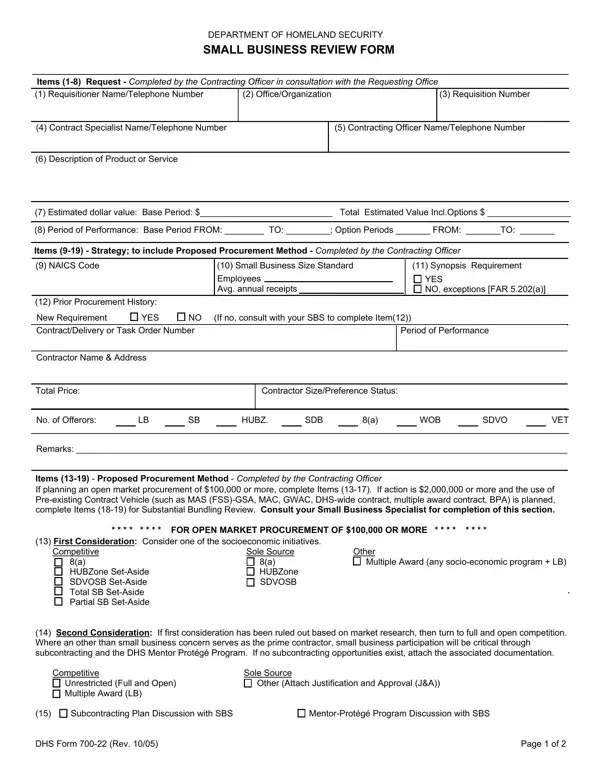
In today's complex landscape of government contracting, The Department of Homeland Security (DHS) Small Business Review Form, known as DHS Form 700-22, serves as a critical tool in promoting fairness and opportunity for small businesses. The form lays out a structured approach for procurement officers to follow, ensuring that small businesses are given due consideration in the awarding of contracts. It details the necessary items to be provided by the Contracting Officer in consultation with the Requesting Office — including information on the requisitioner, office or organization, contract specifications, and estimated dollar value. Furthermore, it outlines the strategic planning for proposed procurement methods, with a keen focus on open market procurements exceeding $100,000 and actions of $2 million or more that propose the use of pre-existing contract vehicles. These approaches emphasize the consideration of socio-economic initiatives, full and open competition, and the necessity of subcontracting plans and mentor-protégé programs, amongst others. It also requires a substantial bundling review for significant procurement actions, ensuring that small businesses are not unjustly excluded from competition. Importantly, the form mandates a robust system of review and signature by various officials, notably the Contracting Officer, Small Business Specialist, and the Small Business Administration (SBA) Procurement Center Representative. The DHS Form 700-22 represents a pivotal mechanism in the DHS's small business program, facilitating a deliberate and comprehensive review process to advocate for fair market practices and the empowerment of small businesses.
| Question | Answer |
|---|---|
| Form Name | DHS Form 700-22 |
| Form Length | 3 pages |
| Fillable? | No |
| Fillable fields | 0 |
| Avg. time to fill out | 45 sec |
| Other names | homeland security essential business form, dhs form 700 20, dhs 700 12 form, dhs 700 22 |
DHS Form 700-22 isn’t the one you’re looking for?