
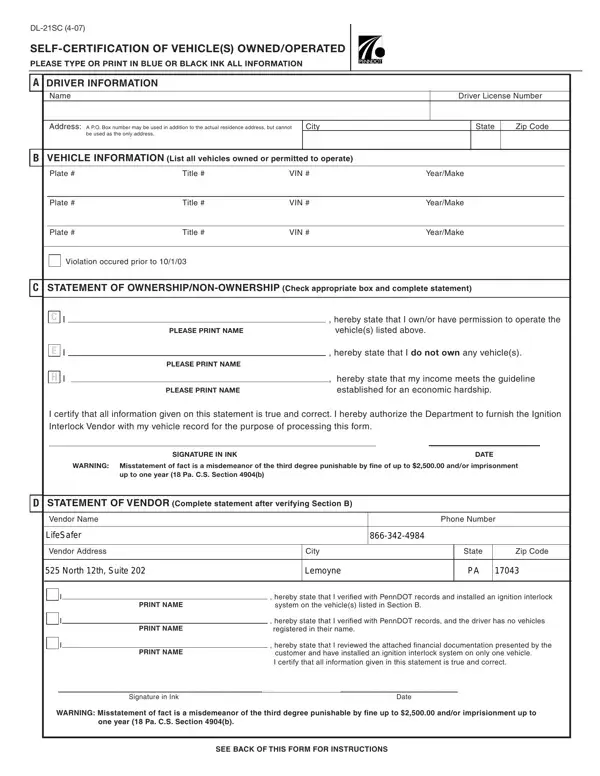

Form DL-21SC at a glance
What it is: DL-21SC is the Self-Certification of Vehicle(s) to be Operated or Inoperable.
Who signs: Complete Section C by checking the appropriate box, printing your name, signing your name and dating.
This form is to be completed when you are notified that you are eligible for restoration.
Your eligibility date can be found on the right corner of the front page of your restoration requirements letter.
You may contact a Vendor and complete Sections A, B, and C only if an eligibility date is listed.
What to bring and attach to Form DL-21SC
You will be required to show a valid registration and proof of motor vehicle insurance.
A filled-in Form DL-21SC example: a driver fills out the form
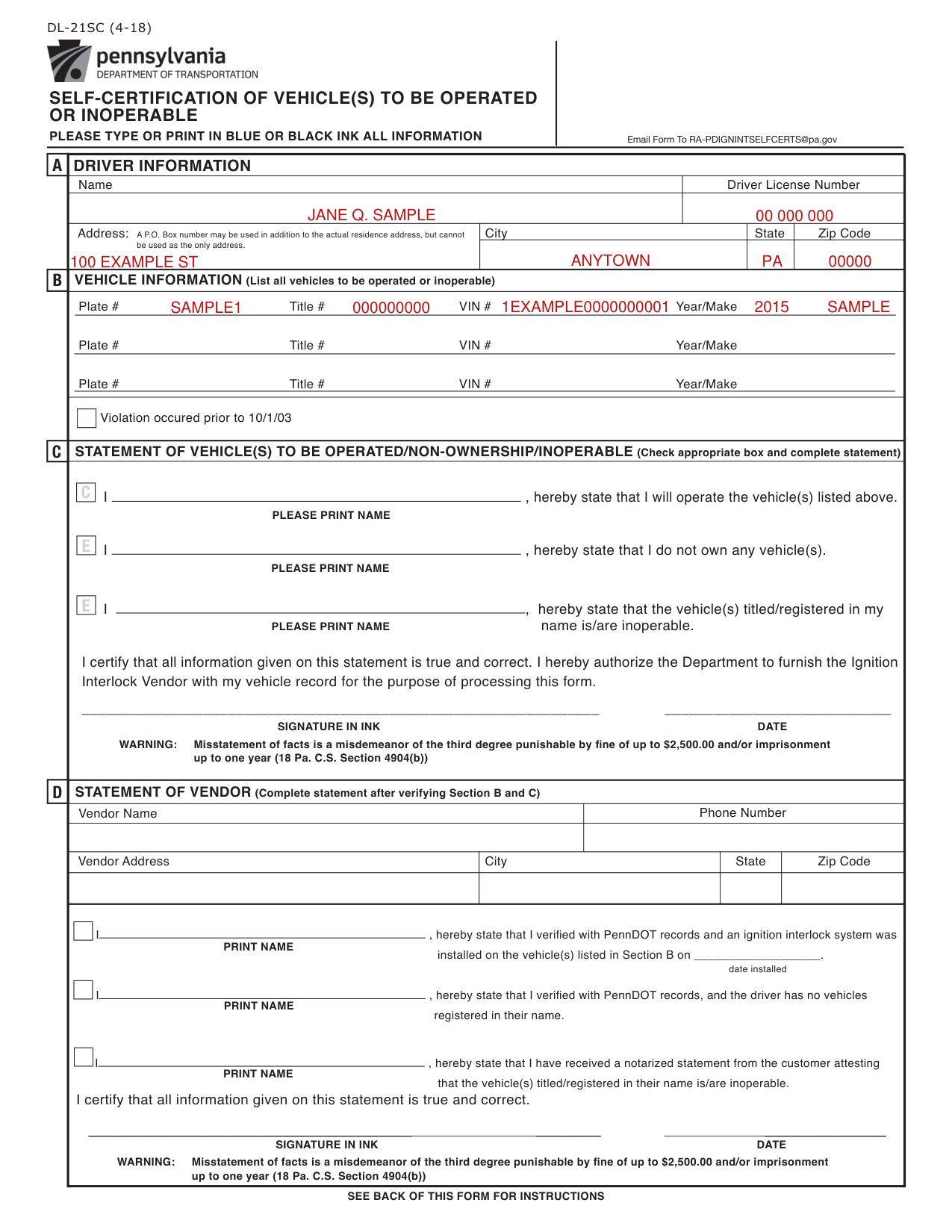
How to fill out Form DL-21SC, box by box
Driver Information

In Section A, List full name and driver number.
You will find your driver number listed in your restoration requirements letter.
You can call (717) 412-5300. TTY callers, please dial 711 or visit www.dmv.pa.gov to obtain a Restorations Requirements letter.
A P.O. Box number may be used in addition to the actual residence address, but cannot be used as the only address.
Vehicle Information
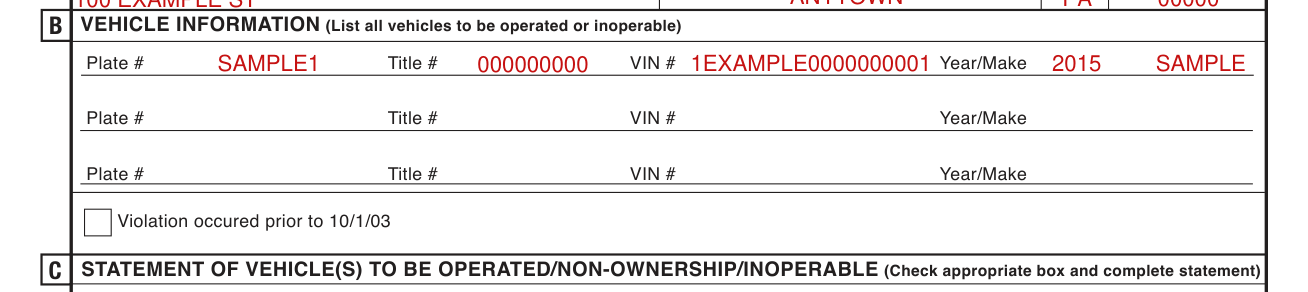
In Section B, List all vehicles to be operated or inoperable.
The title #, tag #, VIN #, and make of vehicle can be found on the registration card.
For additional vehicles, please attach a seperate listing to this form.
If the violation occured prior to 10/1/03 you do not have to list vehicle information. Just check the block indicating violation occured prior to 10/1/03.
The vendor will verify the information that you supply.
Statement of Vehicle(s) to be Operated/Non-Ownership/Inoperable
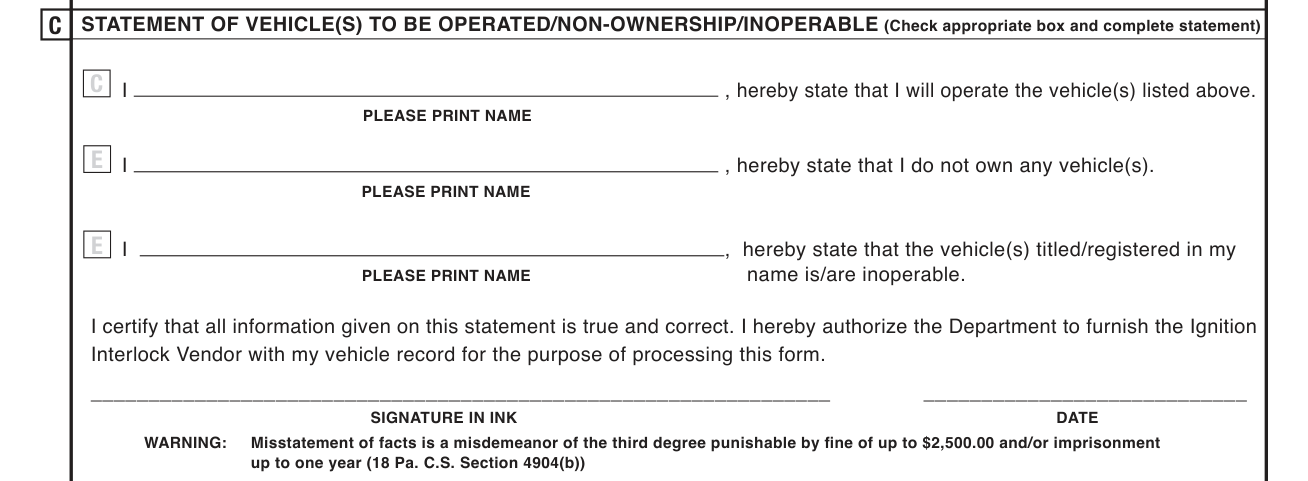
Complete Section C by checking the appropriate box, printing your name, signing your name and dating.
Check the appropriate box and complete the statement: I will operate the vehicle(s) listed in Section B.
Or state: I do not own any vehicle(s).
Or state: the vehicle(s) titled/registered in my name is/are inoperable.
If you have vehicle(s) that are not in working condition and you have no intention of making the necessary repairs or you have a junk certificate(s), check the appropriate box and attach a notarized statement listing the vehicle(s) and why the vehicle(s) are inoperable.
By signing you certify that all information given on this statement is true and correct. By signing you authorize the Department to furnish the Ignition Interlock Vendor with your vehicle record for the purpose of processing this form.
Statement of Vendor
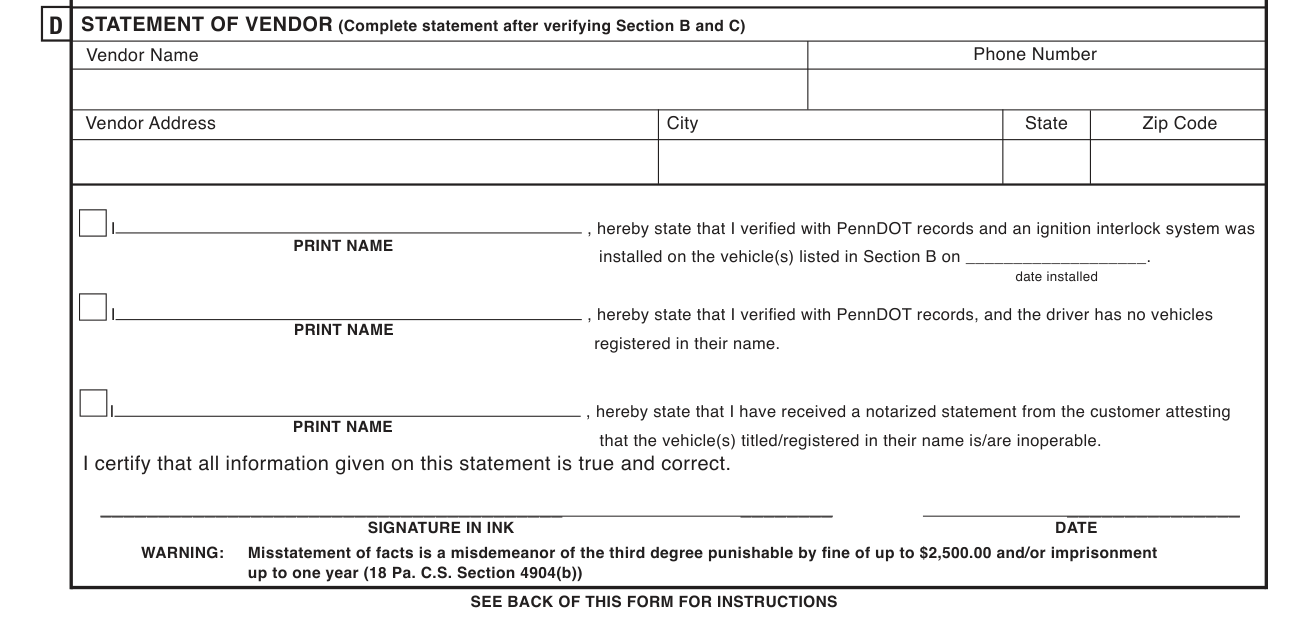
Section D must be completed by the person authorized by PennDOT to perform the verification process.
After your information is verified with the Vendor, the Vendor will complete Section D and will send the form to PennDOT.
Email the Form to RA-PDIGNINTSELFCERTS@pa.gov.
Vendor instruction: Verify the information supplied in Section B and/or C.
After the installation has been completed (if applicable) complete Section D by listing the date the Ignition Interlock System was installed by the installation center (if applicable), printing your name, signing your name and dating.
More rules for Form DL-21SC
Please type or print in blue or black ink all information.
For a list of approved vendors go to the Pennsylvania DUI Association webpage padui.org and click on the Ignition Interlock link in the middle of the homepage. If you do not have access to the internet, please call the Pennsylvania DUI Association at 1-800-627-2384 for vendor information.
All systems are leased from the Installation Service Centers which determines the cost.
Common questions about Form DL-21SC
What is DL 21s in PA?
DL-21SC is the Self-Certification of Vehicle(s) to be Operated or Inoperable. Only after the customer's information has been verified via PennDOT Records should the customer be scheduled to have the ignition interlock device(s) installed on the vehicle(s).
Is there a penalty?
Misstatement of facts is a misdemeanor of the third degree punishable by fine of up to $2,500.00 and/or imprisonment up to one year (checked October 20, 2026).
When is this form not the right one?
Do not contact a Vendor to install an ignition interlock device if an eligibility date is not listed.
Sources
[1] Form DL-21SC (4-18), Self-Certification of Vehicle(s) to be Operated or Inoperable, Pennsylvania Department of Transportation (the Official source link on this page).