
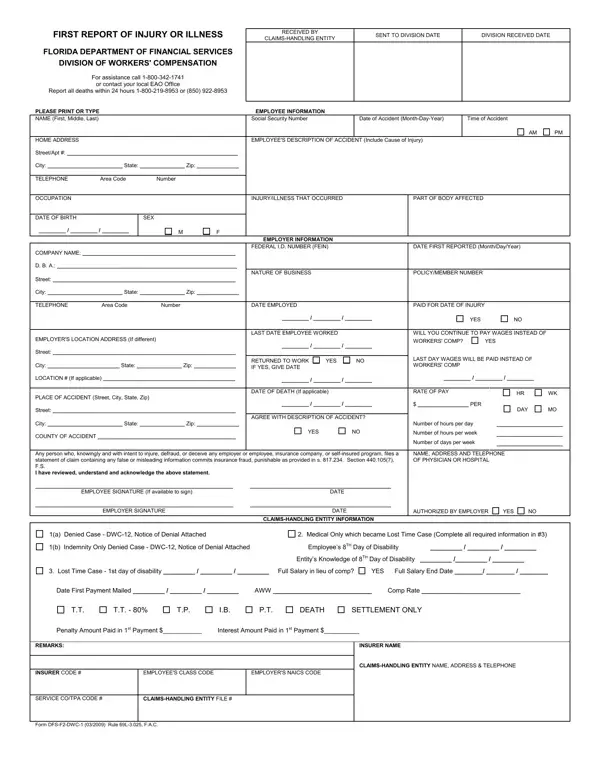

Form DFS-F2-DWC-1 at a glance
What it is: Form DFS-F2-DWC-1 is the First Report of Injury or Illness of the Florida Department of Financial Services, Division of Workers' Compensation.
Who signs: Enter the EMPLOYEE SIGNATURE (If available to sign) and the DATE. Enter the EMPLOYER SIGNATURE and the DATE.
A filled-in Form DFS-F2-DWC-1 example: a warehouse worker reports a wrist injury
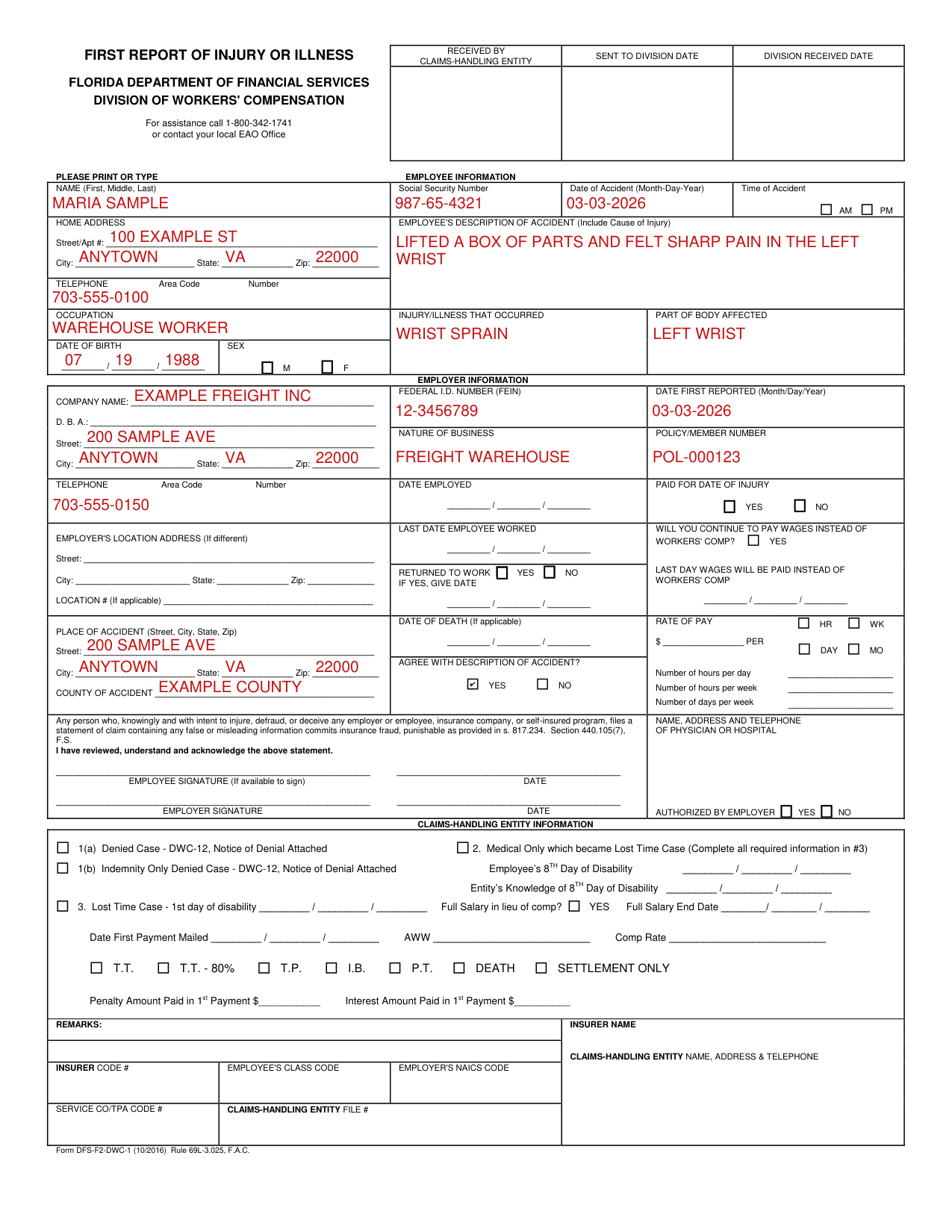
How to fill out Form DFS-F2-DWC-1, box by box
Employee information
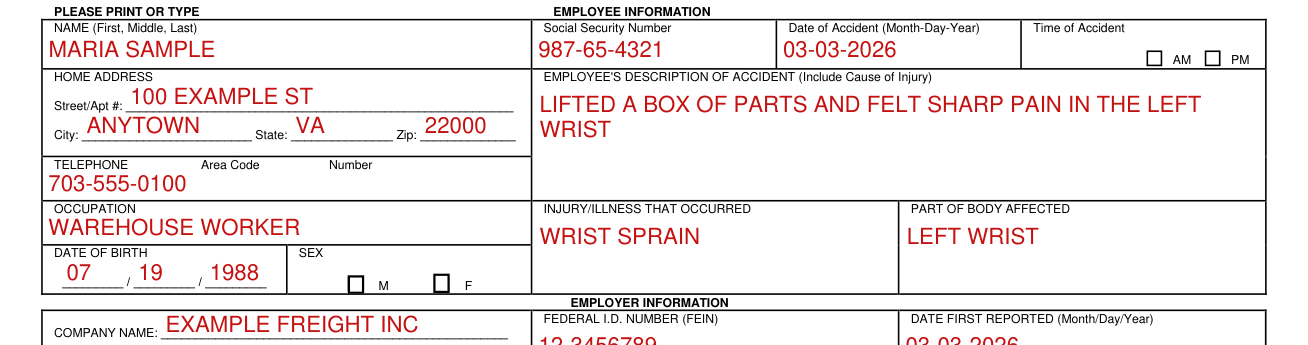
Under EMPLOYEE INFORMATION, enter the NAME (First, Middle, Last), the Social Security Number, the Date of Accident (Month-Day-Year) and the Time of Accident, with AM or PM.
Under HOME ADDRESS, enter the Street/Apt #, the City, the State and the Zip.
Enter the TELEPHONE Area Code Number, the OCCUPATION, the DATE OF BIRTH and the SEX.
Enter the EMPLOYEE'S DESCRIPTION OF ACCIDENT, and include the cause of injury, then the INJURY/ILLNESS THAT OCCURRED and the PART OF BODY AFFECTED.
Employer information

Under EMPLOYER INFORMATION, enter the COMPANY NAME.
Enter the Street, City, State and Zip.
Enter the FEDERAL I.D. NUMBER (FEIN), the DATE FIRST REPORTED (Month/Day/Year), the NATURE OF BUSINESS, the POLICY/MEMBER NUMBER, the TELEPHONE Area Code Number and the DATE EMPLOYED.
Employer's location address and place of accident
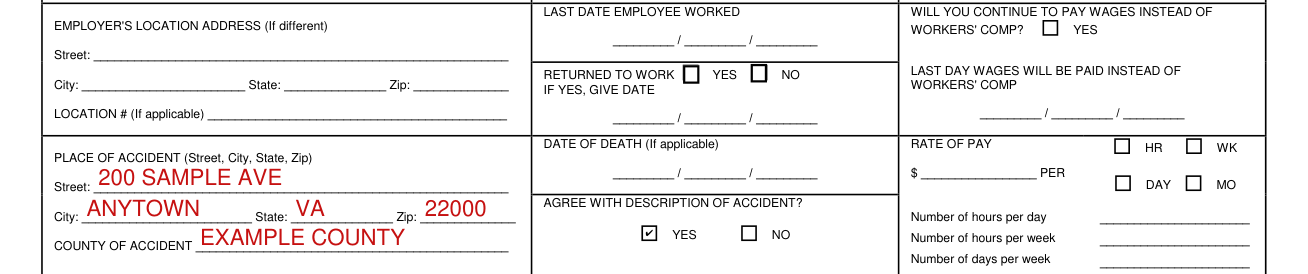
If the EMPLOYER'S LOCATION ADDRESS is different, enter its Street, City, State and Zip, and enter the LOCATION # (If applicable).
Enter the PLACE OF ACCIDENT (Street, City, State, Zip) and the COUNTY OF ACCIDENT.
Signatures

Enter the EMPLOYEE SIGNATURE (If available to sign) and the DATE.
Enter the EMPLOYER SIGNATURE and the DATE.
More rules for Form DFS-F2-DWC-1
For assistance call 1-800-342-1741 or contact your local EAO Office.
The collection of the social security number on this form is specifically authorized by Section 440.185(2), Florida Statutes.
Enter YES or NO to AGREE WITH DESCRIPTION OF ACCIDENT?
Common questions about Form DFS-F2-DWC-1
Is there a penalty?
Any person who, knowingly and with intent to injure, defraud, or deceive any employer or employee, insurance company, or self-insured program, files a statement of claim containing any false or misleading information commits insurance fraud, punishable as provided in s. 817.234.
Sources
[1] Form DFS-F2-DWC-1 (10/2016), First Report of Injury or Illness, Florida Department of Financial Services, Division of Workers' Compensation (the Official source link on this page).