
Form DH 1960 at a glance
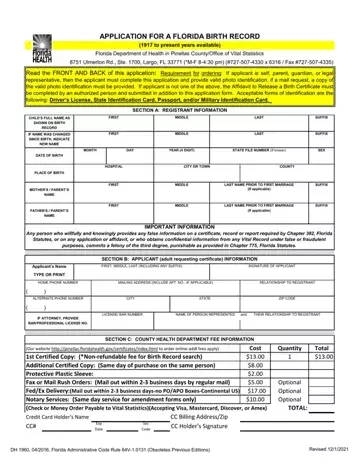
What it is: Form DH 1960 is the Application for a Florida Birth Record; years 1917 to present are available.
Who signs: The applicant's signature is required, as well as the applicant's printed name, residence address and telephone number.
Birth certificates can be issued only to: the registrant (the child named on the record) if of legal age (18); parent(s) listed on the Birth Record; legal guardian (must provide guardianship papers); legal representative of one of the persons listed on page 2; other person(s) by court order (must provide recorded or certified copy of court order).
What to bring and attach to Form DH 1960
Common mistake: If the applicant is self, parent, guardian, or legal representative, the applicant must complete this application and provide valid photo identification; if a mail request, a copy of the valid photo identification must be provided.
Acceptable forms of identification are: Driver's License, State Identification Card, Passport, and/or Military Identification Card.
A filled-in Form DH 1960 example: ordering your own birth certificate
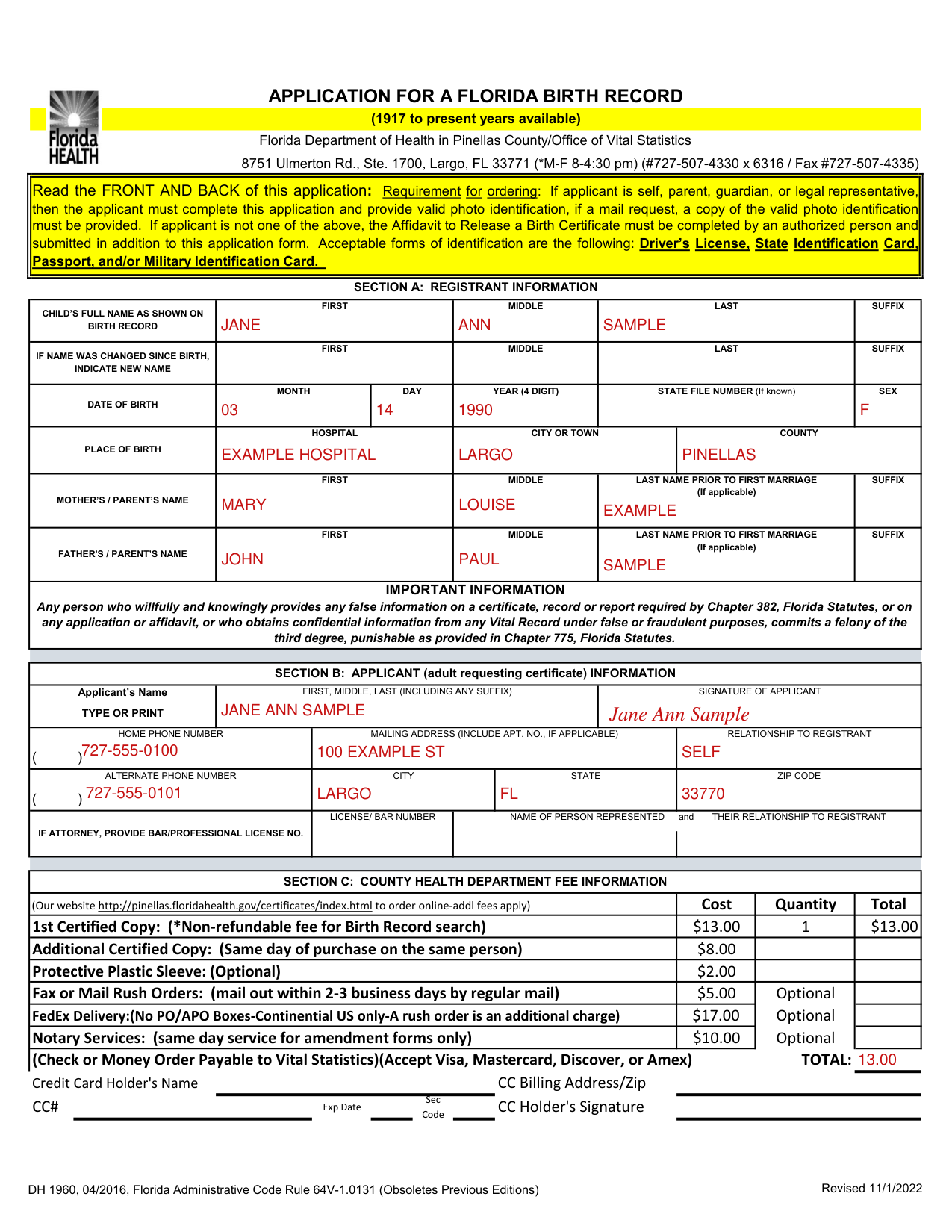
How to fill out Form DH 1960, box by box
Section A: Registrant information
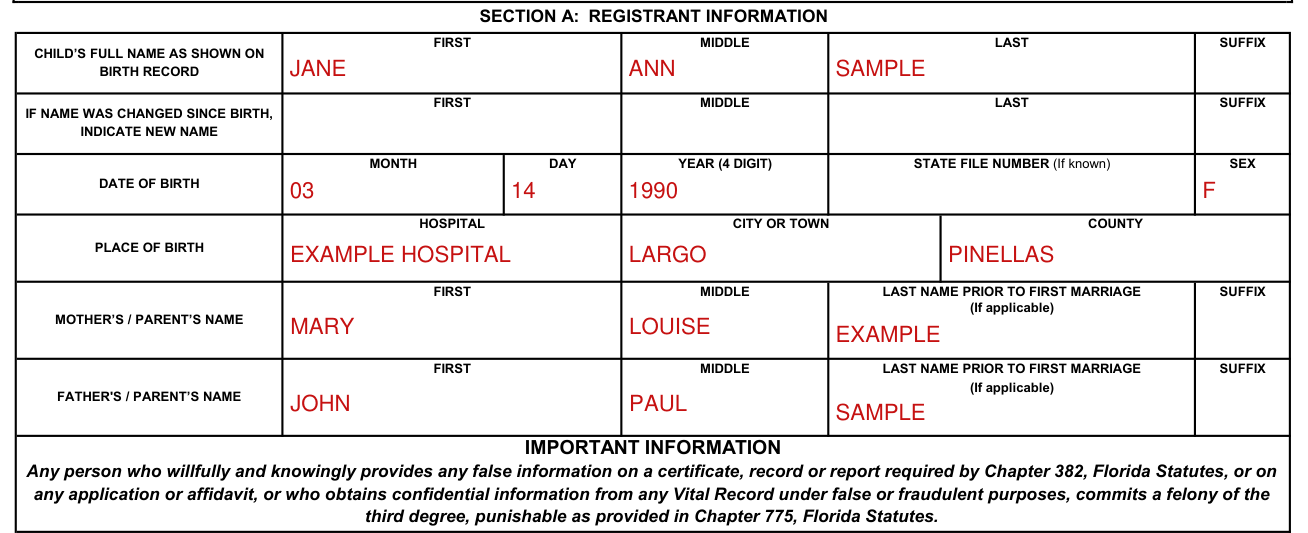
In Section A, enter the child's full name as shown on the birth record: first, middle, last and suffix.
If the name was changed since birth, indicate the new name (first, middle, last and suffix).
Enter the date of birth: month, day and year (4 digit).
Enter the state file number, if known.
Enter the place of birth: hospital, city or town, and county.
Enter the mother's or parent's name and the father's or parent's name: first, middle, last name prior to first marriage (if applicable) and suffix.
Section B: Applicant information
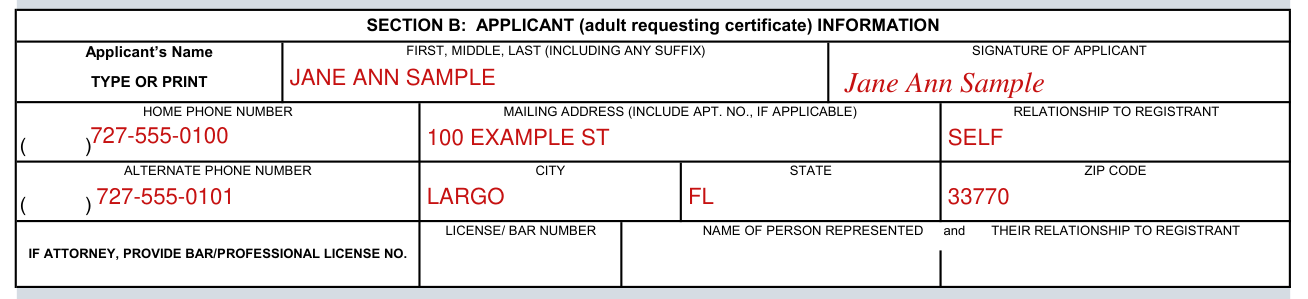
In Section B, the applicant is the adult requesting the certificate: type or print the applicant's name (first, middle, last, including any suffix).
Common mistake: The applicant's signature is required, as well as the applicant's printed name, residence address and telephone number.
A person ordering his or her own certificate should enter "SELF" in the Relationship to Registrant space.
In the Relationship to Registrant space, also explain if the name has been changed: married name, name changed legally (when and where), etc.
Enter the home phone number and the alternate phone number.
Enter the mailing address (include APT. NO., if applicable), city, state and zip code.
If legal representative, the attorney bar number, and a notation of whom the attorney represents and that person's relationship to the registrant must be included with your request.
Section C: County health department fee information
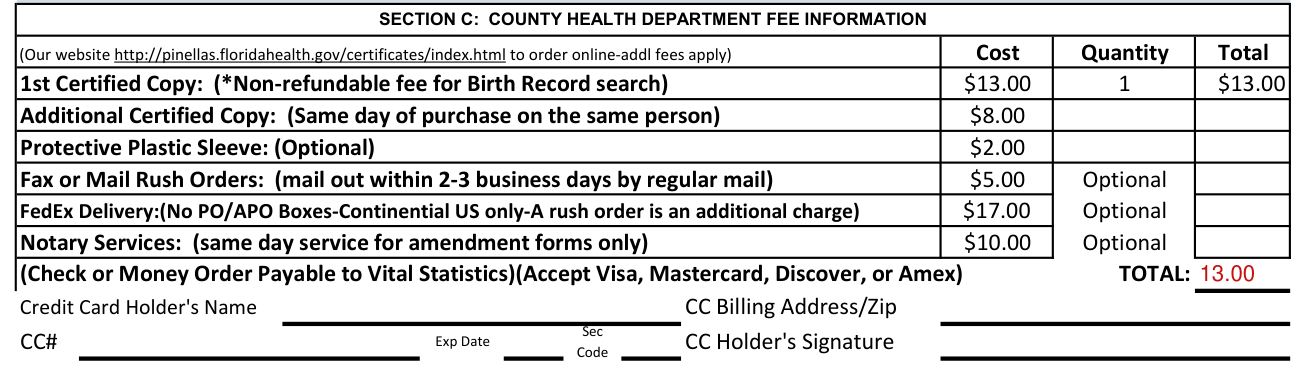
In Section C, the cost of the 1st Certified Copy (non-refundable fee for Birth Record search) is $13.00, with Quantity 1 and Total $13.00 (checked October 19, 2026).
The Additional Certified Copy (Same day of purchase on the same person) costs $8.00 (checked October 19, 2026).
The Protective Plastic Sleeve (Optional) costs $2.00 (checked October 19, 2026).
Fax or Mail Rush Orders (mail out within 2-3 business days by regular mail) cost $5.00 and are Optional (checked October 19, 2026).
FedEx Delivery (No PO/APO Boxes, Continental U.S. only; a rush order is an additional charge) costs $17.00 and is Optional (checked October 19, 2026).
Notary Services (same day service for amendment forms only) cost $10.00 and are Optional (checked October 19, 2026).
Pay by Check or Money Order Payable to Vital Statistics; Visa, Mastercard, Discover, or Amex are accepted.
Vital record fees are nonrefundable.
To pay by credit card, fill in the Credit Card Holder's Name, CC Billing Address/Zip, CC#, Exp Date, Sec Code and CC Holder's Signature.
More rules for Form DH 1960
Read the front and back of this application.
Computer certifications are accepted by all state and federal agencies and used for any type of travel.
A computer certification has two different formats. A certification of a registered birth (2004 to present) supplies these facts of birth: Child's Name, Date of Birth, Sex, Time, Weight, Place of Birth (City, County and Location) and Parents' Information.
A certification of a registered birth (1930 to 2003) supplies these facts of birth: Child's Name, Date of Birth, Sex, County of Birth and Parents' Name.
If your situation is different
You are an agent of a local, state or federal agency
If you are an agent of local, state or federal agency requesting a record, indicate in the space provided for "relationship" the name of the agency.
The registrant is deceased
In the case of a deceased registrant, upon receipt of the death certificate of the decedent, a certification of the birth certificate can be issued to the spouse, child, grandchild, sibling, if of legal age, or to the legal representative of any of these persons as well as to the parent.
The birth was over 125 years ago
Any person of legal age may be issued a certified copy of a birth record (except for those birth records under seal) for a birth event that occurred over 125 years ago.
The applicant is not self, a parent, a guardian or a legal representative
If the applicant is not one of the persons listed on page 2, the Affidavit to Release a Birth Certificate (DH Form 1958, 08/2010) must be notarized, completed by an authorized person and submitted with this application, along with a copy of the registrant's valid photo identification as well as the applicant's valid photo identification.
Birth records under seal
Common mistake: Birth records under seal by reason of adoption, paternity determination or court order cannot be ordered in the usual manner.
For a record under seal, write to: Bureau of Vital Statistics, ATTN: Records Amendment Section, P.O. BOX 210, Jacksonville, FL 32231-0042.
You need to send additional forms and payment to the State Office in Jacksonville
An eligibility verification will be completed before charging the nonrefundable search fee for applicants that will need to send additional forms and payment to the State Office in Jacksonville before a certificate can be released to them (Adoptions, Paternity, and Legal Name Changes).
Common questions about Form DH 1960
Where do I file it?
Florida Department of Health in Pinellas County Office of Vital Statistics, 8751 Ulmerton Rd., Ste. 1700, Largo, FL 33771 (M-F 8-4:30 pm).
Is there a penalty?
Any person who willfully and knowingly provides any false information on a certificate, record or report required by Chapter 382, Florida Statutes, or on any application or affidavit, or who obtains confidential information from any Vital Record under false or fraudulent purposes, commits a felony of the third degree, punishable as provided in Chapter 775, Florida Statutes.
Sources
[1] Form DH 1960 (04/2016), Application for a Florida Birth Record, Florida Department of Health in Pinellas County (the Official source link on this page).
