
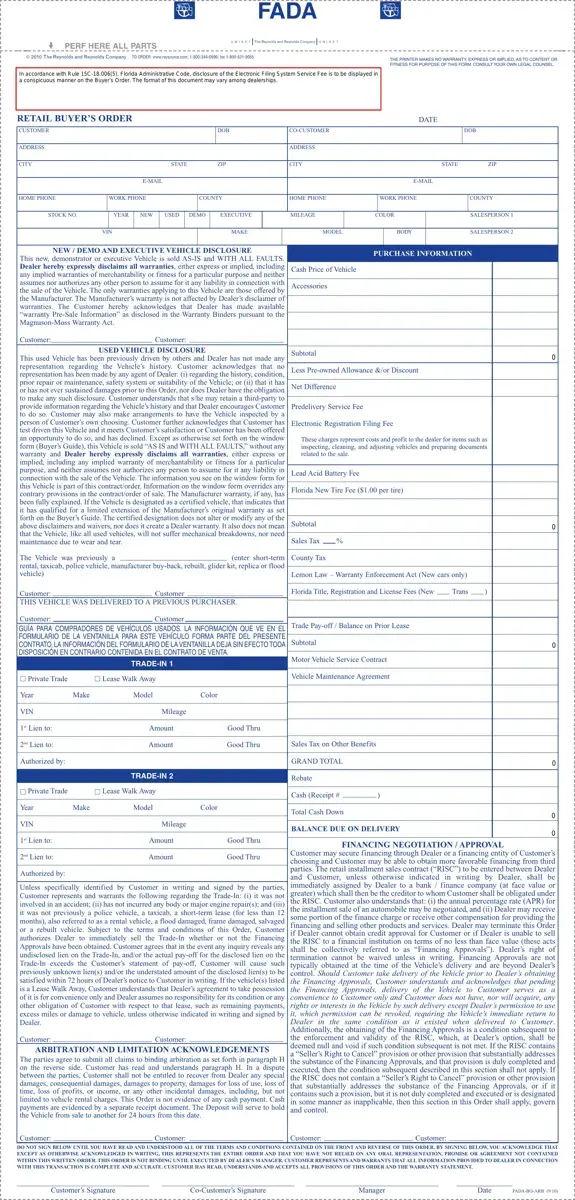
Embarking on the adventure of buying a vehicle in Florida can be both exciting and overwhelming. Enter the Florida Buyers Order form, a document that serves as a cornerstone in the transaction between a dealer and a customer. Crafted by the Florida Automobile Dealers Association (FADA), this comprehensive form is essential in capturing all the critical details of the vehicle purchase. From basic information such as the date, customer details, and vehicle specifics like stock number, year, and VIN, to more intricate details regarding the sales transaction, including purchase information for new, demonstrator, or executive vehicles and disclosures for used vehicles. The form goes on to detail financial aspects such as the cash price of the vehicle, trade-in values, financing negotiation, and approval processes, along with a slew of fees that might include everything from electronic registration filing fees to lead acid battery fees. With stipulations covering warranty disclaimers, service contracts, and even arbitration and limitation acknowledgements, this form is designed to ensure both parties are fully informed and agree to the terms of sale. It's a key document that outlines the entire agreement, aiming to make the vehicle buying process transparent and legally sound for both the buyer and the seller.
| Question | Answer |
|---|---|
| Form Name | Florida Buyers Order Form |
| Form Length | 1 pages |
| Fillable? | No |
| Fillable fields | 0 |
| Avg. time to fill out | 15 sec |
| Other names | get a sample buyer's order, florida buyer order form, buyer s order get, form retail buyers order |
Florida Buyers Order Form isn’t the one you’re looking for?