
Fm 7575 Form PDF Details

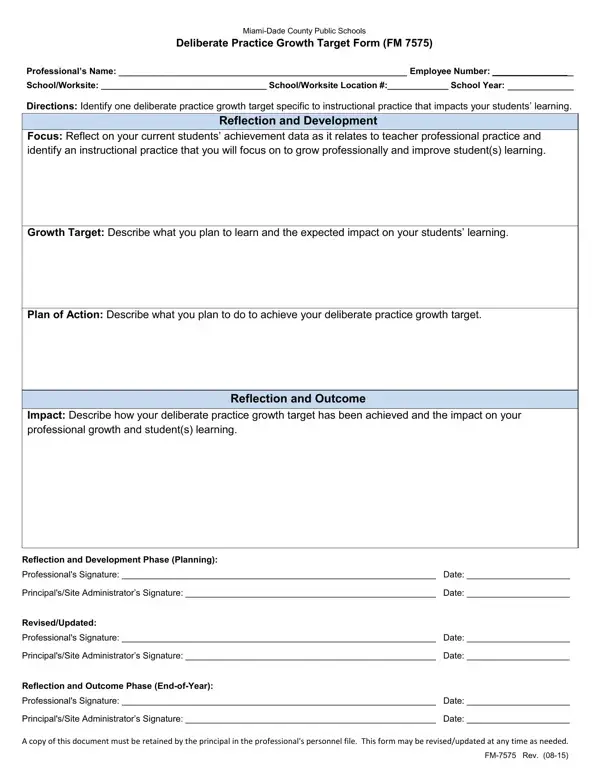
In the realm of enhancing educational quality and ensuring continuous professional development among educators, the FM 7575 Form plays a pivotal role within Miami-Dade County Public Schools. This particular document, formally known as the Miami-Dade County Public Schools Deliberate Practice Growth Target Form, serves as a structured framework allowing educators to set and achieve specific professional growth targets. By focusing on instructional practices that directly impact student learning, the form guides educators through a comprehensive process of reflection on current student achievement data, identification of improvement areas, and development of actionable plans to foster both personal and student growth. The process encapsulated within the form involves setting a growth target, detailing a plan of action, executing the planned activities, and finally, reflecting on the outcomes in terms of professional growth and enhanced student learning. This dynamic tool not only supports educators in their professional development journey but also aligns with broader educational goals by emphasizing evidence-based practices and outcomes. The deliberate practice growth target outlined in the FM 7575 Form underscores the commitment of Miami-Dade County Public Schools to foster an environment of continuous improvement, enhancing teaching effectiveness, and ultimately, student success.

QuestionAnswer
Form NameFm 7575 Form
Form Length1 pages
Fillable?No
Fillable fields0
Avg. time to fill out15 sec
Other namesdeliberate form, deliberate practice growth target form, practice growth target, deliberate practice growth

How to Edit Fm 7575 Form Online for Free

form fm 015 can be completed without any problem. Just make use of FormsPal PDF editing tool to get the job done without delay. To have our editor on the leading edge of practicality, we strive to integrate user-oriented features and improvements on a regular basis. We are at all times happy to get feedback - play a vital part in remolding how you work with PDF docs. With just a couple of easy steps, you can begin your PDF journey:

Step 1: Just click the "Get Form Button" above on this page to access our pdf editor. There you'll find all that is needed to work with your document.

Step 2: This tool lets you modify PDF forms in a variety of ways. Transform it by adding personalized text, adjust what's already in the file, and include a signature - all possible within minutes!

This PDF form will require some specific information; to guarantee consistency, don't hesitate to consider the recommendations listed below:

1. It's essential to complete the form fm 015 accurately, thus be careful while filling out the areas containing these specific fields:

Part number 1 for filling in out citrus citrusgrovems

2. Soon after this section is completed, go to enter the suitable details in these - Impact Describe how your, Reflection and Development Phase, Professionals Signature Date, Professionals Signature Date, Reflection and Outcome Phase, and Professionals Signature Date.

out citrus citrusgrovems conclusion process shown (portion 2)

Always be extremely attentive when filling in Professionals Signature Date and Professionals Signature Date, since this is the part where many people make some mistakes.

Step 3: Prior to moving forward, double-check that form fields are filled in as intended. As soon as you verify that it is fine, click on “Done." Join us today and immediately access form fm 015, all set for download. Every edit you make is handily kept , letting you change the pdf later anytime. FormsPal offers protected form editor with no data record-keeping or distributing. Rest assured that your information is secure here!