
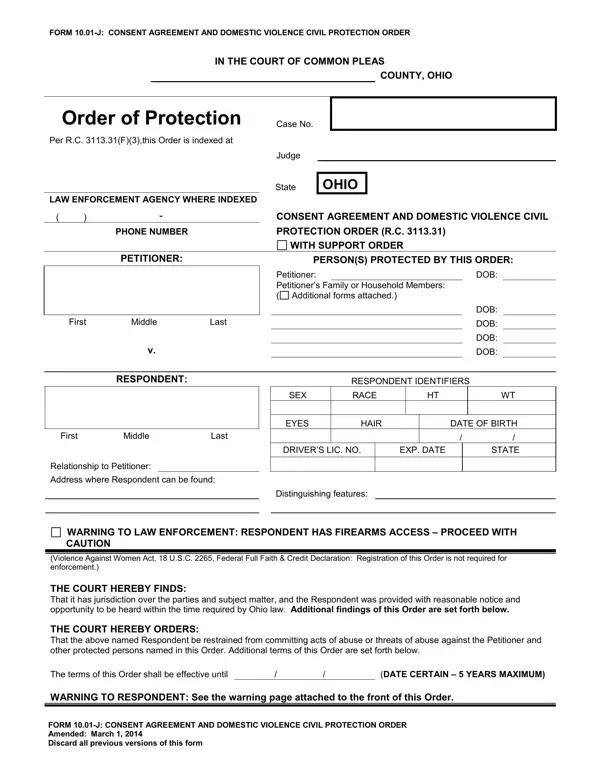
You may fill in Form 10 01 J easily with the help of our online tool for PDF editing. To have our editor on the leading edge of efficiency, we strive to put into action user-oriented capabilities and improvements regularly. We are always thankful for any suggestions - play a vital part in revolutionizing PDF editing. For anyone who is looking to get started, here is what it takes:
Step 1: First, access the pdf editor by clicking the "Get Form Button" at the top of this page.
Step 2: Once you access the file editor, you'll notice the form prepared to be completed. Apart from filling out different blank fields, you might also perform some other things with the form, specifically putting on your own text, changing the original textual content, inserting illustrations or photos, placing your signature to the form, and a lot more.
This document will need some specific information; to guarantee correctness, take the time to take into account the following recommendations:
1. To begin with, once filling out the Form 10 01 J, start out with the part with the next blank fields:
2. The third step is to complete the following blank fields: RESPONDENT, First, Middle, Last, SEX, EYES, RESPONDENT IDENTIFIERS, RACE, HAIR, DATE OF BIRTH, DRIVERS LIC NO, EXP DATE, STATE, Relationship to Petitioner, and Address where Respondent can be.
3. This third step is considered rather uncomplicated, Violence Against Women Act USC, The terms of this Order shall be, DATE CERTAIN YEARS MAXIMUM, WARNING TO RESPONDENT See the, and FORM J CONSENT AGREEMENT AND - these form fields needs to be completed here.
It's easy to get it wrong while filling in your FORM J CONSENT AGREEMENT AND, and so be sure you reread it prior to deciding to send it in.
4. Your next paragraph needs your attention in the subsequent places: Page of Form J, Case No, This proceeding came on for a, before the Court and the Ex Parte, Order filed on, The following individuals were, The parties agree to waive their, RESPONDENT SHALL NOT ABUSE harm, upon or commit sexually oriented, ALL OF THE PROVISIONS CHECKED, RESPONDENT SHALL IMMEDIATELY, and EXCLUSIVE POSSESSION OF THE. Be sure that you fill out all of the requested details to move forward.
5. Since you near the finalization of your form, there are a couple extra points to complete. Mainly, is granted to, Respondent shall not interfere, with this individuals right to, Insurance or interrupting, NCIC, RESPONDENT SHALL SURRENDER all, earliest possible opportunity, Respondent with this Order or as, RESPONDENT SHALL NOT ENTER or, employment day care centers or, including the buildings grounds, and Order even with the permission of should all be filled out.
Step 3: Ensure your information is correct and then simply click "Done" to conclude the process. Sign up with us right now and easily obtain Form 10 01 J, all set for downloading. Every single modification you make is conveniently preserved , letting you change the form later on when necessary. When you work with FormsPal, you can fill out forms without worrying about information breaches or entries getting shared. Our secure software helps to ensure that your private details are kept safe.
