
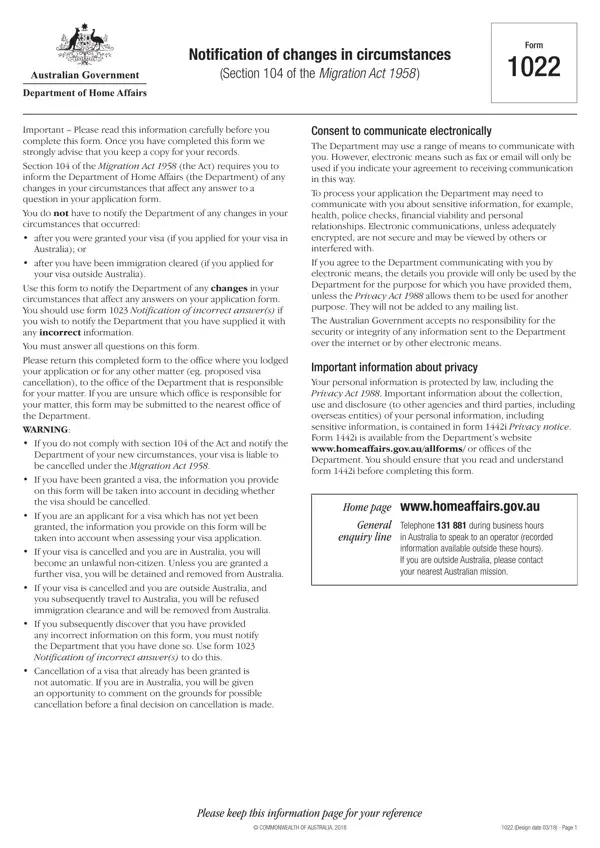
Form 1022 PDF Details

Adjusting to new circumstances is a pivotal part of life for individuals undergoing the migration process. The Form 1022, officially titled Notification of Changes in Circumstances under Section 104 of the Migration Act 1958, is a critical document for individuals who have lodged a visa application with the Australian Department of Home Affairs. This form serves as a means for applicants to communicate any significant changes in their situation that might influence the answers previously provided in their visa application. The necessity of keeping the department informed stems from the potential repercussions on one’s visa status, which might include cancellation if new circumstances are not reported. However, it is important to note that changes occurring after the grant of a visa, or after immigration clearance for those applying outside Australia, do not require notification. For instances where incorrect information was initially provided, Form 1023 should be used instead. Completing Form 1022 requires thoroughness, and the Department emphasizes the importance of retaining a copy for personal records. The consequences of non-compliance are severe, demonstrating the significance of transparency and honesty in the immigration process. Moreover, the form outlines procedures for electronic communication, highlighting privacy considerations and ensuring that applicants are aware of how sensitive information will be handled. This underscores the Australian Government's commitment to maintaining the confidentiality and security of personal data, a cornerstone in fostering trust in the migration system.

QuestionAnswer
Form NameForm 1022
Form Length5 pages
Fillable?No
Fillable fields0
Avg. time to fill out1 min 15 sec
Other names1022 form immigration, form 1022, form changes, 1022 form

How to Edit Form 1022 Online for Free

When working in the online PDF editor by FormsPal, it is possible to complete or alter form 1022 here and now. Our editor is consistently evolving to grant the best user experience attainable, and that is due to our commitment to constant development and listening closely to testimonials. It merely requires a couple of easy steps:

Step 1: Press the orange "Get Form" button above. It is going to open our tool so that you can start filling out your form.

Step 2: As you access the tool, you will get the form made ready to be completed. Apart from filling in various blank fields, you can also perform various other things with the Document, namely putting on any textual content, editing the original textual content, adding illustrations or photos, affixing your signature to the form, and more.

Be mindful when completing this pdf. Ensure each field is filled in properly.

1. You need to fill out the form 1022 properly, hence take care when filling out the sections including these blank fields:

1022 form filled sample completion process explained (portion 1)

2. Once the prior part is filled out, proceed to type in the relevant details in all these: Country of passport, or other electronic means, Yes, Give details, Details of identity card or, Country code, Area code, Number, Fax number, Note If you are the holder of, Email address, Identity number, Country of issue, Your present country of citizenship, and Client number or file number.

Filling out part 2 in 1022 form filled sample

Always be really careful when filling in Note If you are the holder of and Fax number, since this is the section where most users make mistakes.

3. The next part will be straightforward - fill out all of the blanks in dependants who arewere included in, longer current and provide the new, Yes, Provide details below, Family name, Given names, Day, Month, Year, Date of birth, Country of birth, Passport number, Country of passport, Residential address, and Postcode in order to complete the current step.

1022 form filled sample writing process explained (portion 3)

4. This next section requires some additional information. Ensure you complete all the necessary fields - Postcode, Family name, Given names, Day, Month, Year, Date of birth, Country of birth, Passport number, Country of passport, Residential address, Family name, Given names, Information which is no longer, and New correct details - to proceed further in your process!

Writing segment 4 in 1022 form filled sample

5. This form has to be finished by dealing with this section. Here there's a comprehensive list of form fields that need correct information to allow your form submission to be faultless: Given names, Day, Month, Year, Date of birth, Country of birth, Passport number, Country of passport, Residential address, If insufficient space attach, Postcode, Information which is no longer, New correct details, Design date Page, and COMMONWEALTH OF AUSTRALIA.

Residential address, Design date   Page, and Information which is no longer of 1022 form filled sample

Step 3: After going through the fields you've filled in, press "Done" and you are good to go! Right after starting a7-day free trial account here, you'll be able to download form 1022 or email it directly. The PDF document will also be at your disposal in your personal account with your every change. We do not share the details you use while completing forms at FormsPal.