
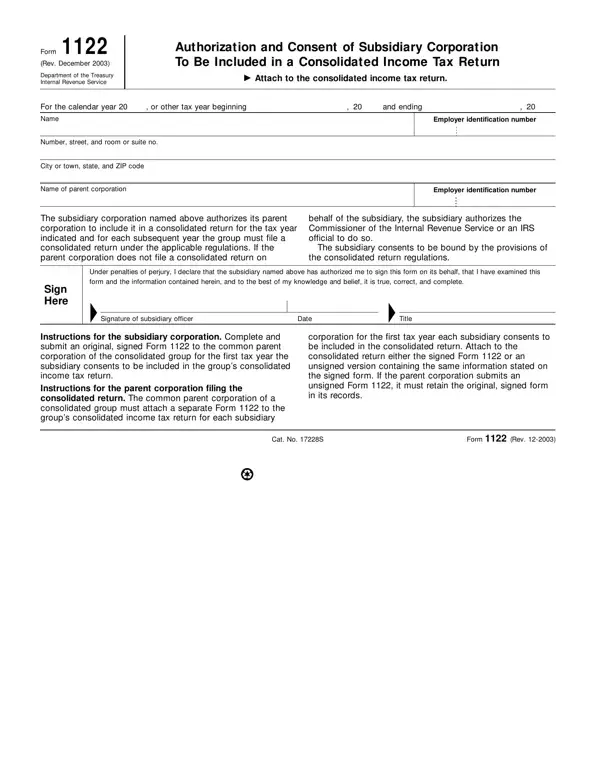
Delving into the world of consolidated income tax returns, the Form 1122 surfaces as a critical document within the realm of corporate taxation, endorsed by the Department of the Treasury and the Internal Revenue Service (IRS). As of its revision in December 2003, this form serves as a formal authorization and consent mechanism, allowing subsidiary corporations to be included in a consolidated tax return filed by their parent corporation. This procedure is not just a mere administrative task but a strategic financial decision that impacts how taxes are calculated and filed for the entire corporate group for the specified tax year and beyond. The form outlines necessary details such as the name and address of the subsidiary, the tax year in question, and the identification numbers for both the subsidiary and the parent corporation. By signing the Form 1122, the subsidiary not only grants authorization to the parent corporation but also agrees to comply with the consolidated return regulations, thereby binding itself to the collective tax obligations and benefits of the group. The signed document, or in certain conditions an unsigned version with the same information, must be attached to the consolidated income tax return, signifying a unified submission by the corporate group to the IRS. Instructions provided with the form guide both the subsidiary and the parent corporation through this critical consent process, ensuring compliance with tax laws and regulations.
| Question | Answer |
|---|---|
| Form Name | Form 1122 |
| Form Length | 1 pages |
| Fillable? | No |
| Fillable fields | 0 |
| Avg. time to fill out | 15 sec |
| Other names | form 1122 instructions, IRS, irs form 1122, 1122 form |
Form 1122 isn’t the one you’re looking for?