
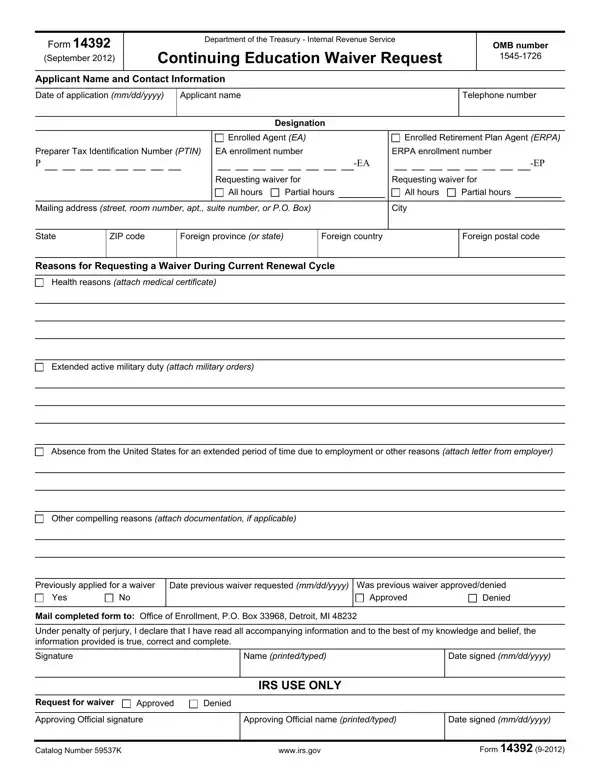
In a world where compliance and regulations guide the professional paths of tax preparers, the IRS Form 14392 stands as a pivotal document for those in need of a reprieve from continuing education requirements. Released in September 2012 by the Department of the Treasury - Internal Revenue Service, this form serves as a channel for Enrolled Agents (EA), Enrolled Retirement Plan Agents (ERPA), and Registered Tax Return Preparers (RTRP) to request a waiver from their mandatory continuing education (CE) commitments. Under certain circumstances, such as health issues, extended active military service, or prolonged absence from the United States due to employment or other compelling reasons, applicants may find themselves unable to meet their CE obligations. Form 14392 requires detailed applicant information including name, contact details, and the type of waiver sought, whether for all or partial hours of the required CE. This process is rooted in a commitment to flexibility and understanding, acknowledging that unforeseen situations can impede professionals' ability to stay compliant. Instructions accompany the form, clearly outlining the documentation necessary to support each waiver request, underpining the IRS’s commitment to a fair and structured evaluation process for all applicants.
| Question | Answer |
|---|---|
| Form Name | Form 14392 |
| Form Length | 2 pages |
| Fillable? | No |
| Fillable fields | 0 |
| Avg. time to fill out | 30 sec |
| Other names | f14392 form 14392 |