
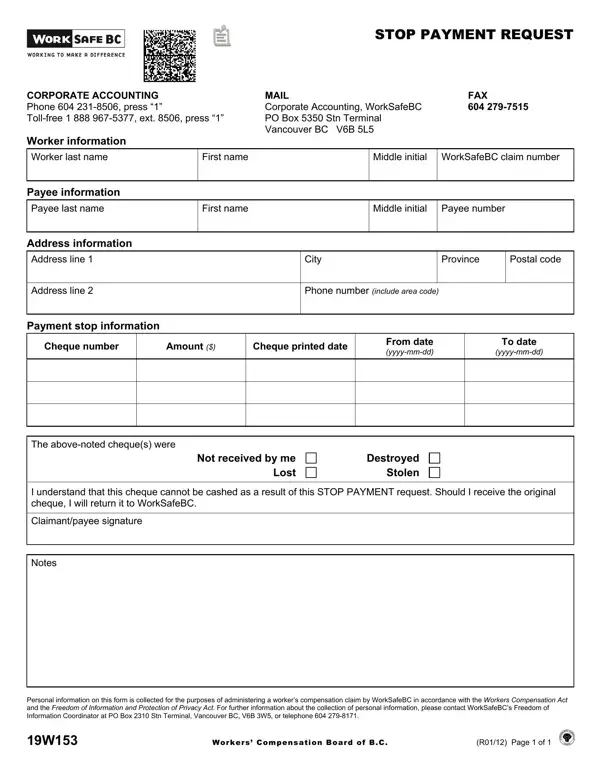
In the realm of workers' compensation, ensuring timely and accurate payments to claimants is crucial. Occasionally, issues such as checks not being received, or being lost, destroyed, or stolen, necessitate swift action. The 19W153 form, specifically designed for such situations, offers a structured way for individuals with corporate accounts to request a stop payment on a cheque issued by WorkSafeBC. This form captures essential information, including worker and payee details, address, and the specifics of the payment in question, such as cheque number, amount, and the dates it was issued. Individuals must also specify the reason for the stop payment request, choosing from options like not received, destroyed, lost, or stolen. By completing this form, claimants affirm their understanding that the cheque in question will be voided, and if it does eventually arrive, it needs to be returned to WorkSafeBC. This process is overseen by WorkSafeBC's Corporate Accounting department, ensuring that claimants' compensation is managed securely and efficiently. Moreover, the form serves as a reminder of the importance of protecting personal information, adhering to the Workers Compensation Act and the Freedom of Information and Protection of Privacy Act, hence offering reassurances regarding privacy and data protection.
| Question | Answer |
|---|---|
| Form Name | Form 19W153 |
| Form Length | 1 pages |
| Fillable? | No |
| Fillable fields | 0 |
| Avg. time to fill out | 15 sec |
| Other names | worksafe, wsbc login, bc worksafe login, worksafebc login |