
Form 50 144 PDF Details

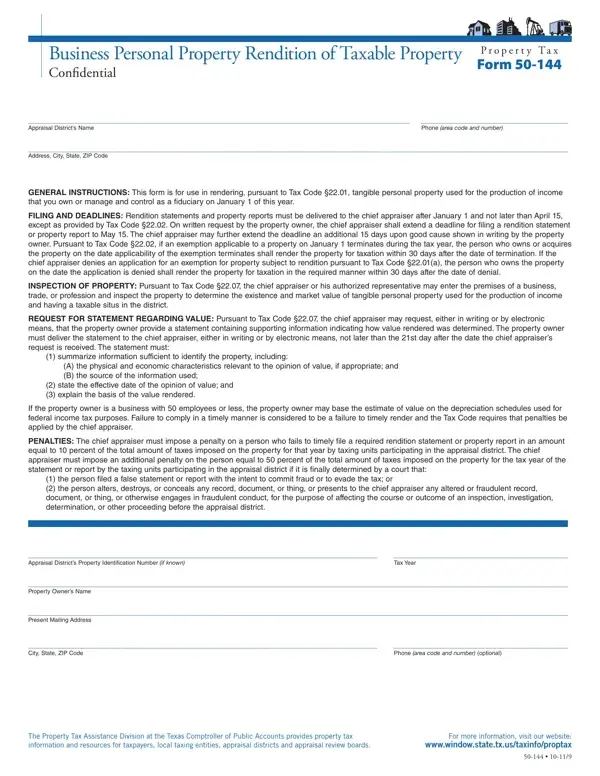
In the landscape of business operations and tax obligations, understanding and accurately completing the Form 50-144, officially known as the Business Personal Property Rendition of Taxable Property, is essential for businesses aiming to comply with the Texas Property Tax Code. This form plays a pivotal role in the rendition process, where business owners or individuals in fiduciary roles are required to report their taxable personal property to the local appraisal district. Its primary purpose is to ensure a fair and accurate assessment of tax based on tangible personal property used for the production of income, allowing appraisal districts to ascertain the correct value of such property for tax purposes. The intricate instructions included with the form guide filers through the process of rendering, which must commence after January 1 and successfully conclude no later than April 15 of the tax year to avoid penalties, although extensions may be granted upon request. Furthermore, the form covers situations such as the termination of taxation-exempt status or denial of exemption applications, imposing strict deadlines for rendering property under these circumstances. It also details the chief appraiser’s authority to inspect business premises to verify the existence and market value of the reported property, and mandates accurate recordkeeping and honest reporting. The document elucidates the repercussions of non-compliance or fraudulent reporting, including hefty penalties, emphasizing the legal obligation of businesses to furnish complete and truthful information about their taxable assets. Through this meticulous process, the Form 50-144 facilitates the equitable distribution of property tax responsibilities among businesses, contributing to the financial health of local communities and the state at large.

QuestionAnswer
Form NameForm 50 144
Form Length7 pages
Fillable?No
Fillable fields0
Avg. time to fill out1 min 45 sec
Other namesgroupings, notarization, 21st, false

How to Edit Form 50 144 Online for Free

Using the online PDF tool by FormsPal, you'll be able to fill in or modify taxinfo here. In order to make our tool better and less complicated to utilize, we constantly design new features, taking into consideration suggestions from our users. Starting is effortless! All you have to do is take these simple steps down below:

Step 1: Click the "Get Form" button at the top of this page to open our editor.

Step 2: With our state-of-the-art PDF file editor, you may accomplish more than just fill out forms. Express yourself and make your forms seem sublime with customized text incorporated, or optimize the original content to perfection - all supported by the capability to incorporate your own images and sign the file off.

This PDF form will need specific information; to guarantee accuracy and reliability, don't hesitate to heed the recommendations below:

1. You have to fill out the taxinfo correctly, hence take care while filling in the areas that contain these specific fields:

Guidelines on how to complete groupings step 1

2. Given that this part is complete, you need to put in the needed particulars in Appraisal Districts Property, Tax Year, Property Owners Name, Present Mailing Address, City State ZIP Code, Phone area code and number, The Property Tax Assistance, and For more information visit our so you're able to move on to the third step.

The best ways to prepare groupings part 2

3. The following segment is all about Please indicate if you are illing, Manager Authorized Agent In a, Name of Manager Authorized Agent, Present Mailing Address, City State ZIP Code, Phone area code and number, By checking this box I affirm, the tax year continues to be, Check the total market value of, Under, or more, When required by the chief, and When required by the chief - fill in each of these blanks.

When required by the chief, or more, and Check the total market value of of groupings

People generally get some points incorrect when filling in When required by the chief in this part. You should definitely double-check whatever you type in here.

4. This next section requires some additional information. Ensure you complete all the necessary fields - Are you the property owner an, entity of the property owner, This form must be signed and dated, If you checked Yes above sign and, Date, If you checked No above you must, Date, Subscribed and sworn before me, Notary Public State of Texas, and Section of the Property Tax Code - to proceed further in your process!

How to fill in groupings step 4

5. To finish your document, the particular subsection incorporates a few additional fields. Typing in by typecategory, Property address or address where, optional, and if you manage or control property will wrap up the process and you'll definitely be done in a flash!

How to fill in groupings portion 5

Step 3: Before submitting the form, it's a good idea to ensure that form fields are filled out the correct way. The moment you establish that it is good, click on “Done." Make a free trial subscription with us and obtain immediate access to taxinfo - download, email, or edit in your FormsPal account page. When you work with FormsPal, you'll be able to fill out forms without worrying about personal information leaks or entries being shared. Our protected platform ensures that your personal data is maintained safe.