
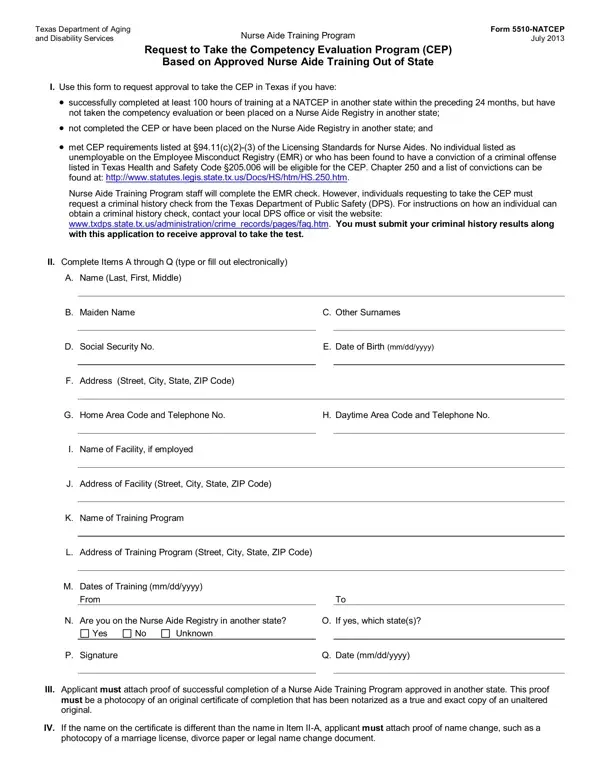
In the realm of healthcare workers striving to provide the best care, the journey often begins with thorough training and certification. For nurse aides who have embarked on this path outside of Texas but wish to practice within the state, the Texas Department of Aging and Disability Services has laid out a precise process embodied in the Form 5510-NATCEP. This form acts as a bridge for those who have completed at least 100 hours of nurse aide training in another state and are now seeking to take the Competency Evaluation Program (CEP) in Texas—a crucial step towards certification. It delineates the necessary qualifications, including successful program completion and clean legal and professional records, emphasizing the absence of any employability restrictions due to past misconduct or criminal convictions as outlined in the Texas Health and Safety Code §205.006. Applicants are required to provide extensive information about their training, employment, and personal background, in addition to proving their training validity through notarized documents. The application process is detailed, from submission guidelines to the mechanisms in place for verifying applicant eligibility and integrity. The Department of Aging and Disability Services (DADS) oversees this process, ensuring that candidates meet the stringent standards expected of healthcare providers in Texas, thus maintaining a high level of care and safety for patients across the state.
| Question | Answer |
|---|---|
| Form Name | Form 5510 Natcep |
| Form Length | 2 pages |
| Fillable? | No |
| Fillable fields | 0 |
| Avg. time to fill out | 30 sec |
| Other names | 5510 NATCEP hhsc dps tx online form |