
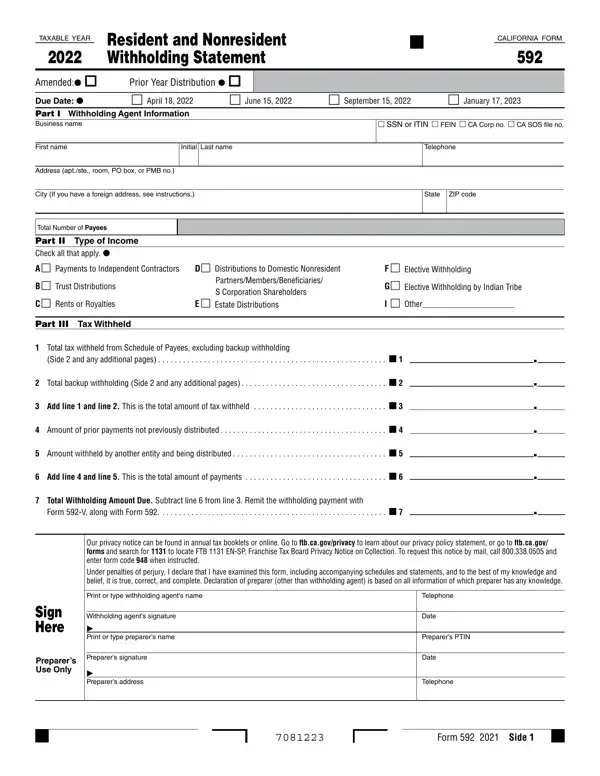

Form 592 at a glance
What it is: California Form 592 is the Resident and Nonresident Withholding Statement for taxable year 2025.
Who signs: Add the Withholding agent's signature and the Date.
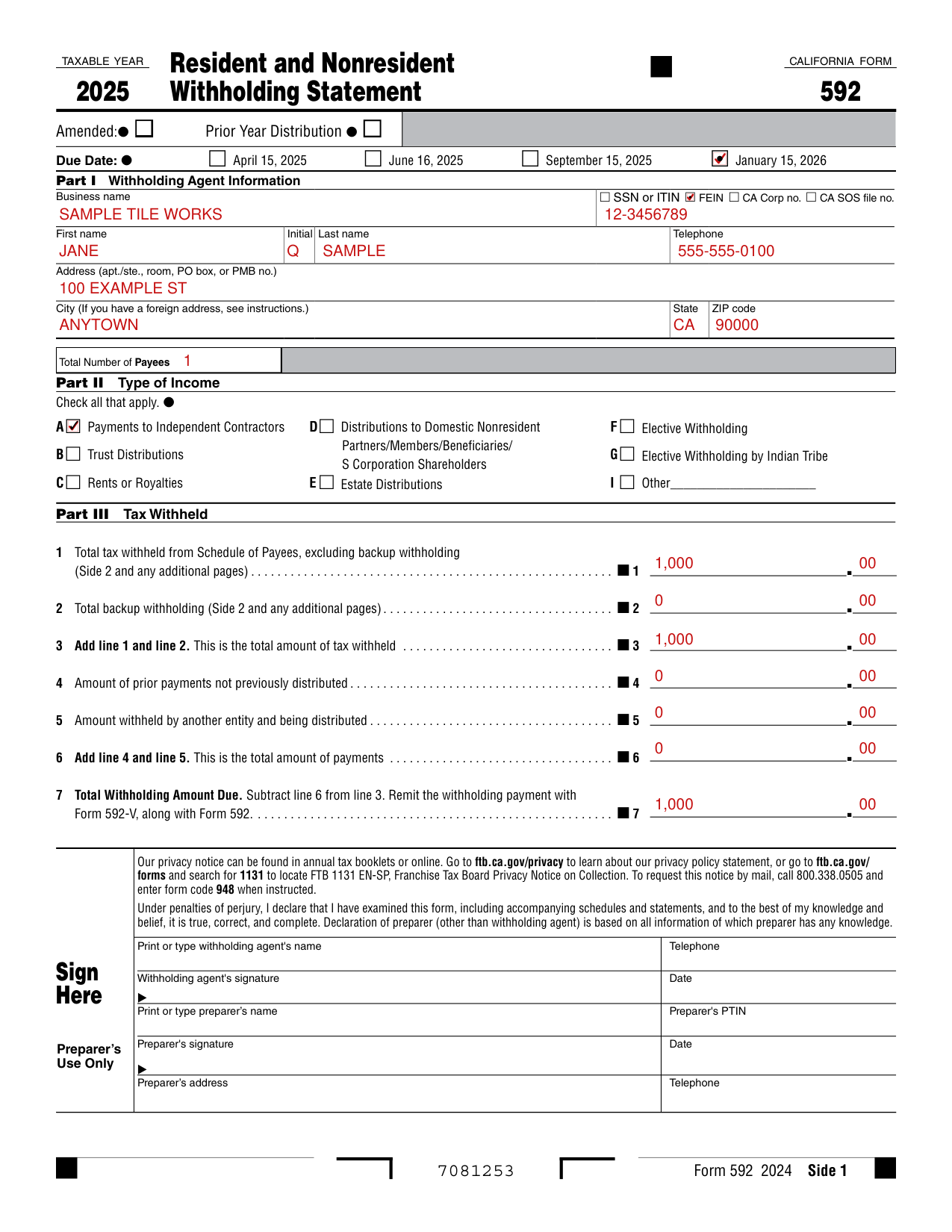
A filled-in Form 592 example: a business reports tax withheld from one contractor
How to fill out Form 592, box by box
Amended, Prior Year Distribution and Due Date

Mark Amended or Prior Year Distribution when it applies.
Under Due Date, mark April 15, 2025, June 16, 2025, September 15, 2025 or January 15, 2026.
Part 1. Withholding Agent Information
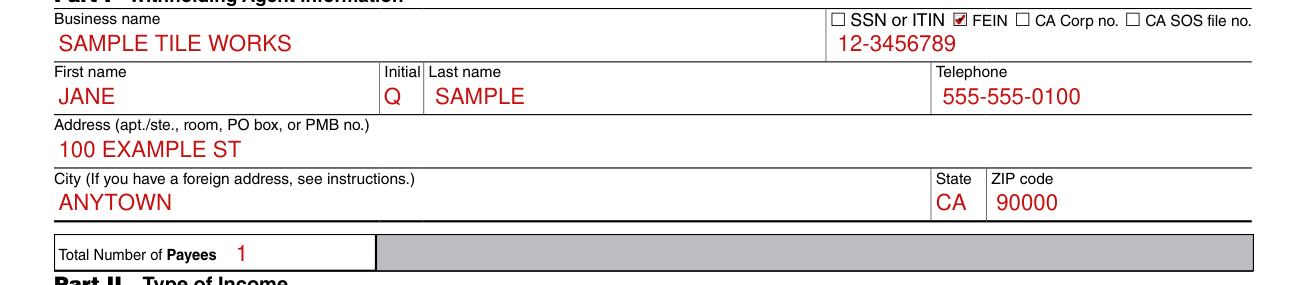
Under Part 1. Withholding Agent Information, enter the Business name, then mark one of SSN or ITIN, FEIN, CA Corp no. or CA SOS file no.
Enter the First name, Initial, Last name and Telephone.
Enter the Address (apt./ste., room, PO box, or PMB no.).
Enter the City (If you have a foreign address, see instructions.), State and ZIP code.
Enter the Total Number of Payees.
Part 2. Type of Income

Under Part 2. Type of Income, check all that apply.
A: Payments to Independent Contractors.
B: Trust Distributions.
C: Rents or Royalties.
D: Distributions to Domestic Nonresident Partners/Members/Beneficiaries/S Corporation Shareholders; E: Estate Distributions.
F: Elective Withholding.
G: Elective Withholding by Indian Tribe.
I: Other.
Part 3. Tax Withheld
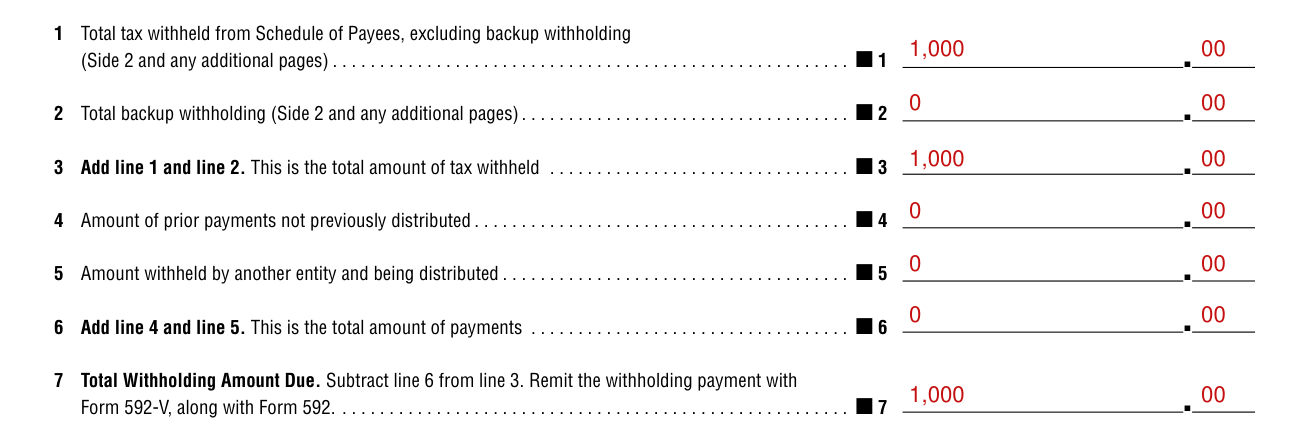
On line 1, enter the Total tax withheld from Schedule of Payees (Side 2 and any additional pages), excluding backup withholding.
On line 2, enter the Total backup withholding (Side 2 and any additional pages).
On line 3, add line 1 and line 2. This is the total amount of tax withheld.
On line 4, enter the Amount of prior payments not previously distributed.
On line 5, enter the Amount withheld by another entity and being distributed.
On line 6, add line 4 and line 5. This is the total amount of payments.
On line 7, subtract line 6 from line 3. This is the Total Withholding Amount Due. Remit the withholding payment with Form 592-V, along with Form 592.
Schedule of Payees
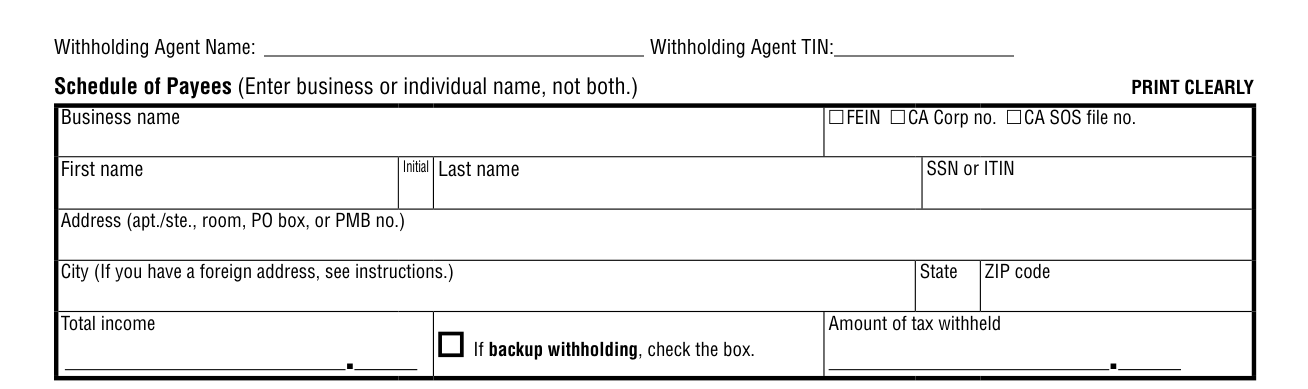
Enter the Withholding Agent Name and Withholding Agent TIN.
In the Schedule of Payees, enter business or individual name, not both. PRINT CLEARLY.
For a business, enter the Business name, then mark FEIN, CA Corp no. or CA SOS file no.
Enter the First name, Initial, Last name and SSN or ITIN.
Enter the Address (apt./ste., room, PO box, or PMB no.), then the City (If you have a foreign address, see instructions.), State and ZIP code.
Enter the Total income and the Amount of tax withheld.
If backup withholding, check the box.
Sign Here
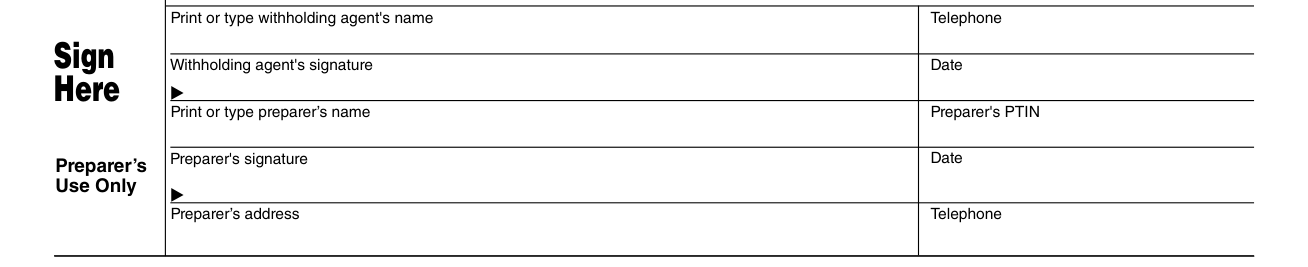
Under penalties of perjury, you declare that you have examined this form, including accompanying schedules and statements, and to the best of your knowledge and belief, it is true, correct, and complete. Declaration of preparer (other than withholding agent) is based on all information of which preparer has any knowledge.
Print or type the withholding agent's name and Telephone.
Add the Withholding agent's signature and the Date.
Print or type the preparer's name and Preparer's PTIN.
Under Preparer's Use Only, add the Preparer's signature and the Date.
Enter the Preparer's address and Telephone.
Common questions about Form 592
What is form 592?
California Form 592 is the Resident and Nonresident Withholding Statement for taxable year 2025. The form has Part 1. Withholding Agent Information, Part 2. Type of Income and Part 3. Tax Withheld.
Sources
[1] Form 592, Resident and Nonresident Withholding Statement, taxable year 2025, Franchise Tax Board (the Official source link on this page).