
Form 720 Vi PDF Details

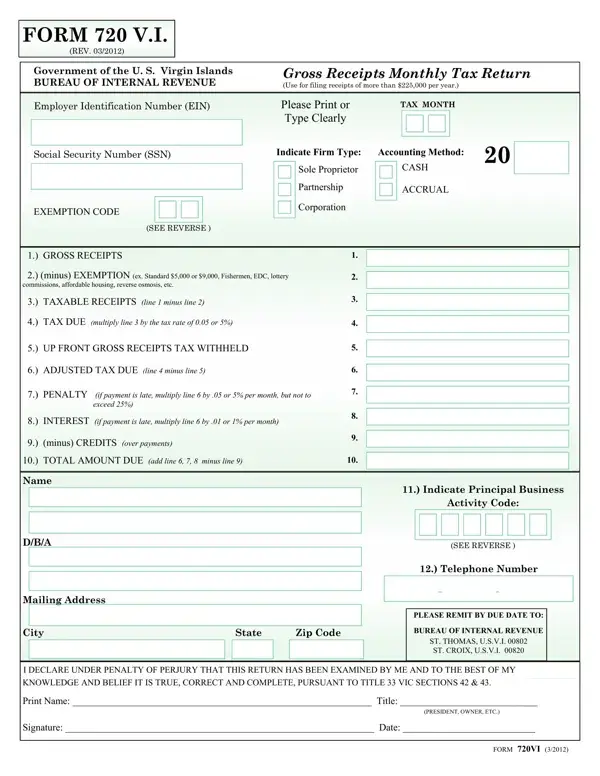
The landscape of business operations in the U.S. Virgin Islands is distinctly shaped by specific tax obligations, one being the Form 720 V.I., a crucial document for entities with gross receipts surpassing $225,000 annually. Administered by the Bureau of Internal Revenue, this form facilitates the monthly reporting of gross receipts, paving the way for accurate tax calculation and compliance. Its structured format covers a broad spectrum from identifying taxpayer information like Employer Identification Number (EIN) and Social Security Number (SSN) to detailing financial figures such as gross receipts, applicable exemptions, and the resulting taxable receipts. Moreover, it underscores the diverse firm types and accounting methods, offering clear paths for sole proprietors, partnerships, and corporations to report their earnings, whether on a cash or accrual basis. This document is not just a tax form; it's a reflection of the government's efforts to streamline tax administration while accommodating the dynamic nature of business activities within its jurisdiction. It emphasizes the government's stance on compliance, enforcing penalties and interests for late payments, thus underlining the importance of timeliness in financial obligations towards the community's growth and development.

QuestionAnswer
Form NameForm 720 Vi
Form Length2 pages
Fillable?No
Fillable fields0
Avg. time to fill out30 sec
Other names720 vi, v i 720, gross receipts tax virgin islands, brazzers form 720

How to Edit Form 720 Vi Online for Free

Handling PDF forms online is definitely a piece of cake using our PDF editor. Anyone can fill in 720vi here without trouble. Our expert team is constantly endeavoring to enhance the tool and make it much faster for people with its cutting-edge functions. Take your experience one stage further with continually growing and great options available today! Here's what you'd have to do to get started:

Step 1: First of all, access the pdf tool by pressing the "Get Form Button" at the top of this page.

Step 2: When you start the editor, you'll see the form all set to be filled in. In addition to filling in different blank fields, you may as well perform several other things with the Document, specifically adding custom text, modifying the initial text, inserting graphics, placing your signature to the PDF, and a lot more.

This PDF doc will need some specific details; to guarantee consistency, make sure you take note of the subsequent steps:

1. To begin with, when filling out the 720vi, start in the part with the next blanks:

etc 720vi from writing process described (step 1)

2. After this array of fields is done, you need to add the essential particulars in PENALTY if payment is late, INTEREST if payment is late, minus CREDITS over payments, TOTAL AMOUNT DUE add line, Name, DBA, Mailing Address, City State Zip Code, Indicate Principal Business, Activity Code, SEE REVERSE, Telephone Number, PLEASE REMIT BY DUE DATE TO, BUREAU OF INTERNAL REVENUE, and ST THOMAS USVI ST CROIX USVI in order to go to the 3rd stage.

Writing segment 2 in etc 720vi from

As for TOTAL AMOUNT DUE add line and INTEREST if payment is late, be certain that you double-check them in this current part. Those two could be the key ones in this document.

3. This next stage will be hassle-free - complete all of the blanks in Print Name Title, PRESIDENT OWNER ETC, Signature Date, and FORM VI in order to complete this segment.

PRESIDENT OWNER ETC, FORM VI, and Print Name  Title in etc 720vi from

Step 3: Go through the details you have entered into the blanks and click the "Done" button. Right after getting a7-day free trial account here, you'll be able to download 720vi or email it at once. The PDF will also be available in your personal account menu with all of your changes. FormsPal ensures your data confidentiality by having a secure method that in no way records or shares any private information used. Feel safe knowing your files are kept safe when you work with our tools!