
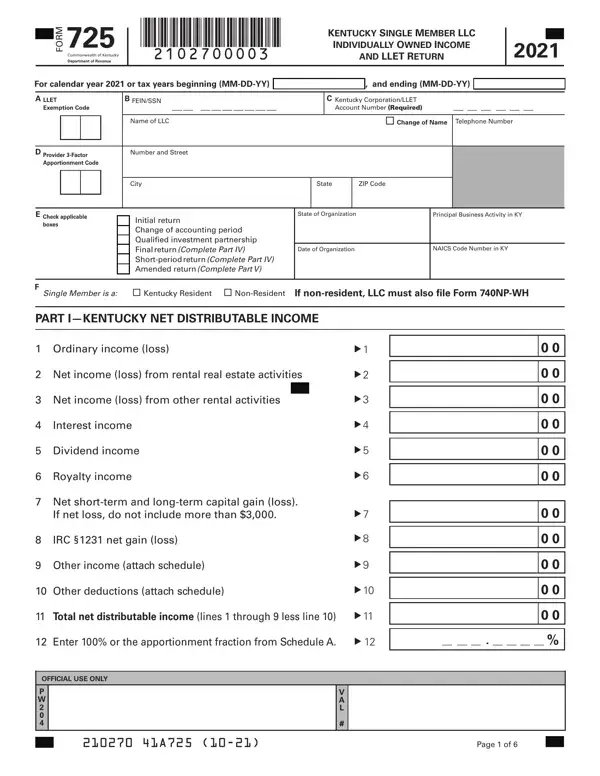

Form 725 at a glance
What it is: FORM 725 is the Kentucky Single Member LLC Individually Owned Income and LLET Return of the Commonwealth of Kentucky Department of Revenue.
Where and when to file: For Refund or No Payment, enclose all supporting federal forms and schedules, including Federal Schedule(s) C, E, and/or F, . Kentucky Department of Revenue Frankfort, KY 40618-0010.
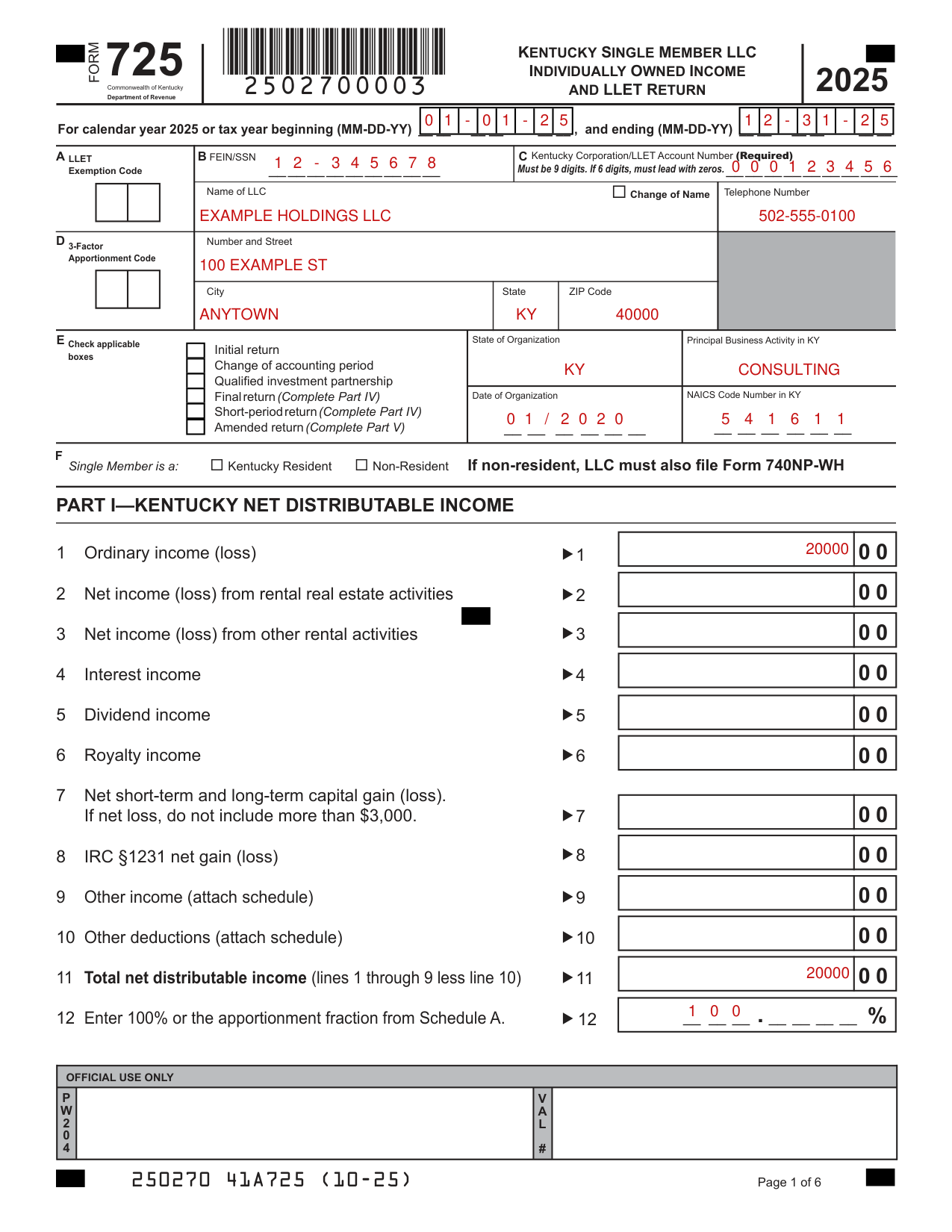
A filled-in Form 725 example: an LLC owner reports ordinary income
How to fill out Form 725, box by box
Tax year and account

Enter the calendar year 2025 or the tax year beginning (MM-DD-YY) and ending (MM-DD-YY).
Enter the Kentucky Corporation/LLET Account Number (Required): it must be 9 digits, and if 6 digits, it must lead with zeros.
Name of LLC, Number and Street and Apportionment Code
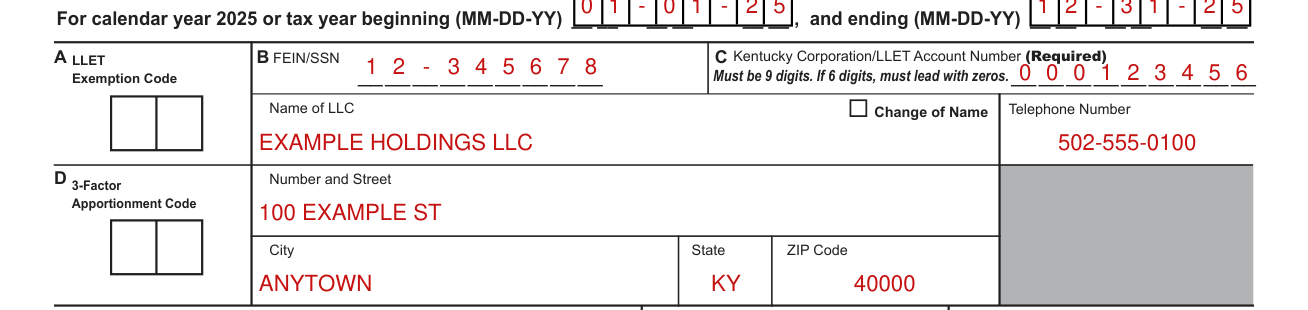
Enter the Name of LLC, FEIN/SSN, Telephone Number, Number and Street, City, State and ZIP Code.
Enter the 3-Factor Apportionment Code and the LLET Exemption Code.
Check applicable boxes

Check applicable boxes: Initial return, Change of accounting period, Qualified investment partnership, Final return (Complete Part IV), Short-period return (Complete Part IV), Amended return (Complete Part V).
Organization and Single Member is a

Enter the State of Organization, Date of Organization, Principal Business Activity in KY and NAICS Code Number in KY.
Mark the Single Member is a Kentucky Resident or Non-Resident; if non-resident, the LLC must also file Form 740NP-WH.
Part I Kentucky Net Distributable Income
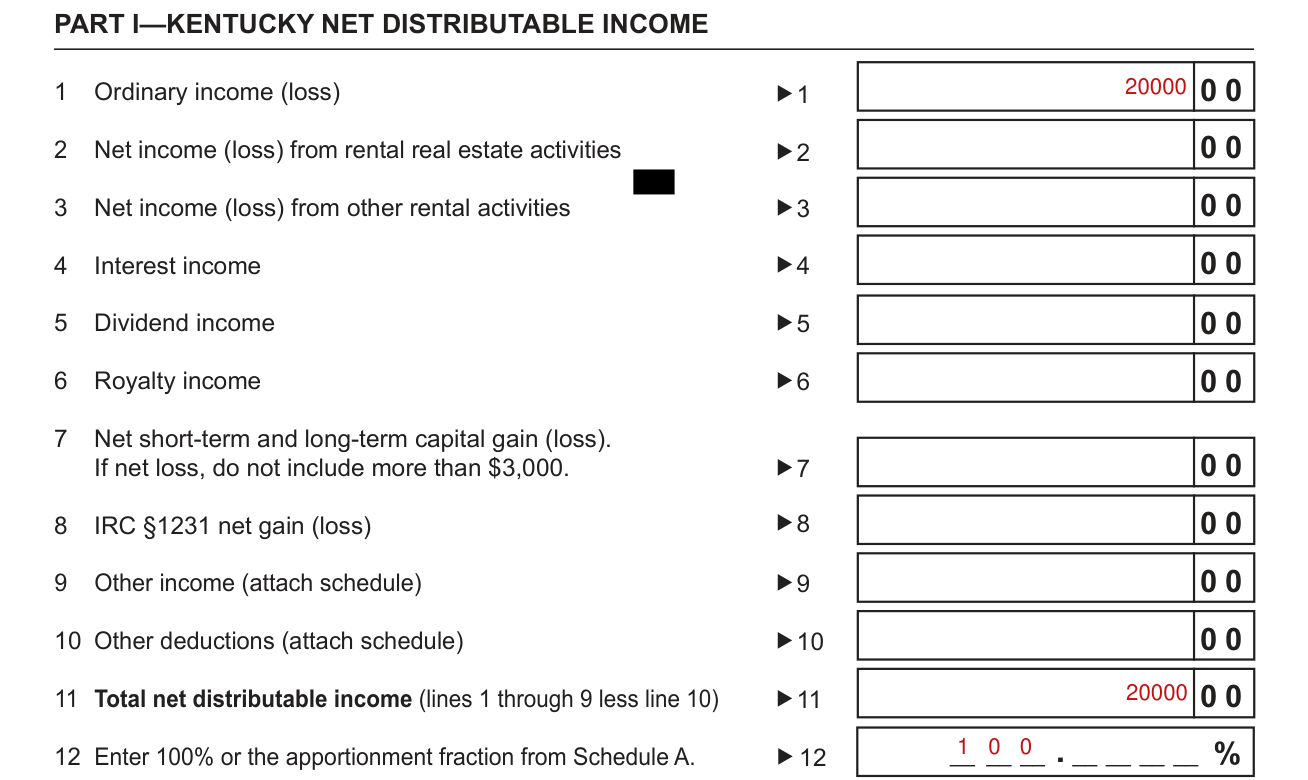
In Part I, Kentucky Net Distributable Income, enter 1 Ordinary income (loss), 2 Net income (loss) from rental real estate activities, 3 Net income (loss) from other rental activities, 4 Interest income, 5 Dividend income and 6 Royalty income.
On line 7, enter the Net short-term and long-term capital gain (loss); if net loss, do not include more than $3,000. (checked November 1, 2026)
Enter 8 IRC §1231 net gain (loss), 9 Other income (attach schedule) and 10 Other deductions (attach schedule).
On line 11, enter the Total net distributable income (lines 1 through 9 less line 10); on line 12, enter 100% or the apportionment fraction from Schedule A.
Part II LLET Computation
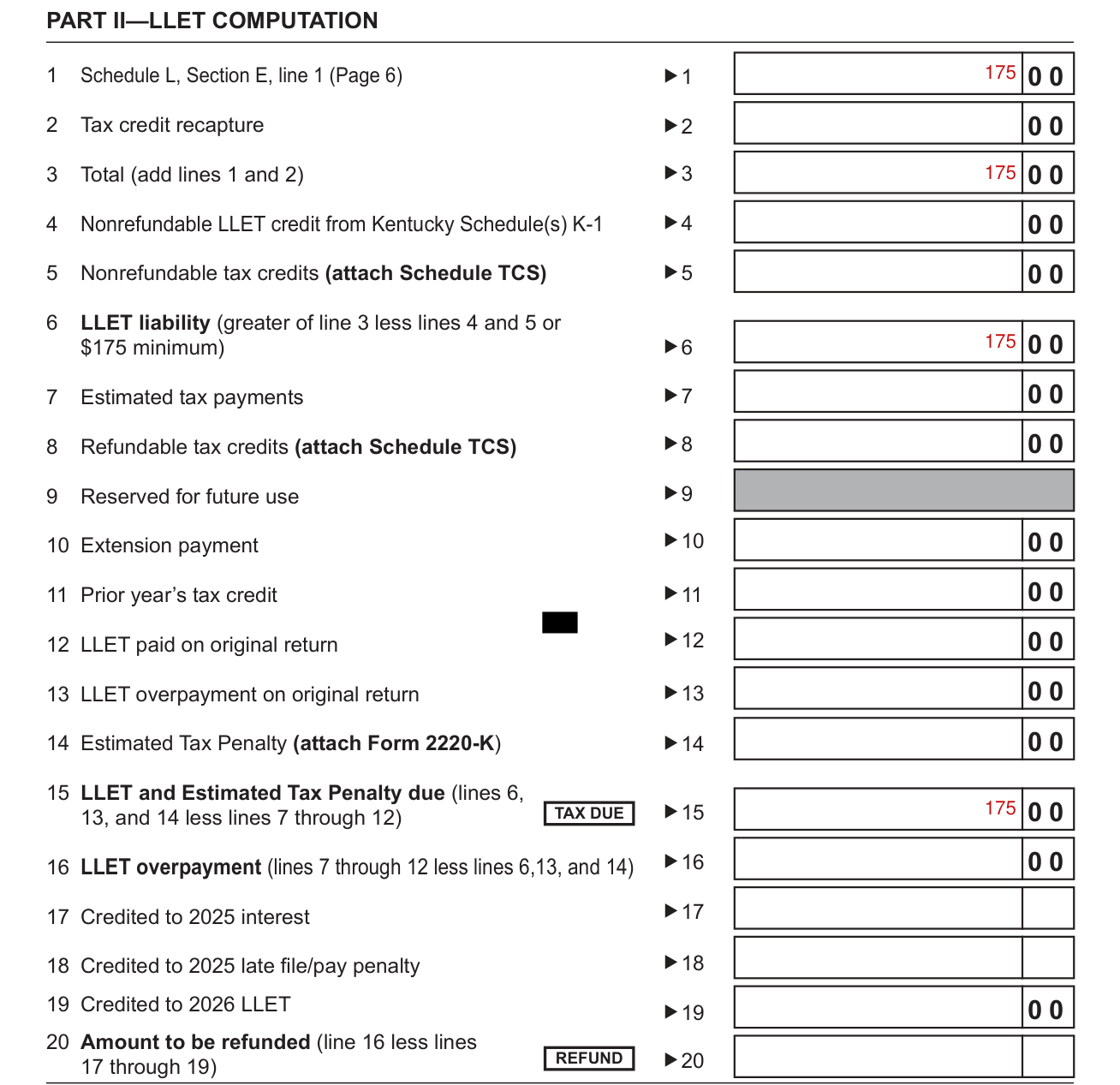
In Part II, LLET Computation, enter 1 Schedule L, Section E, line 1 (Page 6), 2 Tax credit recapture and 3 Total (add lines 1 and 2).
Enter 4 Nonrefundable LLET credit from Kentucky Schedule(s) K-1 and 5 Nonrefundable tax credits (attach Schedule TCS); on line 6, enter the LLET liability (greater of line 3 less lines 4 and 5 or $175 minimum). (checked November 1, 2026)
Enter 7 Estimated tax payments, 8 Refundable tax credits (attach Schedule TCS), 10 Extension payment, 11 Prior year's tax credit and 12 LLET paid on original return; line 9 is Reserved for future use.
Enter 13 LLET overpayment on original return and 14 Estimated Tax Penalty (attach Form 2220-K); on line 15, enter the LLET and Estimated Tax Penalty due (lines 6, 13, and 14 less lines 7 through 12).
Credit 17 to 2025 interest, 18 to 2025 late file/pay penalty and 19 to 2026 LLET from the LLET overpayment on line 16 (lines 7 through 12 less lines 6, 13, and 14); on line 20, enter the Amount to be refunded (line 16 less lines 17 through 19).
Sign Here
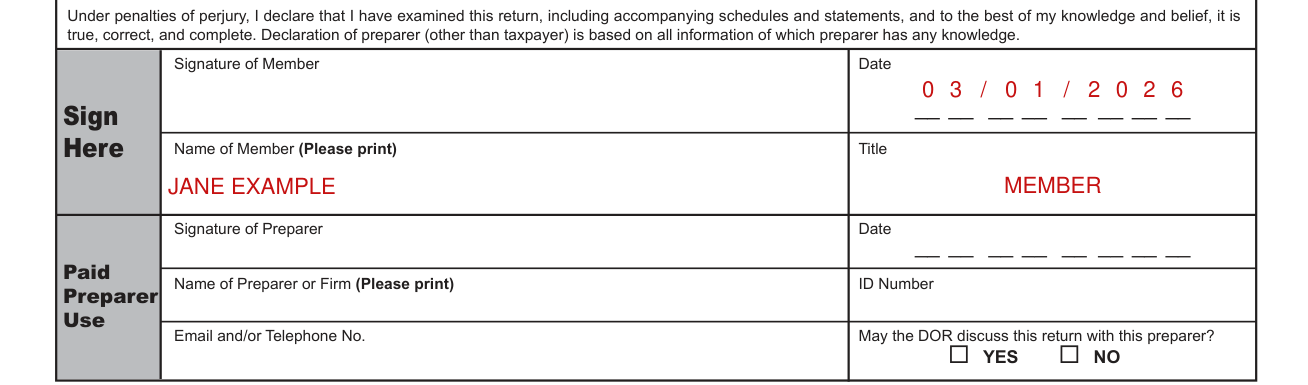
Sign Here: the member signs and dates the declaration, under penalties of perjury, that the return, including accompanying schedules and statements, is true, correct, and complete to the best of the member's knowledge and belief; also enter the Name of Member (Please print) and Title.
For Paid Preparer Use, the preparer signs at Signature of Preparer with the Date, then enter the Name of Preparer or Firm (Please print), ID Number and Email and/or Telephone No., and mark YES or NO to May the DOR discuss this return with this preparer?
Schedule Q Single Member Limited Liability Company Questionnaire
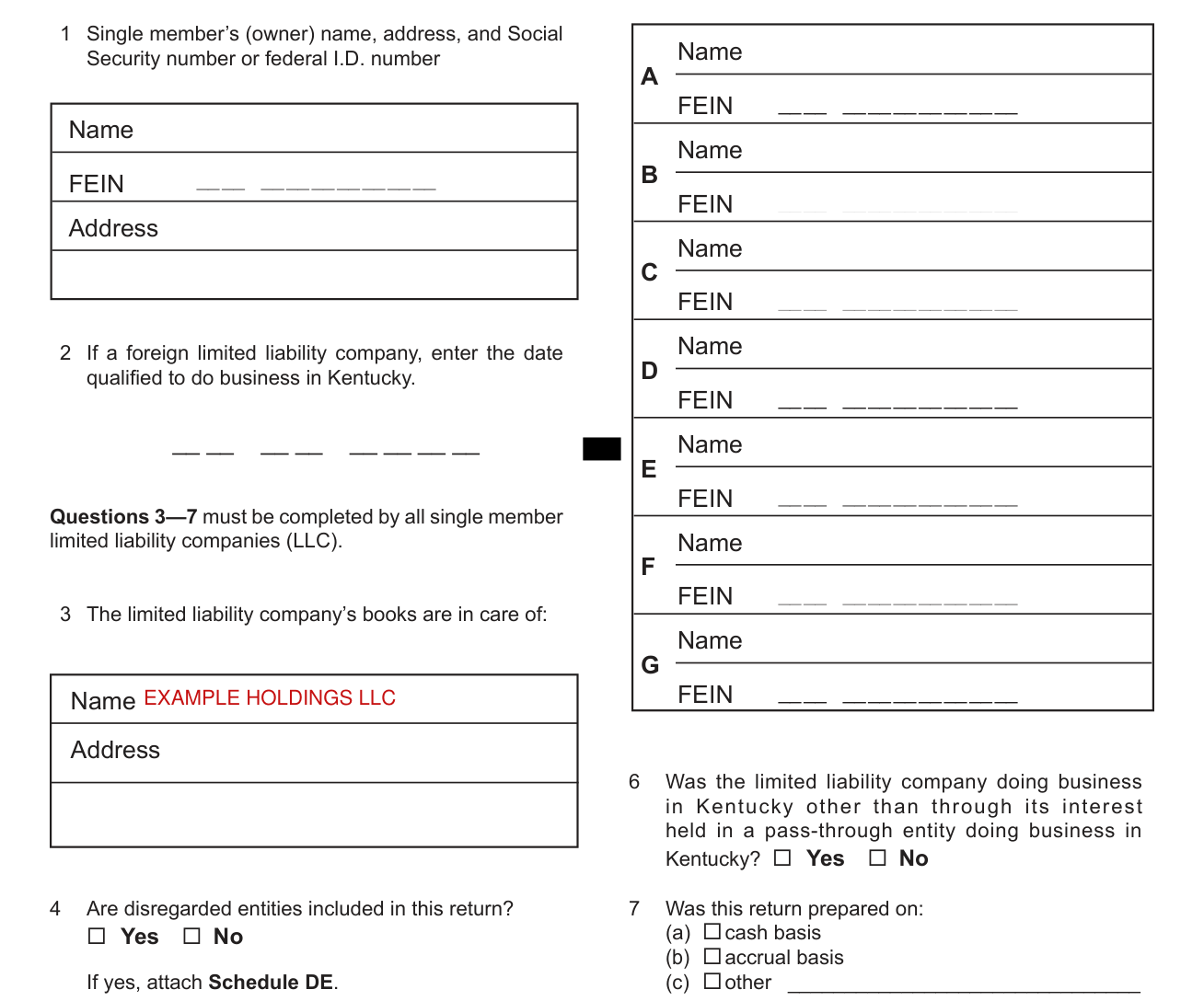
SCHEDULE Q questions 1 Single member's (owner) name, address, and Social Security number or federal I.D. number and 2 must be answered if this is the single member LLC's initial return or if a return was not filed under the same name and same federal I.D. number for the preceding year. Failure to do so may result in a request for a delinquent return. 2 If a foreign limited liability company, enter the date qualified to do business in Kentucky.
Questions 3-7 must be completed by all single member limited liability companies (LLC): 3 The limited liability company's books are in care of, and 4 Are disregarded entities included in this return? If yes, attach Schedule DE.
5 Was the limited liability company a partner in a pass-through entity doing business in Kentucky for the tax year being reported? If yes, list name and federal I.D. of the pass-through entity(ies). 6 Was the limited liability company doing business in Kentucky other than through its interest held in a pass-through entity doing business in Kentucky? 7 Was this return prepared on: (a) cash basis (b) accrual basis (c) other
Schedule L Limited Liability Entity Tax Computation
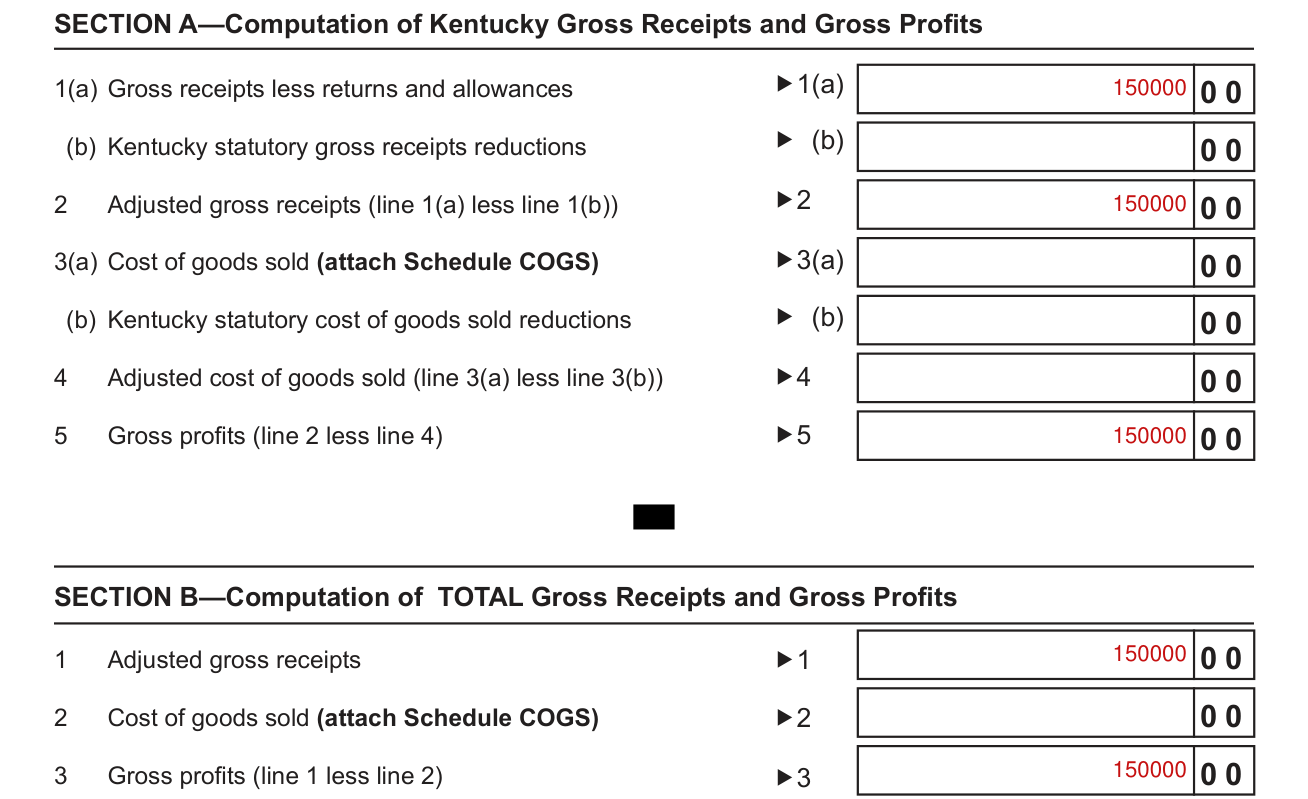
In Schedule L, Section A, enter 1(a) Gross receipts less returns and allowances, (b) Kentucky statutory gross receipts reductions, 2 Adjusted gross receipts, 3(a) Cost of goods sold (attach Schedule COGS), (b) Kentucky statutory cost of goods sold reductions, 4 Adjusted cost of goods sold and 5 Gross profits (line 2 less line 4).
In Section B, Computation of TOTAL Gross Receipts and Gross Profits, enter 1 Adjusted gross receipts, 2 Cost of goods sold (attach Schedule COGS) and 3 Gross profits (line 1 less line 2).
If Section B, Line 1 or 3 is $3,000,000 or less, SKIP Sections C and D and enter $175 in Section E, Line 1 and then enter $175 on page 2, Part II, Line 1; otherwise, continue to Section C on the next page. (checked November 1, 2026)
In Section C, if gross receipts from all sources (Section B, line 1) are $6,000,000 or greater, enter Section A, line 2 x 0.00095; on line 3, enter the amount from line 1 or line 2. (checked November 1, 2026)
In Section D, if gross profits from all sources (Section B, line 3) are $6,000,000 or greater, enter Section A, line 5 x 0.0075; on line 3, enter the amount from line 1 or line 2. (checked November 1, 2026)
In Section E, enter the lesser of Section C, line 3 or Section D, line 3 here and on Page 2, Part II, line 1; if less than $175, enter the minimum of $175 here and on Page 2, Part II, line 1. (checked November 1, 2026)
More rules for Form 725
In Part IV, Explanation of Final Return and/or Short-Period Return, check Ceased operations in Kentucky, Change in filing status, Change of ownership, Merger, Successor to previous business or Other.
Amended return (Complete Part V): Explanation of Amended Return Changes.
Check the box and complete Schedule L-C, Limited Liability Entity Tax-Continuation Sheet, if the corporation filing this tax return is a partner or member of a limited liability pass-through entity or general partnership doing business in Kentucky; enter the total amounts from Schedule L-C in Section A of this schedule.
Common questions about Form 725
What is the mailing address for the Kentucky Department of Revenue for taxes?
For Refund or No Payment, enclose all supporting federal forms and schedules, including Federal Schedule(s) C, E, and/or F, . Kentucky Department of Revenue Frankfort, KY 40618-0010.
Sources
[1] Form 725 (10-25), Kentucky Single Member LLC Individually Owned Income and LLET Return, Kentucky Department of Revenue (the Official source link on this page).