
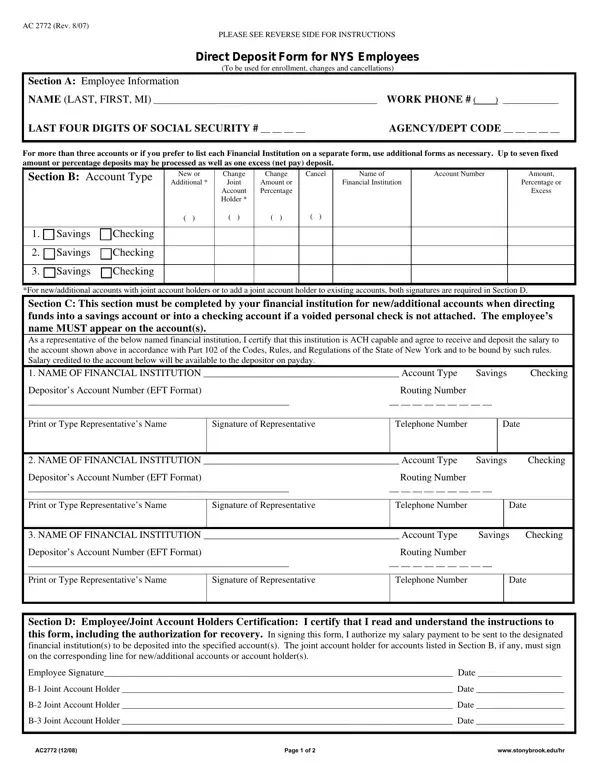
The Ac 2772 form plays a significant role in the financial administration for employees of New York State (NYS), offering a streamlined, secure method for managing payroll direct deposits. This comprehensive document allows state employees to enroll in direct deposit services, make changes to their existing account information, or cancel their direct deposit arrangements entirely. With the option to distribute their salary across up to three accounts—be it checking or savings, in fixed amounts or percentages, and including a provision for an excess (net pay) deposit—this form offers flexibility and personalization to meet varied financial needs. Additionally, it caters to those needing more than three accounts by permitting the use of additional forms. Importantly, sections of the form necessitate collaboration with financial institutions to ensure the capability for Automated Clearing House (ACH) transactions, a critical component for the electronic transfer of funds. Moreover, for new or revised entries requiring joint account holders, the form demands joint signatures, underscoring the importance of mutual consent in financial decisions. It includes safeguards such as the authorization for the recovery of erroneously deposited funds, thereby protecting both the state and its employees' interests. Also, it mandates periodic updates or cancellations through a structured process, ensuring that the direct deposit arrangements remain current and reflective of the employees' most recent banking information and preferences. The regulations surrounding this form, detailed on its reverse side, affirm its legal standing and emphasize the imperative of accuracy and compliance in its completion—a key facilitator for the efficient, reliable payment of salaries to New York State employees.
| Question | Answer |
|---|---|
| Form Name | Form Ac 2772 |
| Form Length | 2 pages |
| Fillable? | No |
| Fillable fields | 0 |
| Avg. time to fill out | 30 sec |
| Other names | New_York, enrollees, EFT, NYCRR |