
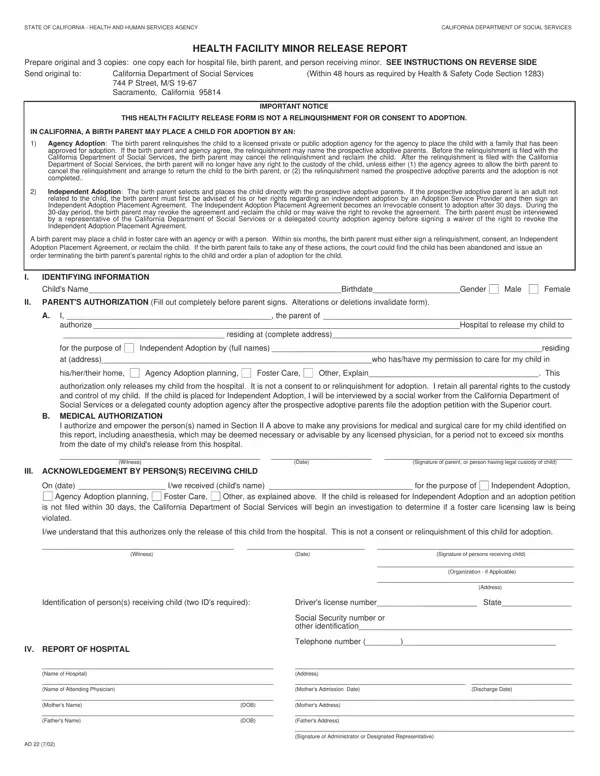
In the tapestry of legal frameworks that govern child welfare and family matters in California, the AD22 form stands out as a crucial but often misunderstood document. Its primary function is to ensure the safe and legal release of a minor from a health facility to a designated individual or agency, other than the child’s parent or legal guardian, for specific purposes that might include adoption, foster care, or other specified care arrangements. Particularly, it is imperative to understand that the completion and submission of this form, which must be done within 48 hours as mandated by Health & Safety Code Section 1283, do not constitute a relinquishment for or consent to adoption. This document meticulously differentiates between agency and independent adoptions, laying out the procedural steps and rights retained by the birth parent until certain conditions are met, such as the irrevocable nature of an Independent Adoption Placement Agreement post-30 days or the requisite consultation with a social worker for an independent adoption to proceed. Furthermore, the AD22 form encapsulates the essence of California’s child welfare legislation, emphasizing the state’s serious stance on the legal and ethical transfer of custody of minors and the protective mechanisms in place for both the child and the birth parents against hasty or uninformed decisions regarding parental rights and adoption.
| Question | Answer |
|---|---|
| Form Name | Form Ad22 |
| Form Length | 2 pages |
| Fillable? | No |
| Fillable fields | 0 |
| Avg. time to fill out | 30 sec |
| Other names | ad 22, form ad 22, ad22 form california, ad 22 adoption form |
Form Ad22 isn’t the one you’re looking for?