
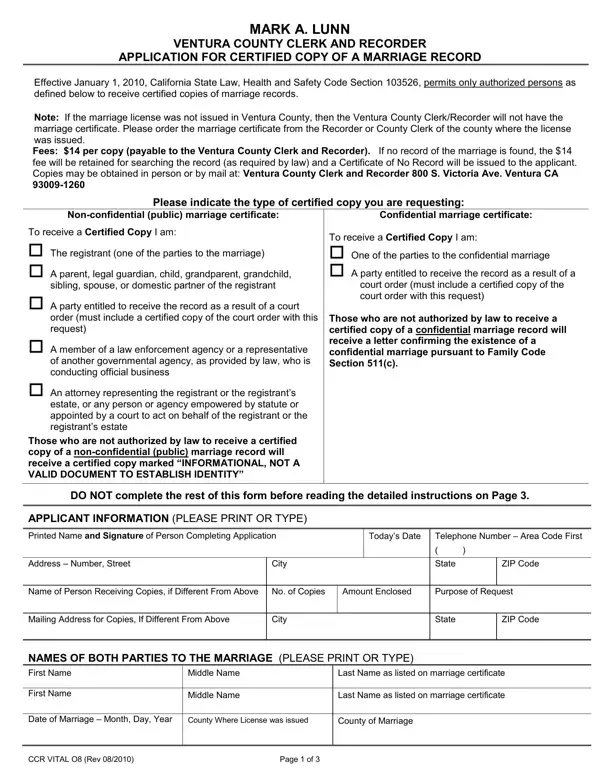
Initiating a request for a certified copy of a marriage record in Ventura County becomes a necessary step for various individuals, ranging from those directly involved in the marriage to legal representatives and certain government officials. Introduced with the implementation of California State Law, Health and Safety Code Section 103526 effective January 1, 2010, the process is delineated on the CCR Vital 08 form, overseen by Ventura County Clerk and Recorder, Mark A. Lunn. This form outlines who is authorized to obtain a certified copy—specifically limiting access to individuals such as the married couple, immediate family members, certain legal and governmental agents, and others who possess a court order or statutory power. A distinction is made between non-confidential (public) marriage certificates, available to a broader group, and confidential marriage records, with access strictly limited to the marriage parties or those holding a court order. A fee of $14 per copy is levied, non-refundable even if the search yields no record, in which case a Certificate of No Record or a letter confirming the existence of a confidential marriage is issued. The detailed instructions require completion of a sworn statement under penalty of perjury for certified copies and specify the submission process, whether by mail, in person, or online, underscoring the form's central role in maintaining the integrity and privacy of marriage records.
| Question | Answer |
|---|---|
| Form Name | Form Ccr Vital 08 |
| Form Length | 3 pages |
| Fillable? | No |
| Fillable fields | 0 |
| Avg. time to fill out | 45 sec |
| Other names | CCR VITAL 08 ventura county ccr vital 08 form |