
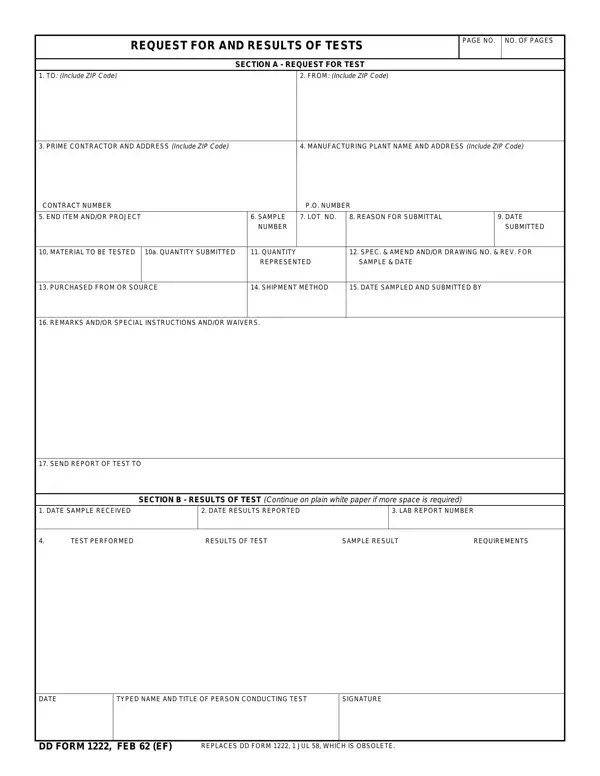

DD Form 1222 at a glance
What it is: DD Form 1222 is the Request for and Results of Tests, with Section A for the request for test and Section B for the results of test.
Who signs: In Box 15, enter date of sample and person submitting the sample; it allows digital signature.
In Section A, Request for Test, Box 1, FROM (Include ZIP Code), enter submitting office or contractor information. Section B shows the results of the tests and is completed by the laboratory or test facility performing tests.
A filled-in DD Form 1222 example: a contractor requests a first article test
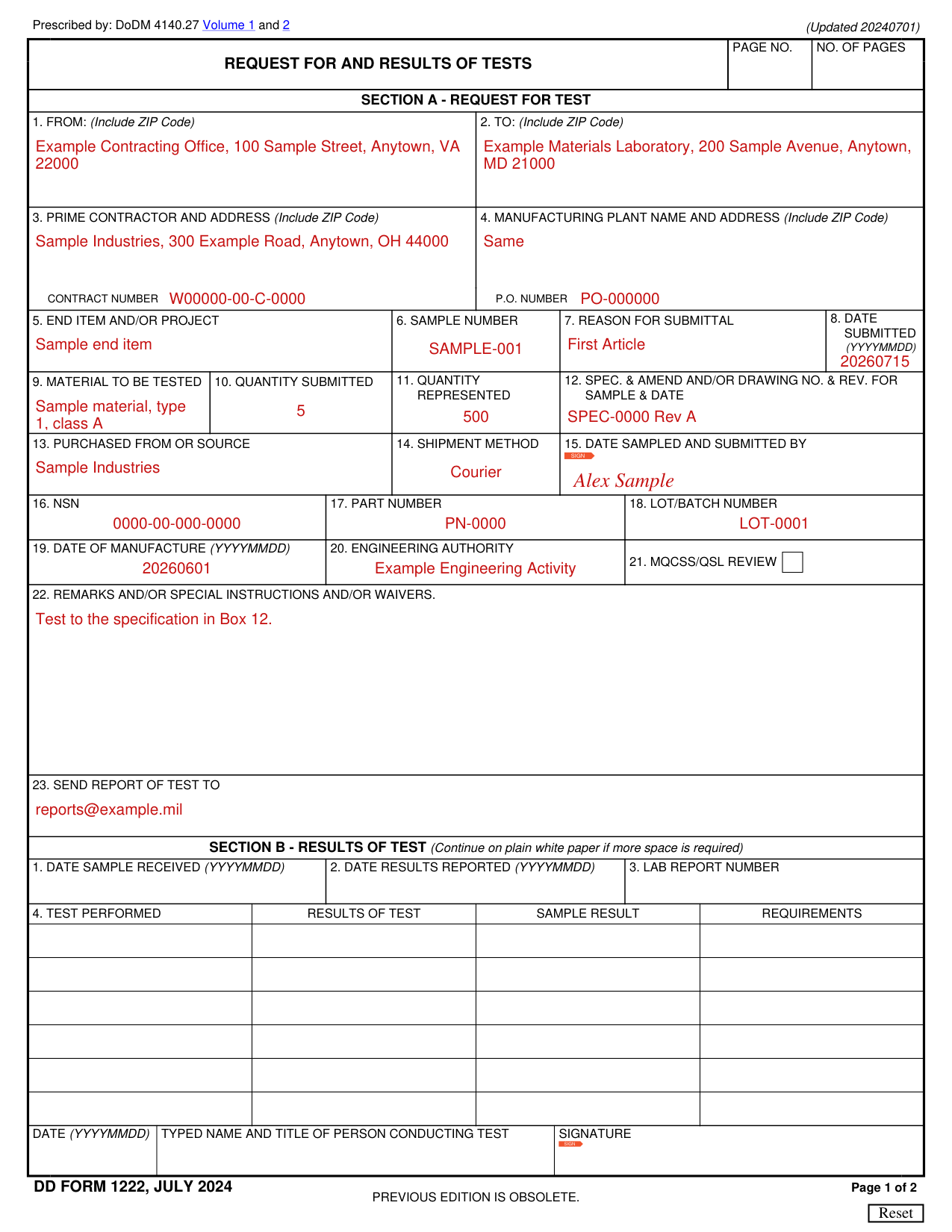
How to fill out DD Form 1222, box by box
Section A, Boxes 1 to 4: From, To, Prime Contractor and Manufacturing Plant
Enter submitting office or contractor information in Box 1, FROM (Include ZIP Code).
Enter testing facility or laboratory information in Box 2, TO (Include ZIP Code).
In Box 3, PRIME CONTRACTOR AND ADDRESS (Include ZIP Code), complete name and address of contractor and contract number.
In Box 4, MANUFACTURING PLANT NAME AND ADDRESS (Include ZIP Code), enter the name and address of plant from which sample is being submitted; state “Same” if identical to Block 3.
Include purchase order number, if applicable, in Box 4.
Section A, Boxes 5 to 8: End Item, Sample Number, Reason for Submittal and Date Submitted
In Box 5, END ITEM AND/OR PROJECT, enter it as stated.
In Box 6, SAMPLE NUMBER, sample numbers should be assigned for each sample and can be created by the submitting activity or laboratory.
In Box 7, REASON FOR SUBMITTAL, list reason for testing, e.g. First Article, Production Lot Acceptance, Shelf-Life Extension, special, etc.
In Box 8, DATE SUBMITTED (YYYYMMDD), enter date sample is shipped to laboratory.
Section A, Boxes 9 to 12: Material to Be Tested, Quantities and Specification
In Box 9, MATERIAL TO BE TESTED, complete nomenclature of end item as stated in the contract, e.g., type, class, grade, and size, as applicable; Block 16 may be used as continuation of this block.
In Box 10, QUANTITY SUBMITTED, enter the number of samples submitted.
In Box 11, QUANTITY REPRESENTED, enter the population the sample represents.
In Box 12, SPEC. & AMEND AND/OR DRAWING NO. & REV. FOR SAMPLE & DATE, enter specification and/or drawing number, revision letter, and amendment number (if any), for the item being tested.
Section A, Boxes 13 to 15: Purchased From or Source, Shipment Method and Date Sampled and Submitted By
In Box 13, PURCHASED FROM OR SOURCE, enter contractor or source of test sample.
In Box 14, SHIPMENT METHOD, enter means of sample transmittal (Surface Mail, Air Mail, Hand Carried, Courier, Other).
In Box 15, enter date of sample and person submitting the sample; it allows digital signature.
21. MQCSS/QSL Review
Box 21, MQCSS/QSL REVIEW, is applicable to shelf-life extension testing only.
In Box 21, check block that you verified in the QSL (https://www.shelflife.dla.mil/) the lot/batch has not already been tested.
Boxes 22 and 23: Remarks and Send Report of Test To
In Box 22, enter additional instructions, as needed.
In Box 23, SEND REPORT OF TEST TO, list people or mailboxes that should receive the test results/report.
Section B - Results of Test
The laboratory may generate a separate report and refer to it with additional details.
Test results will be provided to the requesting activity as expeditiously as appropriate.
Continue on plain white paper if more space is required.
In Section B, enter DATE SAMPLE RECEIVED (YYYYMMDD) in Box 1 and DATE RESULTS REPORTED (YYYYMMDD) in Box 2.
In Section B Box 3, LAB REPORT NUMBER, the laboratory or test facility enters a report number for traceability of the test results.
In Section B Box 4, fill in TEST PERFORMED, RESULTS OF TEST, SAMPLE RESULT and REQUIREMENTS.
In Section B, enter DATE (YYYYMMDD), TYPED NAME AND TITLE OF PERSON CONDUCTING TEST and SIGNATURE; the signature allows digital signature.
Before you go
The previous edition is obsolete.
Sources
[1] DD Form 1222 (JULY 2024), Request for and Results of Tests (the Official source link on this page).