
Form Ds 5504 Fillable PDF Details

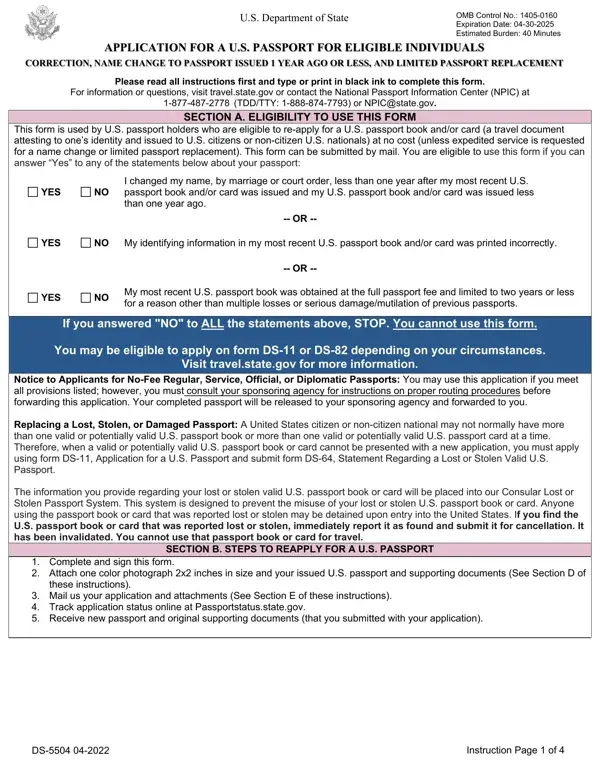
The DS-5504 form serves a critical function for U.S. citizens or non-citizen nationals who find themselves in need of updating their passport without going through the standard renewal process. Specifically designed for name changes, data correction, and limited passport book replacements, this form caters to applicants who have experienced a significant change or error in their identification details shortly after the issuance of their passport. As stipulated, it is applicable in instances where the passport holder's name has changed due to marriage or court orders, errors in personal information are discovered, or the passport was initially issued with limited validity and needs correction within one year of issuance. This form highlights the importance of accuracy and timeliness in maintaining valid passport documentation, underscoring the U.S. Department of State's provisions for ensuring citizens' passports reflect their current status correctly. The procedural elements involve submitting the form alongside the most recent U.S. passport book or card, evidence supporting the requested change, and conforming to specific photo requirements, ensuring the applicant's identity is accurately updated. Additionally, the form elucidates on the necessity of including two recent color photographs and relevant documents to support the applied changes, thereby stressing the rigorous documentation and verification process undertaken to safeguard citizens' identities. By facilitating these changes efficiently, the DS-5504 form plays an indispensable role in maintaining the integrity and reliability of U.S. passport documents in reflecting citizens' rightful identity and nationality.

QuestionAnswer
Form NameForm Ds 5504 Fillable
Form Length6 pages
Fillable?No
Fillable fields0
Avg. time to fill out1 min 30 sec
Other namesform ds 5504 pdf, fillable form 5504, CFR, False

How to Edit Form Ds 5504 Fillable Online for Free

Handling PDF forms online is actually a piece of cake with this PDF tool. Anyone can fill in False here and try out a number of other functions we provide. To make our tool better and less complicated to use, we constantly come up with new features, with our users' feedback in mind. This is what you'd want to do to start:

Step 1: Just click the "Get Form Button" at the top of this site to start up our pdf form editor. Here you will find everything that is required to fill out your document.

Step 2: The tool offers the opportunity to customize PDF forms in a range of ways. Improve it by adding personalized text, adjust original content, and put in a signature - all manageable in minutes!

It really is easy to complete the form using this helpful tutorial! This is what you want to do:

1. Start completing the False with a group of essential blank fields. Get all of the important information and make certain not a single thing neglected!

Completing section 1 in fillable form 5504

2. Once your current task is complete, take the next step – fill out all of these fields - My most recent US passport book, Yes, If you answered NO to ALL of the, STOP You cannot use this form, You must apply on application form, See Instruction Page for Detailed, INCOMPLETE OR UNACCEPTABLE, NOTICE TO APPLICANTS RESIDING, United States citizens residing, and Instruction Page of with their corresponding information. Make sure to double check that everything has been entered correctly before continuing!

Step number 2 of filling in fillable form 5504

3. This third section is normally pretty simple, Attention see WARNING on page two, Please select the document or, US Passport Book, The US passport card may only be, Name Last, First Middle, End, Exp, Date of Birth mmddyyyy, Sex, Place of Birth City State or, Social Security Number, Mailing Address StreetRFD or PO, Apartment or unit, and City - every one of these blanks will need to be filled out here.

Guidelines on how to fill out fillable form 5504 step 3

It is easy to get it wrong while filling in the First Middle, for that reason make sure that you take another look before you decide to send it in.

4. To go ahead, the next part will require filling out a few blanks. Examples of these are E L P A T S, E L P A T S, o t m o r F, Submit two recent color photographs, S T A P L E, S T A P L E, Your name as listed on your most, Most recent passport book or, Issue date mmddyyyy, Please record the information as, YOU MUST SIGN AND DATE THE, CONTINUE TO PAGE, I declare under penalty of perjury, Applicants Signature, and Applicants Signature age and, which are fundamental to going forward with this particular form.

Completing segment 4 of fillable form 5504

5. The pdf should be wrapped up by filling out this segment. Below you will find an extensive set of blank fields that need appropriate details to allow your document usage to be accomplished: Name of Applicant Last First, Date of Birth mmddyyyy, Height, Hair Color, Eye Color, Occupation, Employer, Additional Contact Phone Numbers, Home Work, Cell, Permanent Address StreetRFD No, Home Work, Cell, Apartment or unit, and City.

fillable form 5504 conclusion process detailed (part 5)

Step 3: Make sure your details are correct and then click "Done" to finish the project. Create a 7-day free trial option at FormsPal and get direct access to False - accessible from your personal account page. FormsPal guarantees protected document tools with no personal information recording or sharing. Rest assured that your details are safe here!