
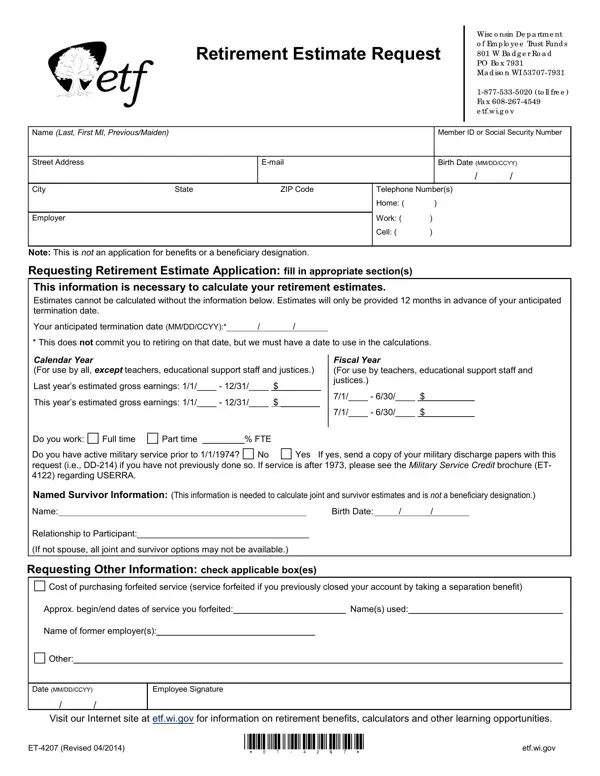
Understanding the nuances of planning for retirement under the Wisconsin Department of Employee Trust Funds requires navigating various procedures, one of which revolves around the ET-4207 form, a Retirement Estimate Request. This document is a crucial initial step for public employees within Wisconsin, aimed at obtaining a preliminary estimate of their retirement benefits. It outlines the necessity for workers to provide detailed personal and employment information, including name, contact details, member ID or social security number, and specific data related to employment earnings over the recent fiscal or calendar years. Additionally, the form asks for anticipated termination dates to aid in the calculation of potential retirement benefits, although this does not obligate the employee to retire on that date. Notably, the ET-4207 delves into other significant considerations for retirement planning, such as the inclusion of military service prior to 1974 and options for purchasing forfeited service credits, enhancing its role in helping employees make informed decisions about their retirement. The form also introduces the concept of providing named survivor information, crucial for those considering joint and survivor estimates, although it is explicit in stating that this part of the form does not serve as a beneficiary designation. Overall, the ET-4207 form stands as a testament to the complexities and considerations within the retirement planning process, offering a structured pathway for public employees in Wisconsin to estimate their future retirement benefits and make informed decisions tailored to their individual circumstances and career choices.
| Question | Answer |
|---|---|
| Form Name | Form Et 4207 |
| Form Length | 1 pages |
| Fillable? | No |
| Fillable fields | 0 |
| Avg. time to fill out | 15 sec |
| Other names | et4207 et 4207 fillable form |
Form Et 4207 isn’t the one you’re looking for?