
Form Fda 3356 PDF Details

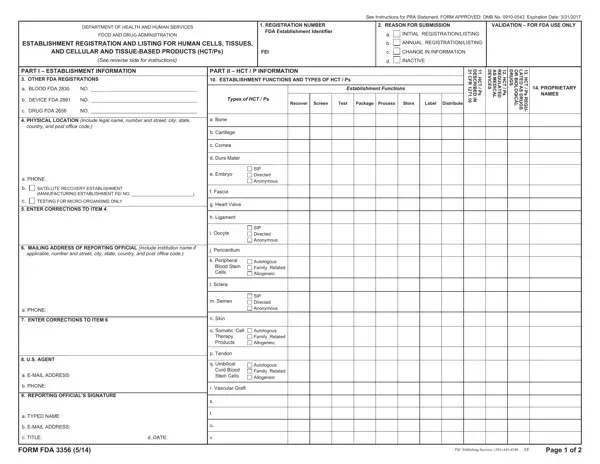
The Form FDA 3356 is a crucial document managed by the Department of Health and Human Services, specifically within the Food and Drug Administration (FDA), tailored for establishments involved with Human Cells, Tissues, and Cellular and Tissue-Based Products (HCT/Ps). This comprehensive form is meticulously designed to facilitate the registration and listing of establishments engaged in the processing, recovery, storage, labeling, packing, or distribution of HCT/Ps. It also applies to entities focused on the screening or testing of cell or tissue donors. The form, which must be submitted in adherence to regulations laid out under 21 CFR Part 1271, 207.20, and 807.20, serves multiple purposes including initial registration, annual updates, modifications to existing information, or marking an establishment as inactive. The intricacies of the form span details such as establishment and HCT/P information, including physical and mailing addresses, U.S. agent details for non-U.S. establishments, and specific types and functions of the HCT/Ps managed. Furthermore, it includes a section for proprietary names and requires explicit details regarding the establishment’s activities, whether it be recovery, processing, storage, or distribution of HCT/Ps. The necessity for accurate completion and the declaration by the reporting official underlines the form’s importance in maintaining up-to-date and factual records within the FDA’s regulatory landscape. This process not only ensures compliance with federal regulations but also supports the FDA’s mission to protect public health by supervising cell and tissue-based products, guaranteeing they are safe, effective, and available to those in need.

QuestionAnswer
Form NameForm Fda 3356
Form Length2 pages
Fillable?No
Fillable fields0
Avg. time to fill out30 sec
Other namespreprinted, Allogeneic, Rockville, CFR

How to Edit Form Fda 3356 Online for Free

You can work with offcial effortlessly with the help of our online tool for PDF editing. Our team is dedicated to providing you the best possible experience with our editor by consistently adding new features and enhancements. With these improvements, using our tool becomes better than ever! Getting underway is simple! All that you should do is take the next simple steps directly below:

Step 1: Press the "Get Form" button above on this page to access our editor.

Step 2: With the help of our handy PDF file editor, it is possible to accomplish more than simply fill out blank fields. Express yourself and make your forms appear perfect with customized text incorporated, or tweak the file's original input to excellence - all comes with the capability to insert your personal images and sign it off.

When it comes to blanks of this specific document, here's what you should do:

1. It's essential to complete the offcial accurately, thus be attentive when filling in the segments containing all of these blank fields:

Rockville completion process outlined (stage 1)

2. Once this array of fields is complete, you're ready to include the required specifics in MAILING ADDRESS OF REPORTING, applicable number and street city, Autologous Family Related, SIP Directed Anonymous, j Pericardium, k Peripheral, Blood Stem Cells, l Sclera, m Semen, n Skin, a PHONE, ENTER CORRECTIONS TO ITEM, US AGENT, a EMAIL ADDRESS, and b PHONE so you're able to move forward to the third part.

Completing segment 2 in Rockville

Lots of people frequently get some points incorrect while filling out Autologous Family Related in this section. You need to go over what you enter right here.

Step 3: Always make sure that the information is accurate and then simply click "Done" to continue further. Join FormsPal now and immediately use offcial, all set for download. All modifications you make are saved , which means you can modify the file later if needed. FormsPal guarantees your data privacy by using a secure method that never saves or shares any personal information used in the form. Rest assured knowing your files are kept safe every time you use our editor!