
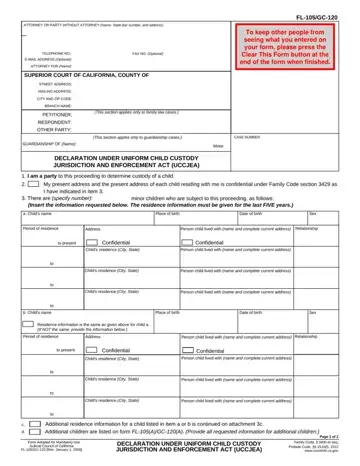
Form FL-105/GC-120 at a glance
What it is: Form FL-105/GC-120 is the Declaration Under Uniform Child Custody Jurisdiction and Enforcement Act (UCCJEA). If you are filing as part of a divorce, see our guide to divorcing in California with children.
Who signs: Enter the Date and the (NAME OF DECLARANT), and sign on the (SIGNATURE OF DECLARANT) line.
A filled-in Form FL-105/GC-120 example: a parent lists two children and their addresses
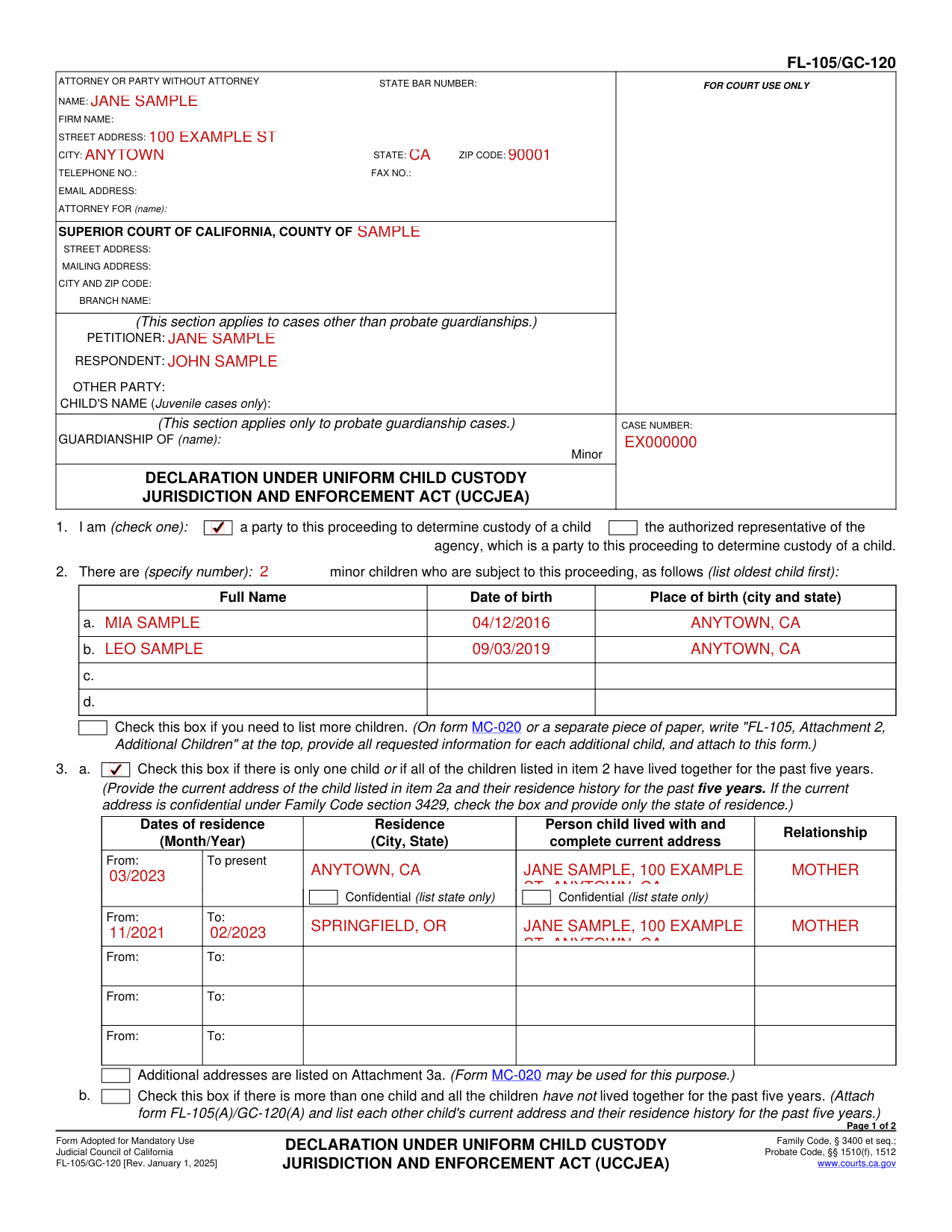
How to fill out Form FL-105/GC-120, box by box
I am (check one)

Check one: you are a party to this proceeding to determine custody of a child, or the authorized representative of the agency, which is a party to this proceeding to determine custody of a child.
Minor children who are subject to this proceeding
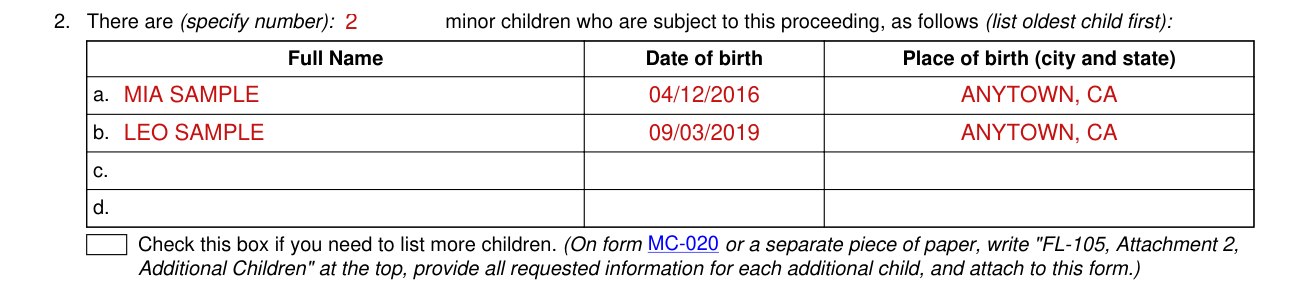
Specify the number of minor children who are subject to this proceeding and list them, oldest child first.
For each child, enter the Full Name, the Date of birth and the Place of birth (city and state).
Check the box if you need to list more children. On the form or a separate piece of paper, write "FL-105, Attachment 2, Additional Children" at the top, provide all requested information for each additional child, and attach to this form.
Residence history for the past five years
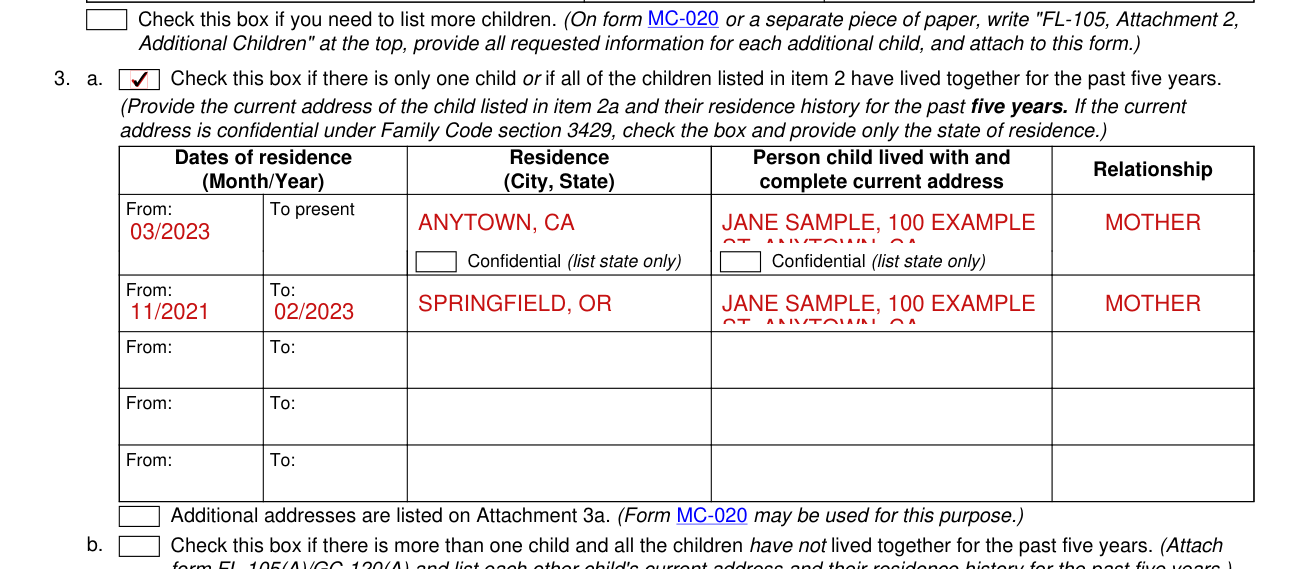
Check this box if there is only one child or if all of the children listed in item 2 have lived together for the past five years. Provide the current address of the child listed in item 2a and their residence history for the past five years. If the current address is confidential under Family Code section 3429, check the box and provide only the state of residence.
For each address, enter the Dates of residence (Month/Year), the Residence (City, State), and the Person child lived with and complete current address and Relationship. Confidential (list state only).
Check this box if additional addresses are listed on Attachment 3a.
Check this box if there is more than one child and all the children have not lived together for the past five years. Attach form FL-105(A)/GC-120(A) and list each other child's current address and their residence history for the past five years.
Another court case or custody or visitation proceeding
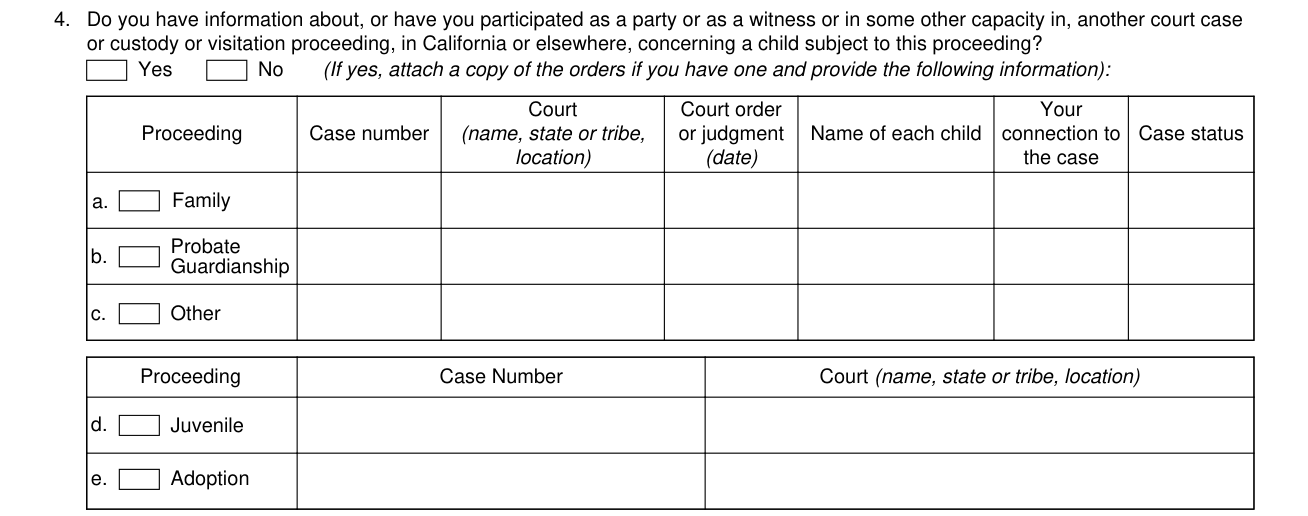
Do you have information about, or have you participated as a party or as a witness or in some other capacity in, another court case or custody or visitation proceeding, in California or elsewhere, concerning a child subject to this proceeding?
Check Yes or No. If yes, attach a copy of the orders if you have one and provide the following information.
For each case, enter the Proceeding, the Case number, the Court (name, state or tribe, location), the Court order or judgment (date), the Name of each child, Your connection to the case and the Case status.
For Juvenile and Adoption, enter the Case Number and the Court (name, state or tribe, location).
Domestic violence restraining/protective orders
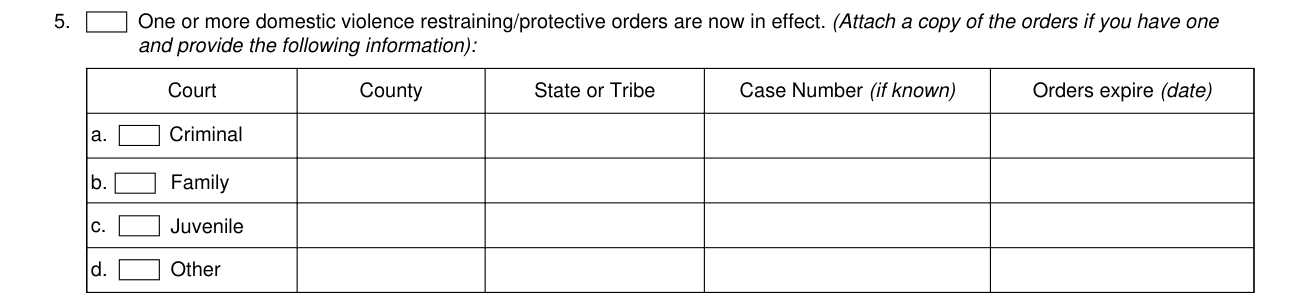
Check this box if one or more domestic violence restraining/protective orders are now in effect. Attach a copy of the orders if you have one and provide the following information.
For each order, enter the Court, the County, the State or Tribe, the Case Number (if known) and when the Orders expire (date).
A person who is not a party and has custody or visitation claims
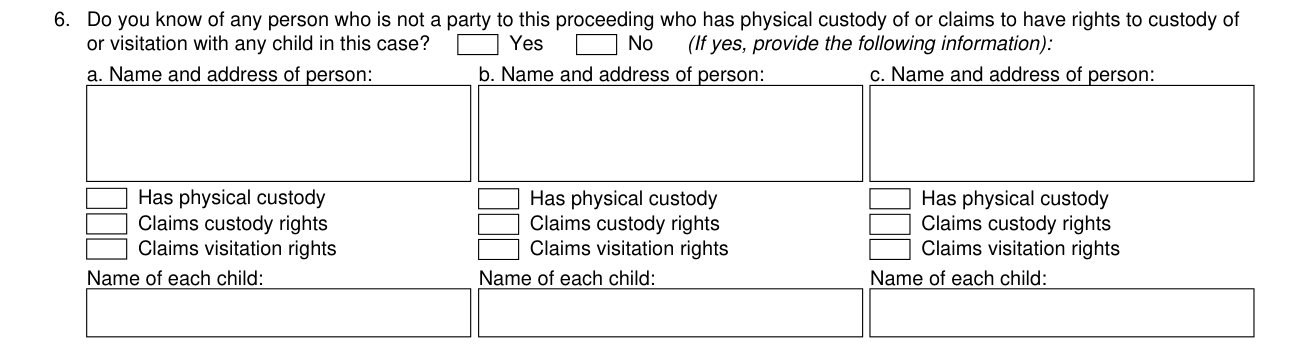
Do you know of any person who is not a party to this proceeding who has physical custody of or claims to have rights to custody of or visitation with any child in this case? If yes, provide the following information.
For each person, enter the Name and address of person, check Has physical custody, Claims custody rights or Claims visitation rights, and enter the Name of each child.
Pages attached and the declaration

Enter the Number of pages attached.
"I declare under penalty of perjury under the laws of the State of California that the foregoing is true and correct."
More rules for Form FL-105/GC-120
NOTICE TO DECLARANT: You have a continuing duty to inform this court if you obtain any information about a custody proceeding in a California court or any other court concerning a child subject to this proceeding.
Common questions about Form FL-105/GC-120
What is FL 105 GC 120?
Form FL-105/GC-120 is the Declaration Under Uniform Child Custody Jurisdiction and Enforcement Act (UCCJEA). The Uniform Child Custody Jurisdiction and Enforcement Act is at Family Code, § 3400 et seq.; Probate Code, §§ 1510(f), 1512.
Sources
[1] Form FL-105/GC-120 (Rev. January 1, 2025), Declaration Under Uniform Child Custody Jurisdiction and Enforcement Act (UCCJEA), Judicial Council of California (the Official source link on this page).
