

Form HSMV 85100 at a glance
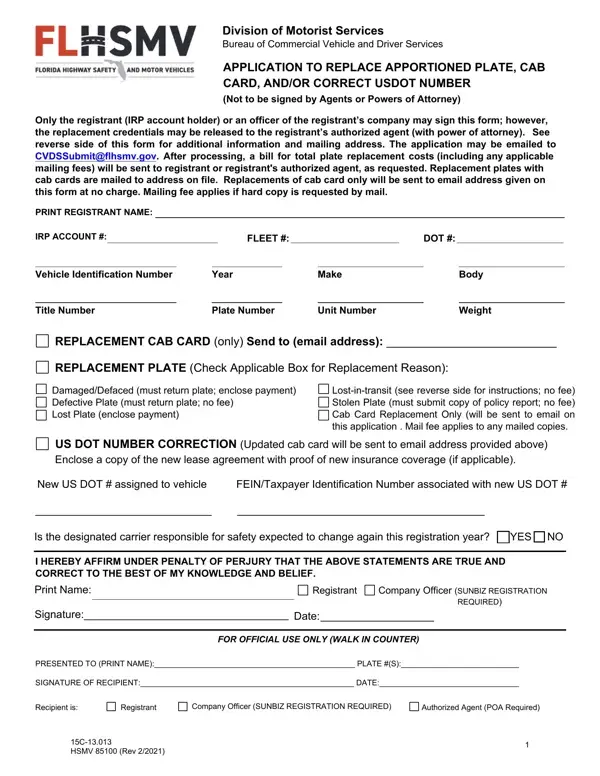
What it is: Form HSMV 85100 is the Application to Replace Apportioned Plate, Cab Card, and/or Correct USDOT Number of the Division of Motorist Services, Bureau of Commercial Vehicle and Driver Services.
Who signs: Only the registrant (IRP account holder) or an officer of the registrant's company may sign this form; however, the replacement credentials may be released to the registrant's authorized agent (with power of attorney). The form is not to be signed by Agents or Powers of Attorney.
Where and when to file: BCVDS processes requests for replacement of an apportioned plate or cab card by mail, email or in person. Applications must be submitted directly to BCVDS, if eligible for replacement at no charge or if original credentials were lost in the mail. Otherwise, applications may also be submitted and processed in person at any state authorized license plate agency (subject to additional fee). The application may be emailed to CVDSSubmit@flhsmv.gov. After processing, a bill for total plate replacement costs (including any applicable mailing fees) will be sent to registrant or registrant's authorized agent, as requested. Replacement plates with cab cards are mailed to address on file. Replacements of cab card only will be sent to email address given on this form at no charge. Mailing fee applies if hard copy is requested by mail.
A filled-in Form HSMV 85100 example: replacing a damaged plate
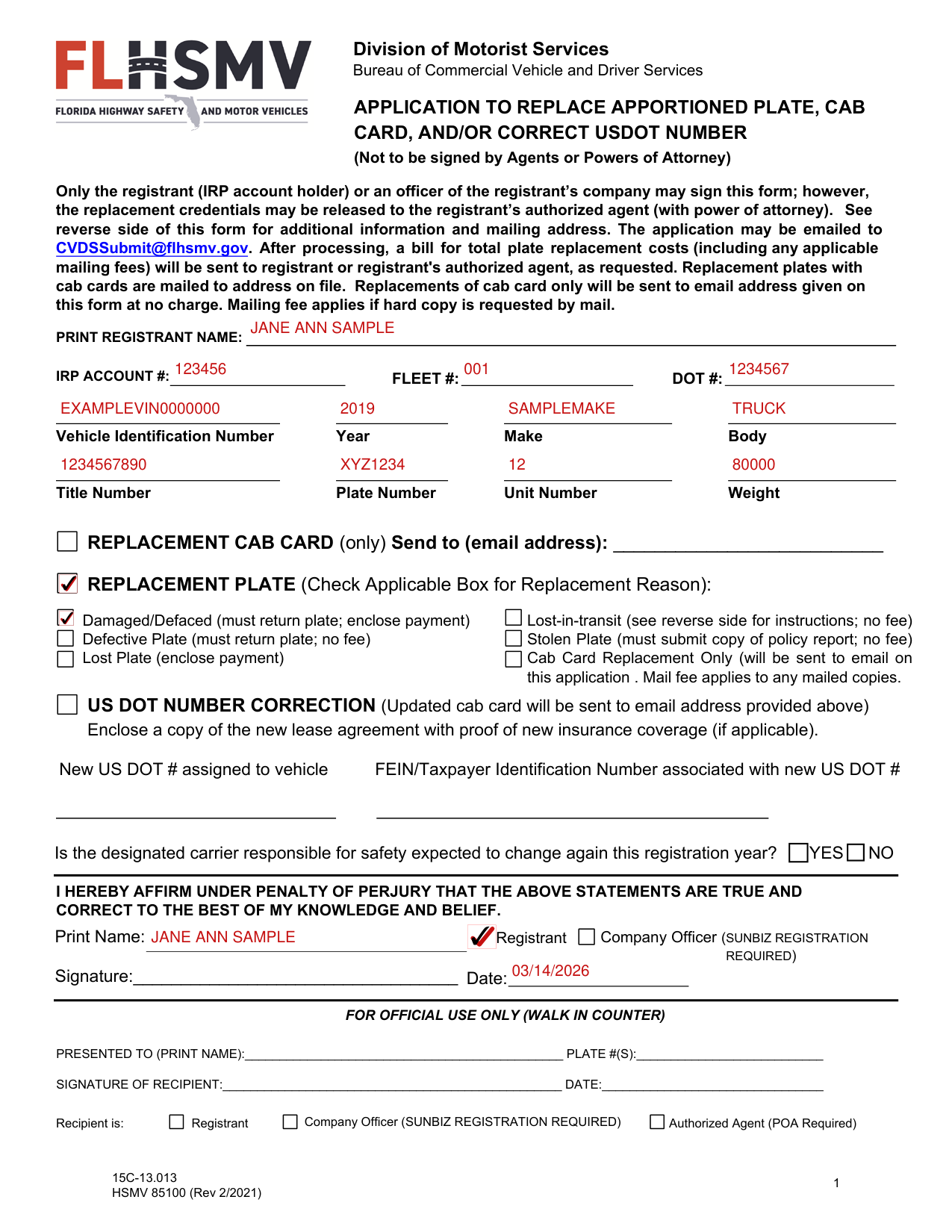
How to fill out Form HSMV 85100, box by box
Registrant and vehicle
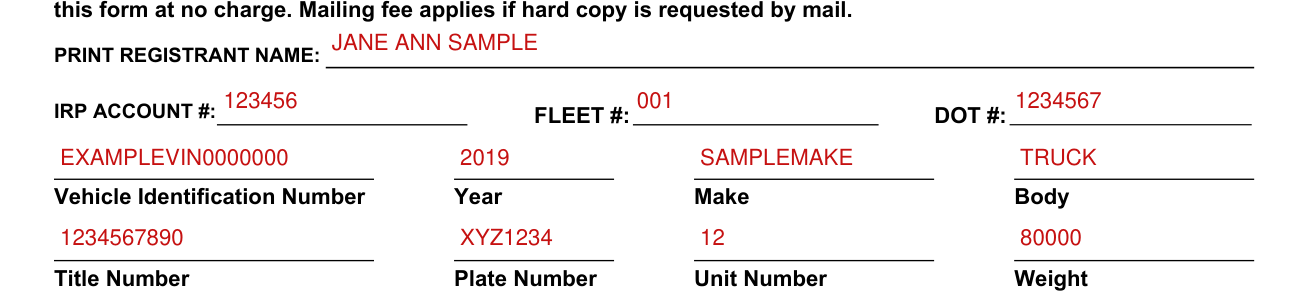
Fill in PRINT REGISTRANT NAME, IRP ACCOUNT #, FLEET # and DOT #.
Fill in the Vehicle Identification Number, Year, Make and Body, then the Title Number, Plate Number, Unit Number and Weight.
Replacement cab card only

Check REPLACEMENT CAB CARD (only) and write the email address after Send to (email address).
Replacement plate reason

Under REPLACEMENT PLATE, check the applicable box for the replacement reason.
Damaged/Defaced: A damaged license plate is when the license plate has sustained physical damage. EXAMPLE: Something struck the license plate and dented the letters or numbers, customer pressure-washed the letters off of the license plate, etc. [s. 320.0607(1) and (3), F.S.] A defaced license plate is when the license plate has not sustained physical damage but is unreadable for some other reason. EXAMPLE: The sun has faded the letters or numbers on the license plate. [s. 320.0607(1) and (3), F.S.] Payment of the replacement fee is required. All damaged, defective, or defaced license plates must be returned for cancellation.
Lost-in-transit: If the registrant has not received the apportioned license plate and/or cab card after 15 calendar days have passed since the credentials were mailed by BCVDS, replacement of the plate and/or cab card will be processed by the BCVDS at no charge, if submitted within 180 days from the date the credentials were originally issued. This transaction must be coordinated directly with BCVDS before submitting the application (Form 85100). Call 850-617-3711 for instructions.
Defective: If the license plate that was issued to the registrant contains a defect that impairs legibility or the ability to display properly, it will be replaced at no charge. However, the registrant must surrender (return) the defective license plate.
Stolen: Applications for the replacement of apportioned license plates or cab cards that have been stolen will be processed by BCVDS at no charge when accompanied by a copy of the police report issued by the law enforcement agency to which the theft was reported. If the theft is not reported or no case number is assigned, payment of the replacement fee is required.
Lost (not stolen): If the registrant cannot account for the missing plate and/or cab card, and there is no police report of theft, the credential is considered lost. Payment of the replacement fee is required. [s. 320.0607(2) and (3), F.S.]
Cab Card Replacement Only will be sent to email on this application. Lost-in-transit, Defective Plate and Stolen Plate: no fee.
US DOT number correction
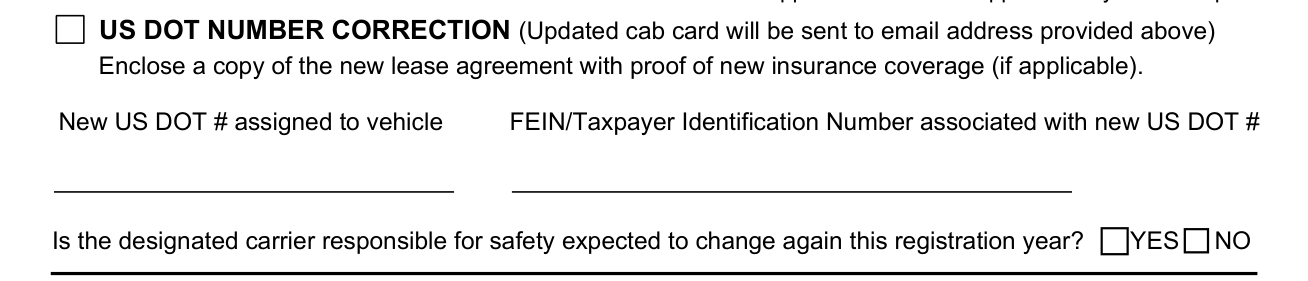
A DOT Number Correction is required if the motor carrier responsible for the safety of the vehicle changes. Both the USDOT# and FEIN assigned to the vehicle must be updated on the IRP account. Check DOT NUMBER CORRECTION: the updated cab card will be sent to the email address provided. Enclose a copy of the new lease agreement with proof of new insurance coverage (if applicable).
Fill in the new DOT # assigned to vehicle and the FEIN/Taxpayer Identification Number associated with the new DOT #.
Is the designated carrier responsible for safety expected to change again this registration year? Check YES or NO.
If the new carrier responsible for vehicle safety is different from the registrant, a copy of the current (signed) lease agreement and proof of insurance (insurance card is not acceptable) must also be submitted. The registrant will be issued updated cab card(s) upon payment of the applicable fee.
Signature

The registrant or an officer of the registrant's company is accountable for the truthfulness of the information and must sign the form.
Fill in Print Name, check Registrant or Company Officer (SUNBIZ REGISTRATION REQUIRED), sign on the Signature line and fill in Date.
More rules for Form HSMV 85100
Section 320.0607, Florida Statutes, provides for the replacement of license plates when the original plate has been damaged, defaced, lost, stolen, destroyed, or lost in the mail.
The application for the replacement of apportioned plates or cab cards (Form 85100) must be legible and completed in detail.
However, an authorized agent may submit the application and accept the replacement credentials on behalf of the registrant.
Common questions about Form HSMV 85100
Where do I file it?
Send the completed Form 85100 and any required supporting documents to BCVDS at 2900 Apalachee Parkway, Mail Stop 62, Tallahassee, FL 32399.
Is there a penalty?
You affirm under penalty of perjury that the statements are true and correct to the best of your knowledge and belief.
Sources
[1] Form HSMV 85100 (Rev 2/2021), Application to Replace Apportioned Plate, Cab Card, and/or Correct USDOT Number, Florida Department of Highway Safety and Motor Vehicles (the Official source link on this page).