
Form IA-1 at a glance
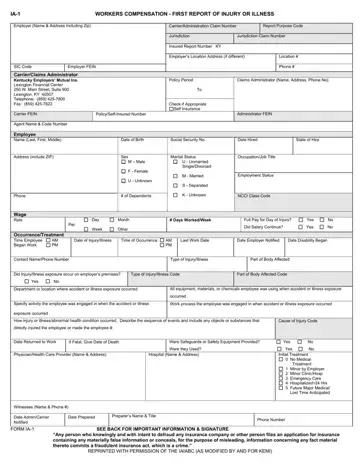
What it is: IA-1 is the Workers Compensation First Report of Injury or Illness.
Who signs: Employee Signature: DATE:
The First Report of Injury (IA-1) must be submitted by the supervisor (or designee) immediately after notification of injury.[2]
What to bring and attach to Form IA-1
Form 106 must be completed by the employee and submitted along with the First Report of Injury (IA-1).[2]
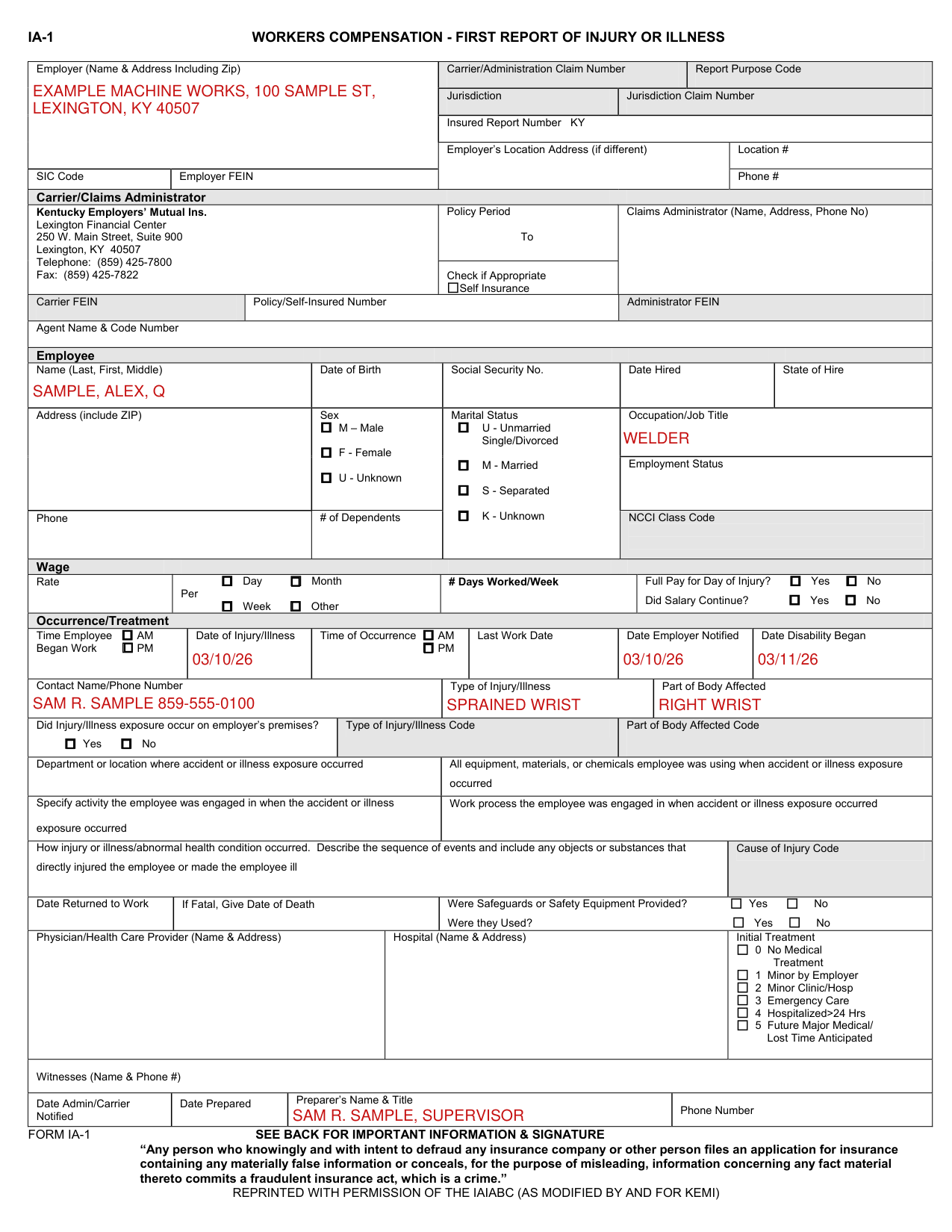
A filled-in Form IA-1 example: a supervisor reports a wrist injury
How to fill out Form IA-1, box by box
Employer, SIC Code, Carrier and Claims Administrator
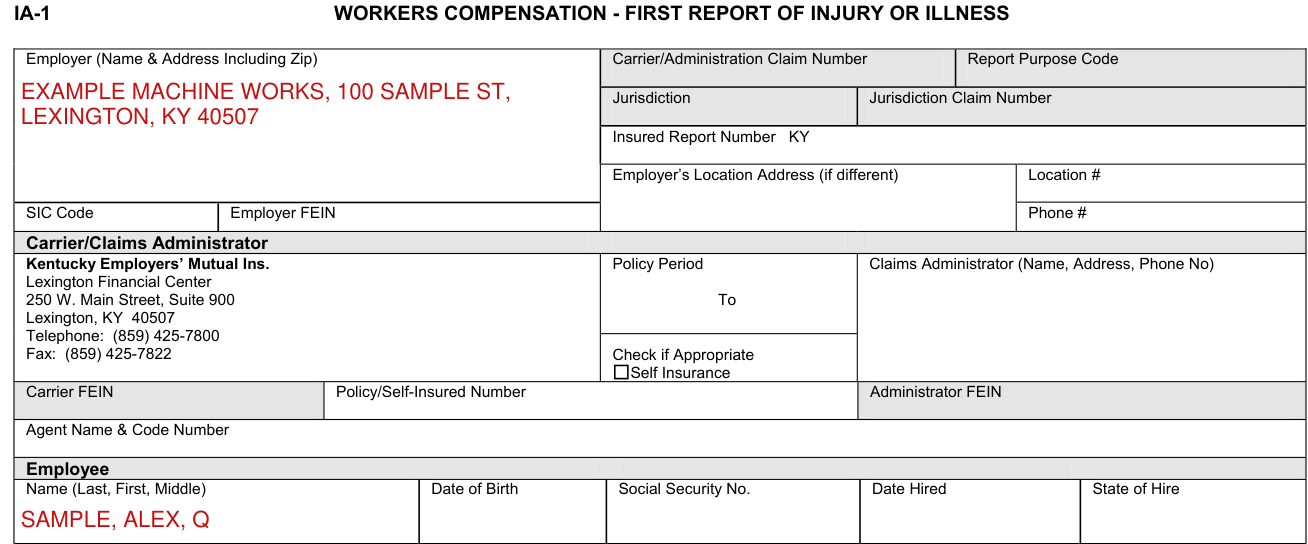
SIC Code: This is the code that represents the nature of the employer's business that is contained in the Standard Industrial Classification Manual published by the Federal Office of Management and Budget.
Carrier: The licensed business entity issuing a contract of insurance and assuming financial responsibility on behalf of the employer or the claimant.
Claims Administrator: Enter the name of the carrier, third party administrator, state fund, or self-insured responsible for administering the claim.
Agent Name & Code Number: Enter the name of your insurance agent and his/her code number if known. This information can be found on your insurance policy.
Occupation/Job Title and Employment Status
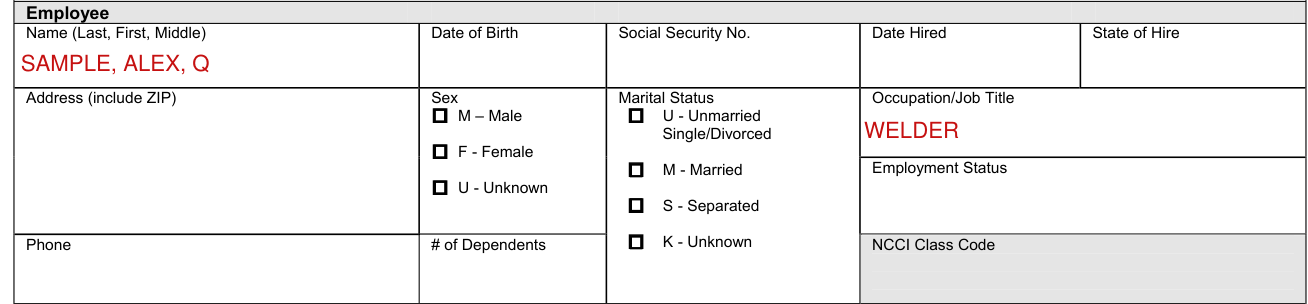
Occupation/Job Title: This is the primary occupation of the claimant at the time of the accident or exposure.
Employment Status: Indicate the employee's work status. The valid choices are: Full-Time, Not Employed, Disabled, Unknown, Apprenticeship Part-Time, Seasonal, Part-Time, On Strike, Retired, Apprenticeship Full-Time, Volunteer, and Piece Worker.
Date Disability Began and Contact Name/Phone Number
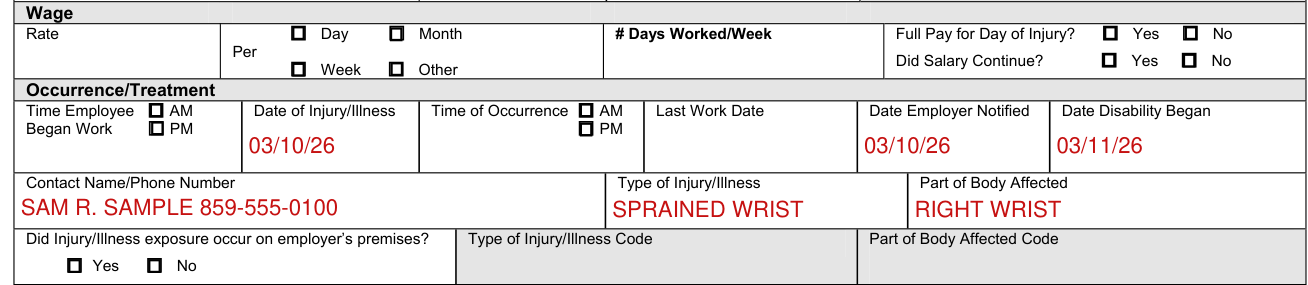
Date Disability Began: The first day on which the claimant originally lost time from work due to the occupational injury or disease or as otherwise designated by the statute.
Contact Name/Phone Number: Enter the name of the individual at the employer's premises to be contacted for additional information.
Type of Injury/Illness and Part of Body Affected

Type of Injury/Illness: Briefly describe the nature of the injury or illness, (e.g. Lacerations to the forearm).
Part of Body Affected: Indicate the part of body affected by the injury/illness, (e.g. Right forearm, lower back).
Department or location where accident or illness exposure occurred
Department or location where accident or illness exposure occurred: (e.g. Maintenance Department or Client's office at 452 Monroe St., Washington, DC 26210) If the accident or illness exposure did not occur on the employer's premises, enter the address or location. Be specific.
All equipment, material or chemicals employee was using when accident or illness exposre occurred: (e.g., Acetylene cutting torch, metal plate) List all equipment, materials and/or chemicals the employee was using, applying, handling or operating when the injury or illness occurred. Be specific, for example: decorator's scaffolding, electric sander, paintbrush, and paint. Enter “NA” for not applicable if no equipment, materials or chemicals were being used. NOTE: The items listed do not have to be directly involved in the employee's injury or illness.
Specific activity the employee was engaged in when the accident or illness exposure occurred: (e.g., Cutting metal plate for flooring) Describe the specific activity the employee was engaged in when the accident or illness exposure occurred, such as sanding ceiling woodwork in preparation of painting.
Work process the employee was engaged in when accident or illness exposure occurred: Describe the work process the employee was engaged in when the accident or illness exposure occurred, such as building maintenance. Enter “NA” for not applicable if employee was not engaged in a work process (e.g., walking along a hallway).
How injury or illness/abnormal health condition occurred
How injury or illness/abnormal health condition occurred. Describe how the injury or illness/abnormal health condition occurred. Include the sequence of events and name any objects or substance that directly injured the employee or made the employee ill.
Describe the sequence of events and include any objects or substances that directly injured the employee or made the employee ill: (Worker stepped back to inspect work and slipped on some scrap metal. As worker fell, worker brushed against the hot metal.)
For example: Worker stepped to the edge of the scaffolding to inspect work, lost balance and fell six feet to the floor. The worker's right wrist was broken in the fall.
Date Returned to Work

Date Returned to Work: Enter the date following the most recent disability period on which the employee returned to work.
Employee Signature and DATE

“Any person who knowingly and with intent to defraud any insurance company or other person files an application for insurance containing any materially false information or conceals, for the purpose of misleading, information concerning any fact material thereto commits a fraudulent insurance act, which is a crime.”
Employee Signature: DATE:
Before you go
Do not enter data in shaded fields. Dates: Enter all dates in MM/DD/YY.
Common questions about Form IA-1
Who signs it?
First Report of Injury (IA-1) Signature Page All employees reporting a work-related injury must sign this signature page when the submitted form is completed.[2]
Is there a deadline?
This must be completed "within three (3) working days", (KRS 342.038), after the injury due to the time requirement on making the first payment to the employee.[2]
Where do I file it?
The supervisor should enter the IA-1 online for submission directly to the Workers’ Compensation Branch at: WCP First Report of Injury (IA-1).[2]
Sources
[1] IA-1, First Report of Injury or Illness, Kentucky Employers' Mutual Insurance (KEMI) print of the Kentucky form (the Official source link on this page).
[2] extranet.personnel.ky.gov, signature_rule. Accessed October 19, 2026.
