
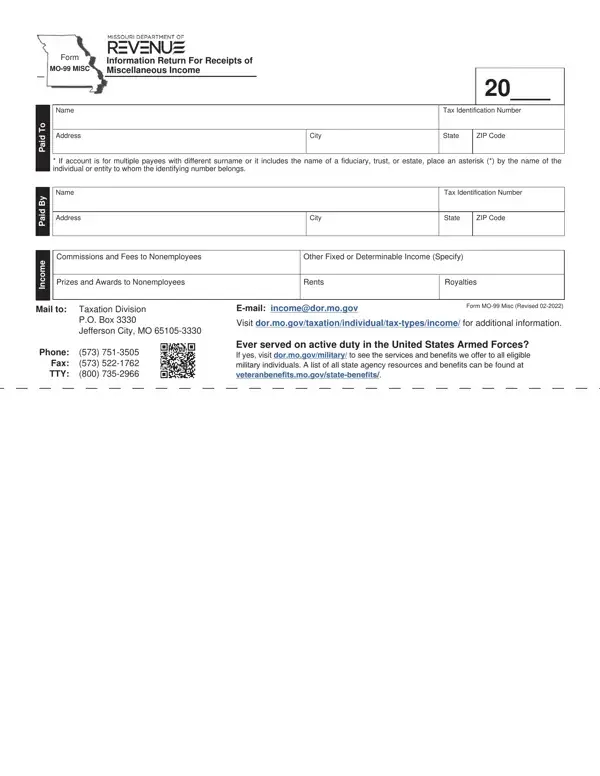
In the realm of financial obligations and reporting, the Mo 99 Misc form plays a pivotal role for individuals and entities involved in various transactions. This form, categorized as an Information Return for Receipts of MO-99 MISC Miscellaneous Income, is designed to streamline the process of reporting a wide array of income types not covered under traditional employment (Form W-2). It encompasses income from commissions and fees paid to nonemployees, prizes and awards to nonemployees, rents, and royalties, thereby casting a wide net over miscellaneous income sources. Each entry requires detailed information about the payer and the receiver, including names, tax identification numbers, and addresses, ensuring that both parties’ details are thoroughly documented. The stipulation to indicate with an asterisk (*) in cases where the account involves multiple payees with different surnames or includes the names of fiduciaries, trusts, or estates adds another layer of specificity to the reporting. Administered by the Taxation Division, with contact details provided for further assistance, the form also nods towards Missouri’s commitment to its military personnel by offering information on services and benefits available to those who have served in the United States Armed Forces. The form MO-99 Misc, therefore, not only serves as a crucial tool for income reporting but also as a gateway to accessing further information and resources provided by the state for its residents.
| Question | Answer |
|---|---|
| Form Name | Form Mo 99 Misc |
| Form Length | 1 pages |
| Fillable? | No |
| Fillable fields | 0 |
| Avg. time to fill out | 15 sec |
| Other names | Fillable Form Mo-99 Misc - Information Return For Receipts ... |
Form Mo 99 Misc isn’t the one you’re looking for?