
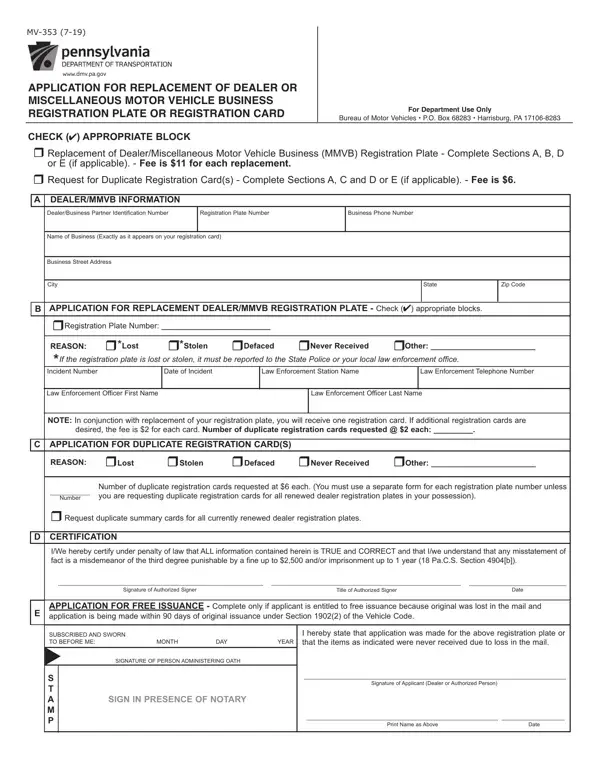

Form MV-353 at a glance
What it is: Application for replacement of dealer or miscellaneous motor vehicle business registration plate or registration card, Bureau of Motor Vehicles (the space is for Department use only).
Where and when to file: Mail application to: PennDOT Bureau of Motor Vehicles P.O. Box 68283 Harrisburg, PA 17106-8283
What to bring and attach to Form MV-353
If registration plate(s) is lost or stolen, it must be reported to the police. A copy of the police report or incident number must be attached to this form.
DO NOT SEND CASH. Make check or money order payable to the Commonwealth of Pennsylvania.
A filled-in Form MV-353 example: a dealer replaces a lost plate
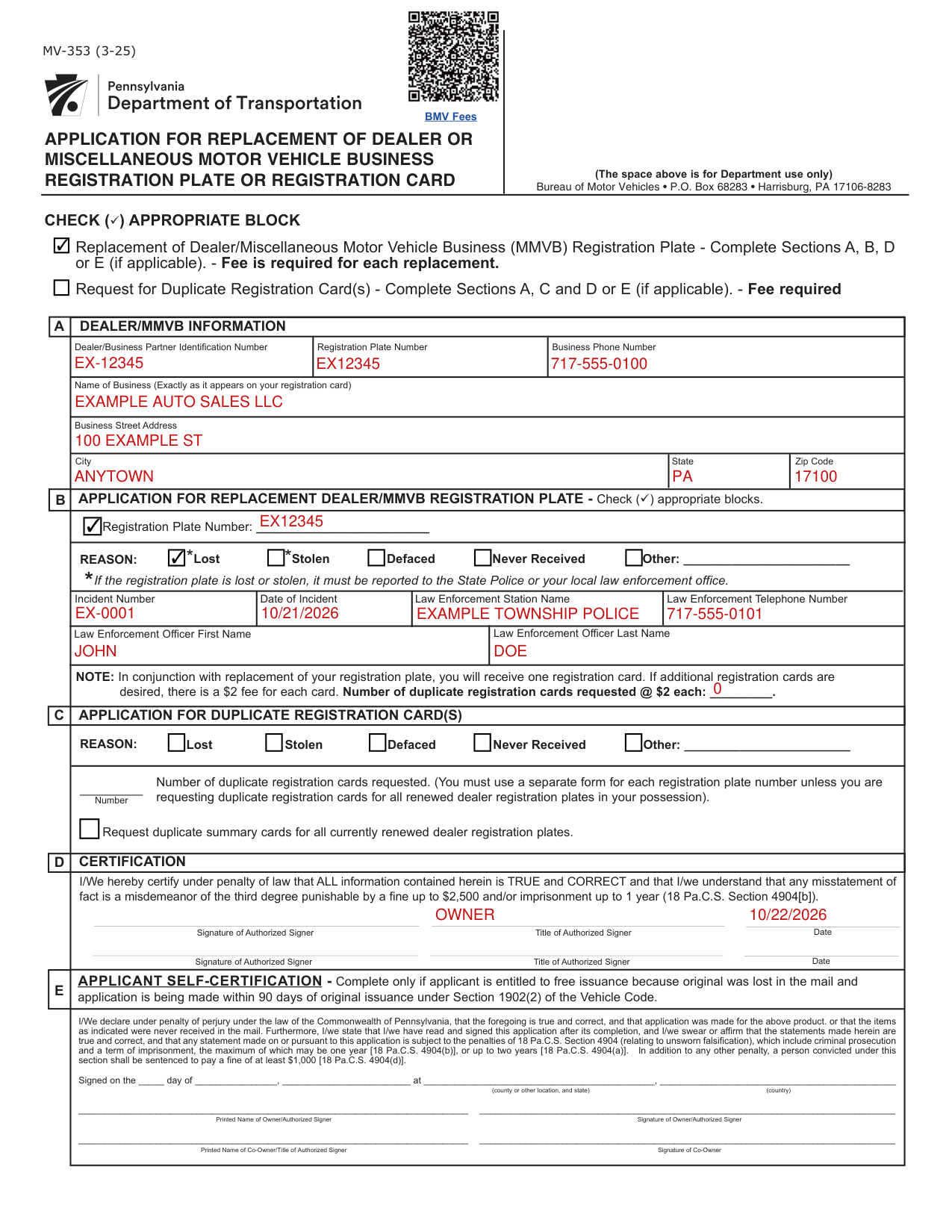
How to fill out Form MV-353, box by box
Check appropriate block

Check the block Replacement of Dealer/Miscellaneous Motor Vehicle Business (MMVB) Registration Plate and complete Sections A, B, D or E (if applicable); a fee is required for each replacement.
Check the block Request for Duplicate Registration Card(s) and complete Sections A, C and D or E (if applicable); a fee is required.
Dealer/MMVB information
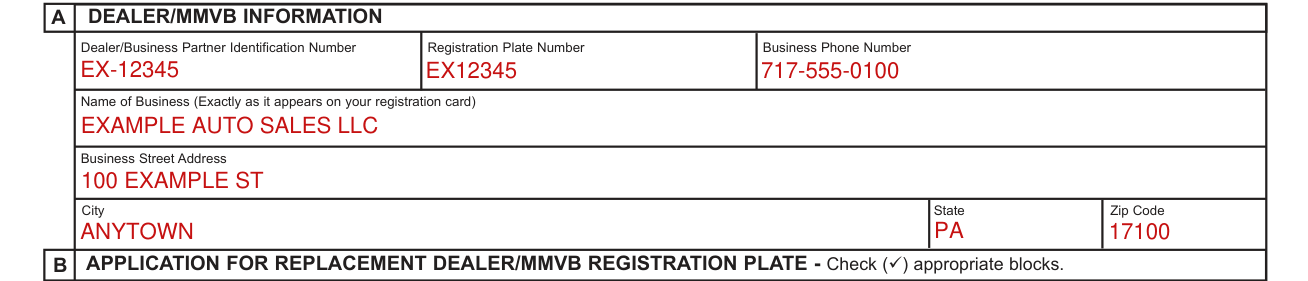
Under Dealer/MMVB Information, enter the Dealer/Business Partner Identification Number, Registration Plate Number, Business Phone Number, Name of Business (Exactly as it appears on your registration card), Business Street Address, City, State and Zip Code.
Application for replacement dealer/MMVB registration plate
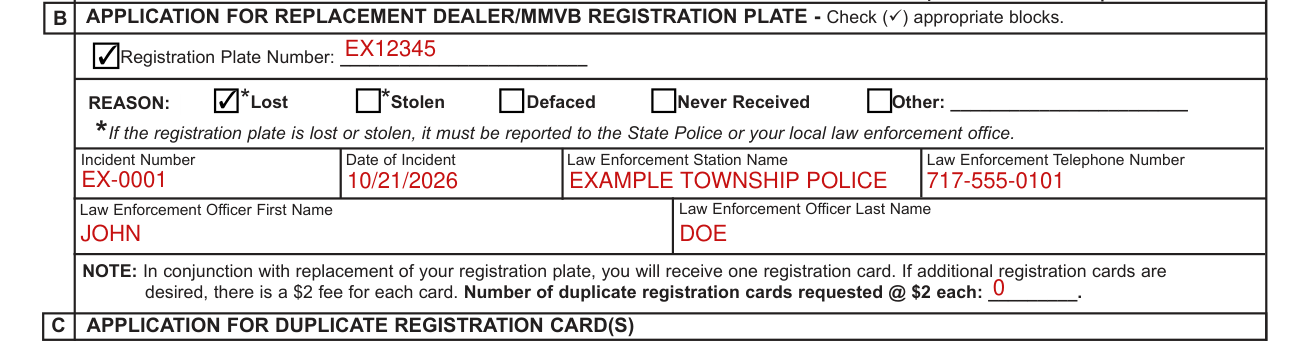
Under Application for Replacement Dealer/MMVB Registration Plate, check appropriate blocks: enter the Registration Plate Number and check the REASON: Lost, Stolen, Defaced, Never Received or Other. If the registration plate is lost or stolen, it must be reported to the State Police or your local law enforcement office.
Enter the Incident Number, Date of Incident, Law Enforcement Station Name, Law Enforcement Telephone Number, Law Enforcement Officer First Name and Law Enforcement Officer Last Name.
In conjunction with replacement of your registration plate, you will receive one registration card. If additional registration cards are desired, there is a $2 fee for each card (checked November 1, 2026). Enter the number of duplicate registration cards requested.
If requesting replacement of more than one registration plate, a separate form must be used for each registration plate.
Application for duplicate registration card(s)

Under Application for Duplicate Registration Card(s), check the REASON: Lost, Stolen, Defaced, Never Received or Other, and enter the Number.
You must use a separate form for each registration plate number unless you are requesting duplicate registration cards for all renewed dealer registration plates in your possession.
Check Request duplicate summary cards for all currently renewed dealer registration plates.
Certification

Under Certification, you certify under penalty of law that ALL information contained herein is TRUE and CORRECT and that you understand that any misstatement of fact is a misdemeanor of the third degree punishable by a fine up to $2,500 and/or imprisonment up to 1 year (18 Pa.C.S. Section 4904[b]) (checked November 1, 2026).
Sign on the Signature of Authorized Signer line and fill in the Date and Title of Authorized Signer.
Applicant self-certification
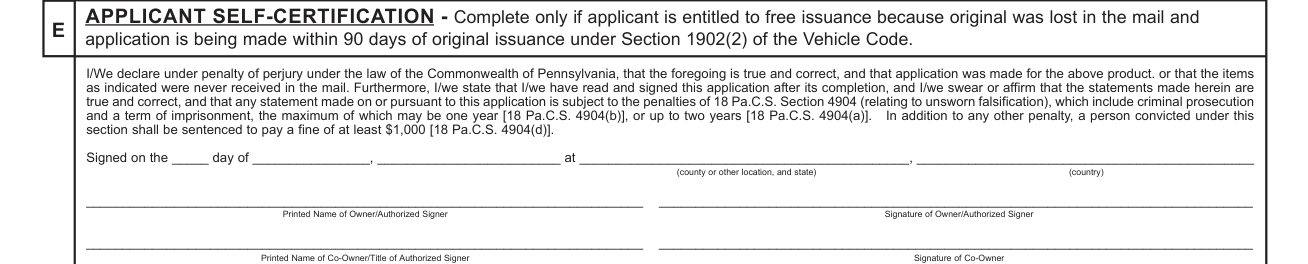
Under Applicant Self-Certification, complete only if applicant is entitled to free issuance because original was lost in the mail and application is being made within 90 days of original issuance under Section 1902(2) of the Vehicle Code.
If the registration plate or registration card was never received, and application for replacement is made within 90 days from date of issuance, no fee is required.
Fill in the Printed Name of Owner/Authorized Signer and sign on the Signature of Owner/Authorized Signer line. If there is a co-owner, fill in the Printed Name of Co-Owner/Title of Authorized Signer and sign on the Signature of Co-Owner line.
Other situations
Personalized dealer registration plates
Dealer registration plates may be personalized. Should you choose to personalize your replacement dealer registration plate, please complete and attach Form MV-904D, "Application for Personalized Dealer Registration Plate," to this application. There is an additional fee required with personalization requests.
Common questions about Form MV-353
Is there a deadline?
Application for replacement of registration plate must be made within 48 hours of discovery of the loss or defacement of the registration plate.
Where do I file it?
Mail application to: PennDOT Bureau of Motor Vehicles P.O. Box 68283 Harrisburg, PA 17106-8283
Where to get help with Form MV-353
Visit www.dmv.pa.gov or call 717-412-5300. TTY callers - please dial 711.
Sources
[1] Form MV-353 (3-25), Application for Replacement of Dealer or Miscellaneous Motor Vehicle Business Registration Plate or Registration Card, Pennsylvania Department of Transportation (the Official source link on this page).